
Discover powerful Dolibarr extensions designed to automate your business processes
1. Module overview
Advanced Cross-Docking Management (gestioncrossdocking) turns...
Couldn't load pickup availability


1. Module overview
Advanced Cross-Docking Management (gestioncrossdocking) turns Dolibarr into a complete control tower for cross-docking operations. From inbound planning to outbound departure, it manages carrier appointments, advanced shipping notices (ASN), receiving and quality control, handling units (pallets, parcels, SSCC, batches, serials), sorting and consolidation, FIFO/FEFO allocation, staging, quarantine, loading, shipments, traceability, anomalies and service-level agreements — without any external software. It is fully integrated with the native Dolibarr modules (Third parties, Products, Stock, Supplier/Customer orders, Receptions, Shipments, Projects, Agenda, ECM) and never modifies the Dolibarr core.
2. Business objectives
· Reduce intermediate storage and dwell time
· Synchronise inbound and outbound flows
· Increase the service rate and on-time departures
· Cut sorting errors and handling costs
· Secure end-to-end traceability
· Enforce SLAs and support 3PL billing
3. Cross-docking models
· Pre-allocated cross-docking (units assigned before arrival)
· Opportunistic cross-docking (automatic allocation after receipt)
· Consolidation cross-docking (multi-supplier / multi-order)
· Distribution cross-docking (bulk received, split and redistributed)
· Manufacturing cross-docking (components straight to production)
· Return cross-docking (fast handling of returns)
4. Platform structure
A configurable hierarchy of platforms, buildings, docks and zones. Each platform declares its inbound and outbound docks, surface, capacity, opening hours and temperature ranges. Zones cover reception, sorting, consolidation, transit, quarantine, loading and staging, each with a capacity and a live occupancy.
5. Dock management & operational map
Inbound and outbound docks carry a type, a live status (free, occupied, reserved, maintenance, blocked) and an occupancy rate. The operational map renders every platform with its docks and zones colour-coded by status, providing a real-time floor view.
6. Carrier appointment scheduling
Time-slotted appointments per platform and dock, with direction, vehicle type, goods type, priority, proposed and confirmed docks, and a full lifecycle (requested, proposed, confirmed, approaching, arrived, waiting, at dock, done, departed, cancelled, late). Waiting and delay times are tracked for KPIs.
7. Carrier portal
A secure surface for carriers to request and confirm slots, declare vehicle and driver, announce approach, and consult the assigned dock (architecture provided; extensible).
8. Advanced Shipping Notices (ASN)
ASN headers and lines with supplier, carrier, expected date, pallets, parcels, SSCC, batches, serials, expiry and destination. Sources: manual, EDI, API, CSV, supplier order, portal.
9. Inbound vehicle management
Arrival check-in from an appointment code, plate, driver badge or QR code, dock assignment, queue and unloading tracking.
10. Receiving
Reception headers and lines with expected vs received quantities, gaps, unloading time, controlled units and reception type (complete, partial, excess, shortage, non-conform, refused).
11. Quality controls
Control results (conform, conform with reserve, non-conform, blocked, quarantine) drive downstream eligibility; blocked and quarantined units cannot be allocated, consolidated, loaded or shipped.
12. Handling units
Every pallet, parcel, bin, container, roll or case is tracked with SSCC, product, quantity, batch, serial, weight, volume, destination, current zone, cross-dock type and a full lifecycle status.
13. Barcode & SSCC management
GS1 SSCC identifiers on ASN lines, reception lines and handling units; the architecture supports Code 128, EAN, GS1-128, QR and DataMatrix labelling.
14. Sorting plans & mobile sorting
Sorting plans by order, customer, store, tour, dock, destination or carrier generate sorting missions with source/target zones, priority, planned vs real time and error flags, designed for PDA/scanner operation.
15. Allocation engine
FIFO/FEFO allocation with pre-allocated, opportunistic, manual and reallocation modes; outcomes include complete, partial, surplus, shortage, waiting and staged, each with an explainable reason.
16. Consolidation
Consolidation by order, customer, store, tour, vehicle, destination, multi-supplier or multi-order, with expected vs actual units to surface incomplete consolidations.
17. Direct cross-docking & staging
A direct dock-to-dock transfer path plus controlled temporary staging with deadlines and overdue alerts.
18. Quarantine management
Blocked and quarantined units are isolated and excluded from every downstream operation until released.
19. Outbound flow planning
Outbound orders with type, destination, requested date, lines, units, weight, carrier, priority and a coverage percentage; uncovered orders are flagged.
20. Route management
Fixed, ad-hoc, store, customer, inter-site and multi-drop tours with stops, vehicle, carrier and departure time.
21. Loading & departure controls
Loading sessions with pre-check, missing-unit detection, loading time and status; shipments record planned vs real departure, on-time flag, transit time and proof of delivery.
22. Carrier integrations
A connector architecture for booking, tracking numbers, status and proof of delivery (extensible, configurable, documented).
23. Delay & anomaly management
Delay detection across the chain and a full anomaly engine (unexpected, missing, quantity, wrong product/batch, label, damaged, temperature, wrong destination, sorting error, delay, over-capacity) with severity, decision and status.
24. Traceability
Ascending and descending traceability from inbound unit to outbound unit, supplier to customer, batch to destination, via the movement journal.
25. Resource & SLA management
Operators, teams and equipment tracking; configurable SLAs per customer, supplier, carrier, flow, platform or contract with target, actual, compliance percentage, status (met, at risk, breached) and penalties.
26. 3PL logistics & billing
Multi-client flow ownership with billable services (receptions, handling units, consolidations, loadings, shipments) and an indicative 3PL billing report.
27. Dashboards
The "Cross-Docking Flow Control Tower" shows a five-column live flow (inbound vehicles, reception & control, sorting & consolidation, loading, outbound vehicles), a central fluidity index, service-level KPIs, analytical charts and clickable operational alert widgets.
28. Reporting
Eighteen operational and service-level reports (arrivals, waiting time, dock utilisation, receptions, gaps, sorting, consolidations, coverage, direct transfer, departures, on-time, volumes by supplier/customer/carrier, anomalies, SLA, 3PL billing) with CSV export and print.
29. Dolibarr native integrations
Third parties, Products, Stock, Supplier/Customer orders, Receptions, Shipments, Projects, Agenda and ECM — each toggle-able.
30. Security
Server-side permission checks (13 right groups), CSRF/XSS protection, input validation, multi-entity separation, and audit logging; no secrets stored in clear text.
31. API & webhooks
A secured REST API exposes platforms, docks, appointments, units, receptions, shipments, anomalies and live KPIs, and allows creating ASN and handling units. A webhook/EDI architecture is provided.
32. Demo data
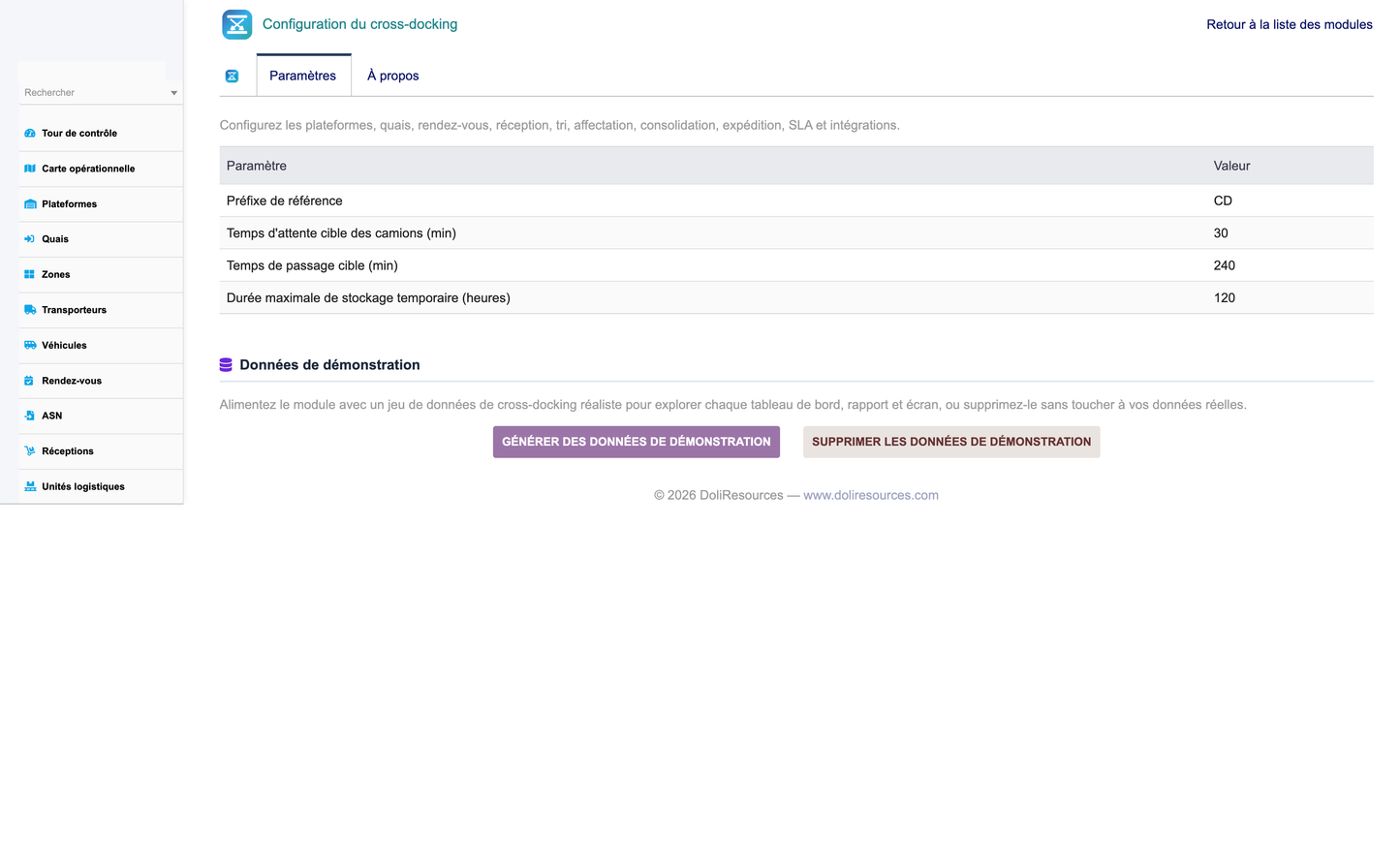
One click populates a realistic, FK-coherent dataset (4 platforms, 72 docks, 28 zones, 400 handling units, ASN, receptions, sorting missions, consolidations, shipments, anomalies, SLA and more) tagged as demo, and one click removes it without touching real data.
33. Technical architecture
Standard Dolibarr module: descriptor, business classes, generic list/card engine, hooks, triggers, permissions, menus, SQL install/upgrade/uninstall, scheduled tasks, REST API, five language files (FR, EN, ES, IT, DE), PDF/label templates and documentation.
34. Installation
Install the ZIP from Home > Setup > Modules > Deploy external module, enable "Advanced Cross-Docking Management", then optionally load the demonstration data from the module setup page.
35. User roles
Cross-docking administrator, logistics director, platform manager, receiving/sorting/shipping supervisors, operators, quality controllers, carriers/drivers, logistics customers and auditors — mapped to the 13 permission groups.
36. Screenshots index
The delivery includes a Captures_Ecran folder with the dashboard, operational map, every object list and card, the full reporting suite and the configuration pages.


