
Discover powerful Dolibarr extensions designed to automate your business processes
Advanced Equipment Rental Management turns Dolibarr into a complete, specialised ERP for professional equipment...
Couldn't load pickup availability


Advanced Equipment Rental Management turns Dolibarr into a complete, specialised ERP for professional equipment rental companies. It covers construction (BTP) machinery, lifting and handling equipment, industrial equipment, tooling, agricultural machinery, event and audiovisual gear, utility vehicles, generators, aerial platforms, cranes, forklifts and furniture — all from a single interface, without any external software.
The module manages the entire rental lifecycle:
Prospect → Quote → Reservation → Contract → Preparation → Delivery → Rental → Return → Inspection → Invoicing → Maintenance → Financial analysis.
The module follows Dolibarr standards and modular conventions:
· Descriptor: core/modules/modAdvancedRental.class.php (module number 513400, family “Products”).
· 16 business objects, each extending CommonObject, with self-healing schema (ADD COLUMN on upgrade).
· Database tables use the arm_ prefix (llx_arm_equipment, llx_arm_contract, …).
· A generic list/card engine renders every object with elegant filters and a column selector.
· Dedicated pages: a modern dashboard, a monthly calendar, an availability board and a decisional reporting suite.
· A dynamic CSS charter (blue / violet / green / teal / orange) and FontAwesome 5 icons.
· Five languages: French, English, Spanish, Italian, German.
· Native integration with Third parties, Products, Warehouses, Stock, Invoices, Interventions, Projects and Agenda.
|
Object |
Purpose |
|
Equipment |
Rental assets: serial, barcode, brand, model, values, daily rate, availability |
|
Category |
Equipment families (BTP, lifting, electricity, gardening, agriculture, cleaning, AV, events, vehicles, IT) |
|
Reservation |
Bookings: quick, multiple, long-term, recurring; conflict detection |
|
Contract |
Rental contracts with lines, deposit, security deposit, insurance, franchise, driver |
|
Contract line |
Equipment and accessories billed on a contract |
|
Accessory |
Accessories attached to equipment with their own rate |
|
Delivery |
Delivery and pickup orders (driver, vehicle, schedule, status) |
|
Return |
Return records: condition, meters, fuel, damages, cleaning / repair / penalty fees |
|
Inspection |
Pre-departure / post-return checklists, technical and regulatory controls |
|
Maintenance |
Preventive / corrective / regulatory maintenance with cost and next due date |
|
Spare part |
Parts stock, alert threshold, cost, location |
|
Insurance |
Policies: insurer, coverage, franchise, premium, expiry, alerts |
|
Deposit |
Security deposits (cash / check / transfer / card): held / returned / partially retained |
|
Pricing |
Rate cards: hourly / daily / weekly / monthly / yearly, seasonal, weekend, VIP, pro |
|
Penalty |
Penalties: late, damage, cleaning, overuse, fuel |
|
Payment |
Deposits, rental, supplements, penalties, extensions; linked to Dolibarr invoices |
The module adds a top menu “Location de Matériel” with a full left menu and an in-page quick-navigation tab bar reproduced on every screen for fast movement between sections.
|
Menu entry |
Content |
|
Dashboard |
KPIs, contract kanban and interactive charts |
|
Equipment catalog |
Full fleet with search and column selector |
|
Categories |
Equipment families |
|
Reservations |
Bookings and workflow |
|
Rental contracts |
Contracts and their lines |
|
Calendar |
Monthly view of reservations and contracts |
|
Availability |
Real-time fleet status board |
|
Deliveries & pickups |
Logistics orders |
|
Returns |
Return processing and fees |
|
Controls & inspections |
Checklists and technical controls |
|
Maintenance |
Preventive / corrective / regulatory |
|
Accessories / Spare parts |
Accessories and parts stock |
|
Insurances / Deposits |
Policies and security deposits |
|
Pricing / Penalties / Payments |
Rate cards, penalties, billing |
|
Reporting |
Decisional analytics |
|
Configuration |
Settings and demo data |
The dashboard provides a 360° view: fleet (available, rented, occupancy rate, immobilized, fleet value), performance (total / monthly / daily revenue, active contracts, average contract value), a contract kanban by status, operations (pending reservations, returns today, upcoming maintenance, insurance alerts) and finance (penalties, held deposits, maintenance cost). Four interactive charts show revenue evolution, fleet distribution, most-rented equipment and revenue by category.
Each asset stores its full technical identity and links to its category, supplier, warehouse and, optionally, a native Dolibarr product. The equipment card exposes a KPI cockpit and all linked records.
Status cards (available, reserved, rented, in maintenance, in repair, immobilized, out of service) filter the equipment list in one click; a colored badge shows each asset’s current state.
Contracts carry client, equipment, dates, rate, down payment, security deposit, insurance, franchise and driver. Contract lines detail billed equipment and accessories. Payments and deposits are linked automatically.
Returns record equipment condition, meters, fuel and accessories, and automatically compute cleaning, repair and penalty fees. Inspections use customizable checklists before departure and after return. Maintenance covers preventive, corrective and regulatory interventions with cost tracking and next-due alerts.
Six analytical reports (contracts, equipment, reservations, maintenance, profitability, finance) are available, each exportable to CSV and printable. The profitability report crosses generated revenue with maintenance cost to reveal the net result per equipment family.
|
Step |
Description |
|
1. Prospect / Quote |
Identify the client and estimate the rental (native quote optional). |
|
2. Reservation |
Book the equipment; conflicts and double-bookings are detected. |
|
3. Contract |
Convert the reservation into a contract with deposit, security deposit and insurance. |
|
4. Preparation & delivery |
Issue delivery orders (driver, vehicle, schedule). |
|
5. Rental |
Equipment is out; the contract is active. |
|
6. Return |
Record condition and meters; compute cleaning / repair / penalty fees. |
|
7. Inspection |
Run post-return checklist and technical controls. |
|
8. Invoicing |
Generate deposits, rental, supplements and penalties; link to Dolibarr invoices. |
|
9. Maintenance |
Schedule preventive / corrective / regulatory interventions. |
|
10. Financial analysis |
Measure occupancy, revenue and profitability per category. |
The module ships eight functional right groups. Read and write are granted by default on activation so the module is immediately usable; delete and administration are off by default.
|
Right group |
Scope |
|
Equipment fleet (catalog) |
Equipment, categories, accessories, insurances |
|
Reservations |
Bookings and calendar |
|
Contracts |
Rental contracts and lines |
|
Logistics |
Deliveries and returns |
|
Maintenance |
Maintenance, inspections, spare parts |
|
Finance |
Deposits, pricing, penalties, payments |
|
Reporting |
Read access to analytics |
|
Administration |
Module configuration |
These groups map to operational roles: manager, fleet manager, maintenance manager, storekeeper, sales, accountant, driver, technician and read-only user.
The module links to and, where relevant, creates or updates native Dolibarr documents:
· Third parties & contacts — customers and suppliers of equipment.
· Products & services, warehouses & stock — optional link of each asset to a native product.
· Quotes, orders, invoices, shipments — commercial and billing flow.
· Payments & bank — deposits, rental and penalty payments.
· Agenda, interventions, projects, documents (ECM), users — planning and traceability.
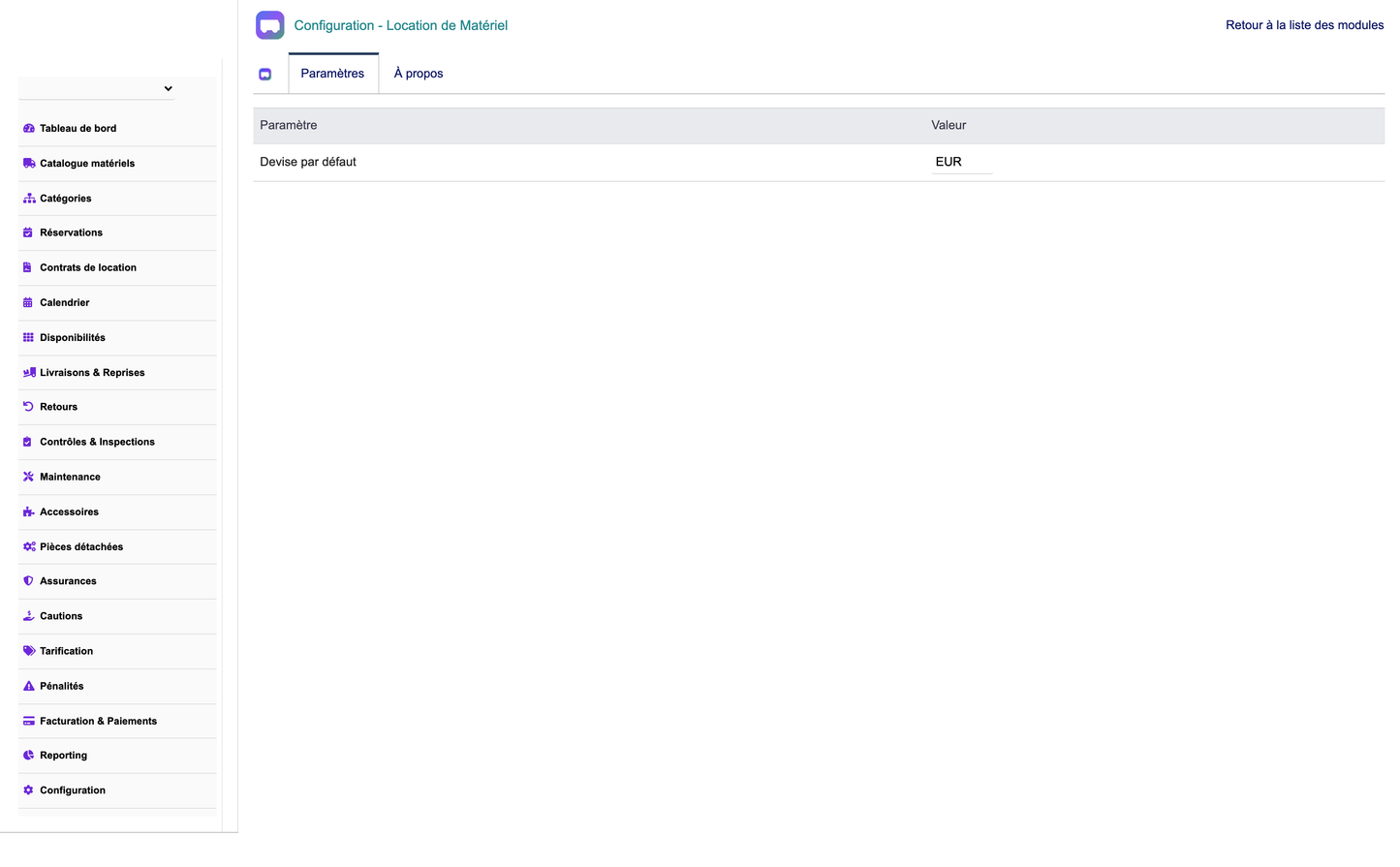
Configuration page with demo-data buttons
Installation:
· Copy the advancedrental folder into htdocs/custom/.
· Enable the module from Home → Setup → Modules.
· Open Location de Matériel → Configuration to set currency, default deposit rate, late fee per day and return notifications.
Demonstration data:
· Click “Install demo data” to generate a realistic, coherent dataset (equipment, categories, customers, reservations, contracts, deliveries, returns, maintenance, deposits, payments).
· Click “Remove demo data” to delete only the demo records — real data is never touched.
The demo generator is versioned: upgrading the module re-seeds an improved dataset automatically.
© 2026 DoliResources — www.doliresources.com — Advanced Equipment Rental Management v1.0.0


