
Discover powerful Dolibarr extensions designed to automate your business processes
Advanced Pharmaceutical Laboratory Management turns Dolibarr ERP/CRM into a complete management platform for pharmaceutical laboratories, drug-manufacturing laboratories, food-supplement and cosmetic...
Couldn't load pickup availability


Advanced Pharmaceutical Laboratory Management turns Dolibarr ERP/CRM into a complete management platform for pharmaceutical laboratories, drug-manufacturing laboratories, food-supplement and cosmetic laboratories, biotech companies and pharmaceutical distributors.
The module covers the full operational, commercial, industrial, quality and regulatory scope of a modern laboratory while remaining fully integrated with native Dolibarr features. It is designed to support Good Manufacturing Practices (GMP/BPF) and ISO quality management principles.
|
Commercial name |
Advanced Pharmaceutical Laboratory Management |
|
Technical name |
pharmalabmanagement |
|
Version |
1.0.0 |
|
Editor |
DoliResources (www.doliresources.com) |
|
Dolibarr compatibility |
v16 and above (PHP 7.1+ / PHP 8.x) |
|
Languages |
French, English, Spanish, Italian, German |
The module is built on a generic, key-driven object engine. Each business object is described by a field specification that generates its SQL table, PHP class, list and card pages, and a shared registry. This keeps the code homogeneous, secure and easy to maintain.
Product creation → Formulation → Raw-material supply → Production planning → Batch manufacturing → Quality control → Batch release → Storage → Distribution → Sales → Full traceability.
· Pharmaceutical products (with AMM/marketing-authorization, therapeutic class, pharmaceutical form)
· Raw materials (active ingredients, excipients, packaging) with certificate of analysis and quarantine
· Formulations and formulation composition lines (versioned)
· R&D projects
· Production orders (manufacturing pipeline)
· Batches / lots
· Quality controls (analysis laboratory)
· Suppliers (qualification)
· Distribution shipments
· Equipment and equipment maintenance
· Regulatory & quality documents
· Quality audits
· Non-conformities
· Corrective & preventive actions (CAPA)
· Automatic alerts
Executive dashboard — A modern control center with five zones (production, quality, stock, commercial, regulatory), a manufacturing pipeline preview and analytical charts (monthly production, production by product, non-conformities by category, batch expiry).
Pharmaceutical products — Advanced product records with identification, regulatory data (AMM number, marketing country, regulatory status) and technical data (composition, dosage, packaging, shelf life, storage conditions).
Raw materials — Active ingredients, excipients and packaging with supplier, origin, certificate of analysis, supplier batch, expiry date and reception/control/quarantine/validation state.
Formulations — Versioned formulas linked to products, with a detailed composition (raw materials, quantities, percentages) and validation workflow.
R&D — Management of new-drug, generic, reformulation and food-supplement projects with phase, budget, cost and deadline tracking.
Production — Production orders with planned/produced quantities, production line and a Kanban manufacturing board across preparation, manufacturing, packaging, control and release stages.
Batch management — Complete lot lifecycle (manufacturing, quality control, validated, rejected, recall) with fabrication and expiry dates, operator and warehouse.
Traceability — Full upstream and downstream traceability: from a finished batch back to its raw materials and supplier lots, and forward to the delivered customers, including all quality controls.
Quality control — Physico-chemical, microbiological, stability and conformity controls with sample, method, specifications, result, analyst and biological validation.
Batch release — GMP release workflow where the quality manager releases or rejects batches based on their quality-control results.
Pharmaceutical stock (FEFO) — First-Expired-First-Out stock management of raw materials and finished products, with expiry badges and critical-stock alerts.
Suppliers & distribution — Supplier qualification (certifications, quality rating, audits) and distribution to distributors, pharmacies, hospitals and wholesalers.
Equipment maintenance — Production and laboratory equipment with preventive, corrective, calibration and qualification maintenance.
Regulatory documents — A quality document repository (SOP, certificates, technical sheets, reports, audits, validations) with version, approval and expiry management.
Non-conformities & CAPA — Deviation management and corrective/preventive actions with root cause, severity, responsible, due date and effectiveness.
Reporting — A reporting hub with production, yield, quality, non-conformity, CAPA, stock, expiry, regulatory and commercial reports, exportable to CSV, Excel and PDF.
Automatic alerts — A daily alert engine for batch expiry, low stock, document expiry, overdue controls, planned maintenance and overdue CAPA.
Permissions are grouped by domain. Read and write are granted by default on activation so the module is immediately usable; delete and administration are granted explicitly.
|
Profile |
Scope |
|
Laboratory administrator |
All rights across every domain |
|
Production manager |
Production orders and batches, product catalogue |
|
Quality manager |
Quality controls, audits, non-conformities, CAPA, alerts |
|
Stock manager |
Raw materials, suppliers, batches |
|
Sales |
Distribution and customers |
|
Read-only |
Consultation of all data |
· Third parties: raw-material suppliers, customers, distributors, pharmacies, partners.
· Products: pharmaceutical products extend the native product catalogue.
· Stock: stock movements, batches and warehouses.
· Purchases: supplier orders, receptions and supplier invoices.
· Sales: quotes, customer orders, invoices and payments.
· Projects: R&D and product-development projects.
· ECM/DMS: quality documents, certificates and regulatory files.
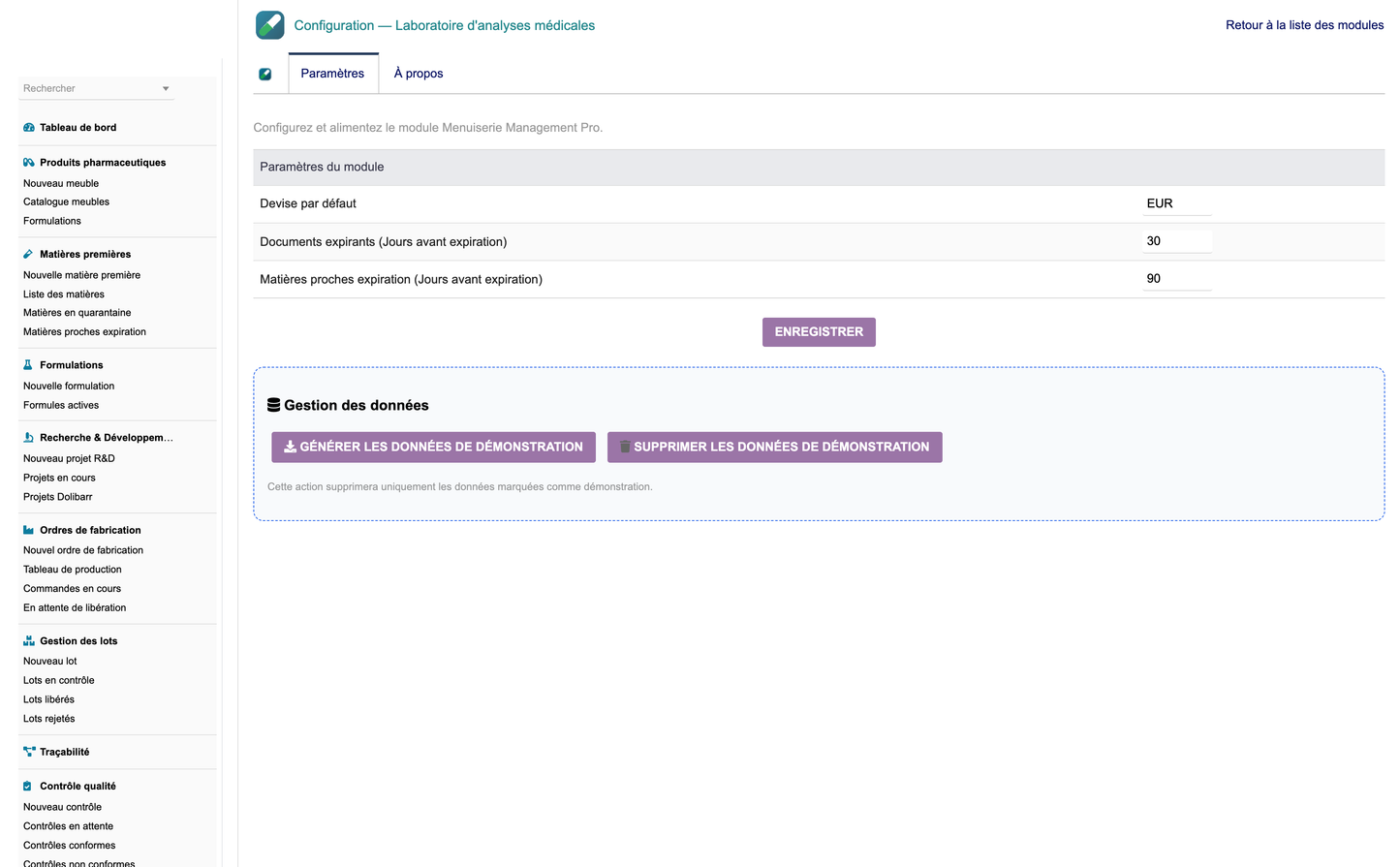
On first activation the module generates a complete, realistic demonstration dataset (pharmaceutical products, raw materials, formulations, R&D projects, production orders, batches, quality controls, suppliers, distributions, equipment, maintenance, documents, audits, non-conformities, CAPA and native customers, products and invoices). Two buttons on the configuration page let administrators regenerate or remove this dataset; removal only affects records flagged as demonstration data.


