
Discover powerful Dolibarr extensions designed to automate your business processes
Beekeeping Management turns Dolibarr into a complete apiculture ERP. It covers the entire beekeeping cycle — from apiaries and hives...
Couldn't load pickup availability


Beekeeping Management turns Dolibarr into a complete apiculture ERP. It covers the entire beekeeping cycle — from apiaries and hives to sales and decision reporting — so a professional beekeeper, cooperative or honey producer can run the whole business inside Dolibarr, with no external software.
Target users: beekeeping farms, professional beekeepers, beekeeping cooperatives, producers of honey, wax, propolis, pollen, royal jelly and bee venom, queen-rearing and mating centres, and packaging companies.
· Built on the Dolibarr standard object framework (CommonObject) — every entity extends CommonObject with create/fetch/update/delete, list and card pages, and a status workflow.
· 24 business objects generated by a key-driven engine (single field-spec → SQL schema, PHP class, list/card stubs and an object registry).
· Generic, registry-driven list engine (elegant filters, column show/hide selector, search) and card engine (hub cockpits with KPI cards and related-lines panels).
· Shared helper library, a honey-themed CSS charter, module JavaScript, a daily automation/alert engine (cron), a dashboard box widget, triggers and hooks support.
· Self-healing schema (ALTER on upgrade), FontAwesome 5-safe icons, multi-entity aware, PHP 8 compatible.
· Table prefix llx_bkp_*, function prefix bkp, language-key prefix Bkp, module directory beekeepingmanagement.
· Apiary (rucher) — Location, GPS, altitude, environment, owner, hive count — the top-level holding.
· Hive (ruche) — Number, QR/barcode, type (Dadant, Langstroth, Warré, Voirnot), material, status, colony link.
· Colony (colonie) — Population, strength, queen, race, sanitary status, productivity, frames.
· Queen (reine) — Identification, marking colour, race, birth year, introduction, status, performance.
· Swarm (essaim) — Capture, purchase, sale, division, fusion, strength, price.
· Queen rearing (élevage de reines) — Grafting, royal cells, nuclei, mating; Kanban cycle.
· Bee race (race) — Reference table: origin country, temperament, honey aptitude, swarming tendency.
· Flowering (floraison) — Melliferous species database: period, region, nectar & pollen potential.
· Transhumance — Departure/arrival, target flowering, hives moved, distance, transport, cost.
· Visit (visite) — Date, technician, weather, colony state, laying, brood, reserves, parasites.
· Health act (santé) — Diseases (Varroa, foulbrood, nosema, asian hornet), severity, detection/recovery, cost.
· Treatment (traitement) — Medication/biological product, dose, frequency, duration, dates, cost.
· Feeding (nourrissement) — Syrup, candy, supplements; quantity, frequency, cost.
· Harvest (récolte) — Multi-product: honey, wax, pollen, propolis, royal jelly, venom; quality, yield, value.
· Extraction — Batches linked to harvests: input/output quantity, loss, yield %.
· Packaging (conditionnement) — Format, packaging type, batch, units, best-before date, traceability.
· Product (produit apicole) — Apicultural product catalogue linked to native Dolibarr products.
· Stock — Finished goods, packaging, equipment, medicines, feed; min stock, value, expiry.
· Sale (vente) — Product type, customer, quantity, price, total; native quote/order/invoice bridge.
· Purchase (achat) — Hives, frames, wax, jars, medicines, sugar, queens; supplier documents.
· Employee (employé) — Beekeepers, technicians, sanitary managers, seasonal staff; contract, hourly cost.
· Equipment (matériel) — Extractors, maturators, smokers, suits, vehicles, trailers; value, status.
· Maintenance — Preventive/corrective interventions on equipment; cost, technician, next date.
· Automation — IF/THEN alert rules evaluated by the daily engine.
Create apiary → Install hives → Introduce colonies → Regular visits → Sanitary monitoring → Feeding → Transhumance → Harvest → Extraction → Packaging → Stock → Sale.
A dedicated “Beekeeping Management” top menu exposes the full left navigation:
Dashboard, Apiaries, Hives, Colonies, Queens, Swarms, Queen rearing, Queen-rearing cycle (Kanban), Bee races, Flowerings, Transhumance, Visits, Health, Treatments, Feeding, Harvests, Extraction, Packaging, Beekeeping products, Stocks, Sales, Invoicing, Purchases, Employees, Equipment, Maintenance, Documents (ECM), Planning, Reporting, Automations, Setup.
· Modern cockpit dashboard with priority-alert tiles, five KPI zones (apiary, health, production, finance, stock), interactive charts and a queen-rearing Kanban preview.
· KPIs include: apiaries, active hives, colonies, strong/weak colonies, queens to replace, honey/wax/pollen/propolis/royal-jelly/venom production, average yield per hive, mortality rate, sick colonies, treatment cost, revenue, margin and stock value.
· Reporting suite in four categories — Technical, Production, Commercial, Financial — each with KPI cards, summary tables and charts, plus PDF / Excel / CSV / print export.
All commercial and financial flows reuse native Dolibarr objects:
· Third parties & Contacts
· Products & Services
· Stock & Warehouses
· Quotes, Orders, Invoices
· Payments, Bank, Accounting
· Agenda, Projects, ECM (documents)
· Users & permissions
From the Invoicing screen, a sale generates a native Dolibarr quote, order or invoice in one click, linked to the third party and product.
Granular read/write/delete permissions per functional group (apiary, colony, transhumance, health, production, stock, sales, purchases, HR, equipment, automation, reporting) plus a module administration right — 35 permissions in total. These support the following role profiles:
· Administrator
· Beekeeping manager
· Technician
· Sanitary manager
· Warehouse keeper
· Accountant
· Sales
· Read-only
1. Deploy the module: copy the beekeepingmanagement folder into htdocs/custom/ or install the ZIP from Home > Setup > Modules > Deploy/install an external module.
2. Enable “Beekeeping Management” in the module list (Products family). Tables, menus and permissions are created automatically and a realistic demo dataset is generated on first activation.
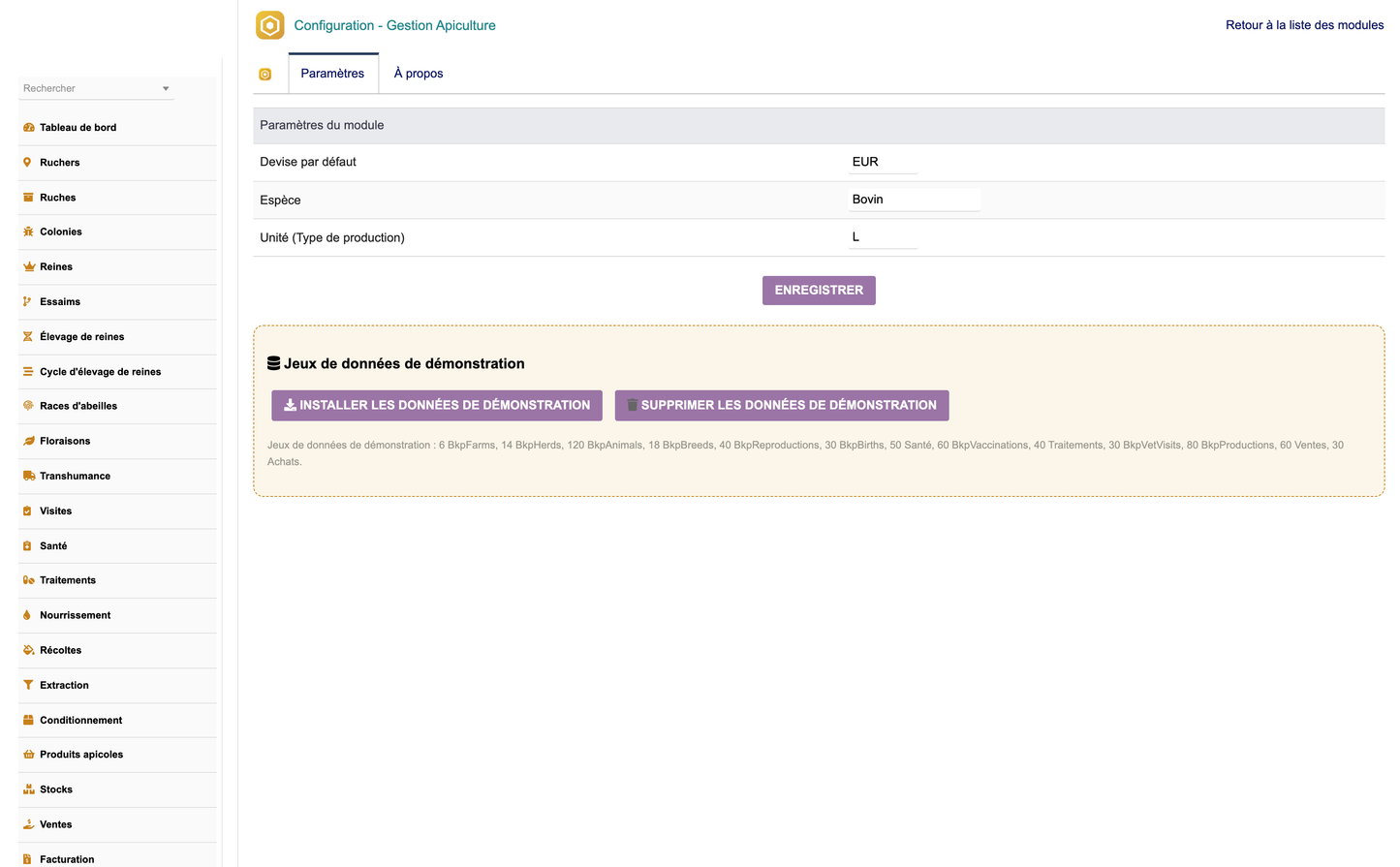
3. Configure the module from Beekeeping Management > Setup (default currency, parameters).
4. Use “Create DEMO data” / “Delete DEMO data” to generate or remove the demonstration dataset (deletion only removes auto-generated records).
5. Assign the permission profiles to user groups.
6. The daily automation cron evaluates alert rules (visits due, treatment end, queen replacement, low stock, maintenance).
· Available in French, English, Italian, German and Spanish.
· Follows Dolibarr standards, uses hooks and triggers, responsive UI, secured access checks, optimised SQL and forward-compatible with future Dolibarr versions.


