
Discover powerful Dolibarr extensions designed to automate your business processes
Biometric Time & Attendance Management turns Dolibarr into a complete workforce time & attendance platform. It manages punch terminals...
Couldn't load pickup availability


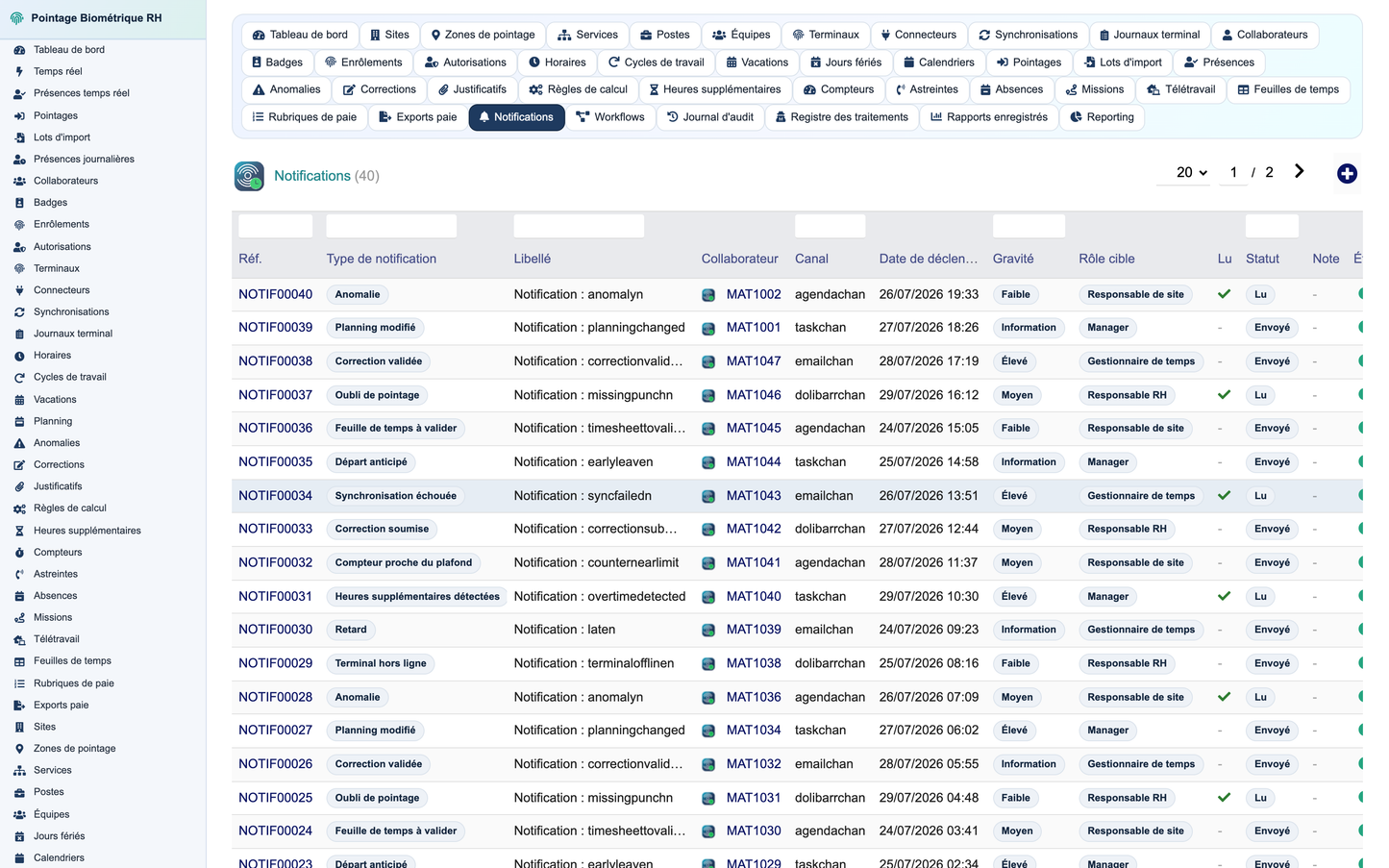
Biometric Time & Attendance Management turns Dolibarr into a complete workforce time & attendance platform. It manages punch terminals and connectors, sites and zones, employee attendance profiles, badges and privacy-controlled biometric enrollment, work schedules, cycles and shift planning, time punches and real-time presence, an anomaly engine, correction and validation workflows, a time-calculation engine (normal, overtime, night, Sunday, public-holiday hours, on-call), counters, timesheets, payroll export, absences, missions and telework, GDPR privacy records, a "Workforce Pulse Control Center" dashboard, regulatory reporting and a full audit trail — so an organisation no longer needs a separate application to exploit its clocking data. It ships with 40 business objects, a secured REST API, five languages and a realistic demonstration dataset.
Give HR, time-management and payroll teams a single, auditable system to collect attendance from any clocking method, monitor real-time presence across multiple sites, detect and correct anomalies, compute working time and overtime under configurable rules, validate timesheets and prepare payroll elements — while remaining fully compliant with data-protection regulations.
The module works with fingerprint, facial recognition, palm recognition, RFID badge, NFC badge, QR Code, PIN code, mobile application and controlled manual entry. Biometrics is never mandatory: a badge or code alternative can always be used, and the module can run in a recommended mode where no biometric template ever leaves the terminal.
Privacy is built in: biometric functions can be fully disabled, an alternative method is always offered, the legal basis and purpose of processing are recorded, a retention period is enforced, access to sensitive data is restricted and traced, identifiers are pseudonymised, and no raw biometric image is stored — only a technical identifier and the punch event. A processing register (GDPR record of processing activities) and a clear warning make the company administrator responsible for verifying the legality of biometric use in their country.
Each terminal has a full record — manufacturer, model, serial number, type, IP/MAC, protocol, site, zone, firmware, capacity, last communication and synchronisation, user and punch counts — with statuses from draft to active, maintenance, offline, error and archived, and functions for connection test, manual and automatic synchronisation, user/event import and diagnostics.
An extensible connector layer supports REST, SOAP, manufacturer SDK, TCP/IP, SFTP, secure FTP, CSV, TXT, XML, JSON, intermediate database and webhooks, plus manual import. Each connector defines its manufacturer, version, frequency, authentication and mapping, with error handling and logs, so new clock brands are added without touching the core.
Attendance profiles link a Dolibarr user or employee to a matricule, site, department, team, position, manager, work schedule and cycle, allowed punch method, terminal identifier and pseudonymised biometric identifier, tolerances and status — never exposing any raw biometric data in lists or reports.
Every punch records the employee, terminal, site, zone, date-time, event type (in, out, break start/end, mission, telework, manual, correction), identification method, origin, confidence level, status and import batch, with automatic detection of duplicates, reversed sequences, off-site, unauthorised, future or impossible punches.
A live, auto-refreshing board shows the latest punches with employee, site, terminal, event type, method and time, alongside present/late/anomaly counters — the operational heartbeat of the workforce.
Schedules cover fixed, flexible, staggered, continuous, morning/afternoon/night shift, rotation, part-time, annualised and custom patterns with tolerances, breaks, rounding and min/max durations. Multi-week cycles and rotations, plus a weekly shift-planning grid, organise teams across sites.
An anomaly engine flags 17 types — missing in/out, double in/out, missing/excessive break, lateness, early leave, over-presence, off-site, unauthorised, unknown punch, terminal offline, timezone conflict, unjustified absence and planning conflict — with severity, the punch concerned, the triggering rule, assignment and status.
Employees can request to add, modify or delete a punch, or justify a lateness or absence; each request keeps the original and requested value, reason, justification and a manager-then-HR approval workflow, with the original data preserved in the audit log.
Overtime is detected automatically and moves through a full workflow — detected, proposed, requested, manager-approved, HR-approved, sent to payroll, compensated, paid or refused — by type (normal, night, Sunday, public holiday, complementary) with rate, minutes and estimated amount.
A configurable engine computes worked, normal, overtime, complementary, night, Sunday and public-holiday time, on-call and breaks, applying rounding, tolerances and premium rates by company, site, agreement, category, team or employee. Counters track each balance per employee and period.
Daily, weekly and monthly timesheets consolidate planned vs. worked time, overtime, night hours, breaks, absences and anomalies, moving through draft, calculated, pending-manager, pending-HR, validated, locked and exported statuses, with daily line detail.
A configurable export engine maps counters to pay codes and produces payroll elements — worked days, normal/overtime/night/Sunday/holiday hours, absences, lateness, on-call — in CSV, XLSX, TXT or API format, with mapping, simulation, locking and history.
Detected and justified absences, leave, sickness, missions and telework sessions are recorded with dates, justification and validation status, and reconciled with the computed working time.
The dashboard renders an 8-stage attendance flow pipeline and about 25 real-time KPIs — headcount, present/absent now, on break/mission/telework, entries/exits, lateness, missing punches, open anomalies, pending corrections, presence and punctuality rates, absenteeism, worked/overtime/night hours, timesheet validation rate and terminal availability — plus operational alerts, DolGraph analytics and quick actions, with light/dark themes and auto-refresh.
A reporting centre offers standard reports — presence by site and day, lateness, anomalies, overtime, timesheets, terminals, punctuality, absences, corrections, counters and synchronisations — each displayed as a table and exportable to CSV and Excel, with scheduled reports emailed automatically.
The module integrates with Dolibarr Users, Third parties, Employees/HR, Leave, Agenda, Projects, Interventions, Products, Stock, Contracts, ECM/documents, Banking and Accounting, associating punches with projects and interventions and reconciling equipment and services with the catalogue and stock.
Input validation via GETPOST, output escaping (htmlspecialchars, dol_escape_htmltag), CSRF protection, escaped/parameterised SQL with sort-field whitelisting, entity filtering for multi-company setups, fine-grained permissions (gpbiCan), pseudonymisation and encryption of sensitive data, retention and purge policies, confirmed and administrator-only demo-data removal, and no hardcoded secrets.
Every sensitive action — terminal changes, synchronisations, imports, manual punches, corrections, validations, deletions, rule changes, exports, biometric operations and API calls — is logged with user, date, object, old and new value, justification and IP address.
A secured REST API under /api/index.php/gestionpointagebiometrique/ (class Gestionpointagebiometrique, @access protected, authenticated via DolibarrApiAccess::$user) exposes terminals, punches (GET/POST import), presences, employees, anomalies, corrections (GET/POST), timesheets, counters, real-time indicators and a synchronisation trigger, with pagination, sort-field whitelisting against SHOW COLUMNS and per-group permission checks.
The connector and event architecture supports webhooks for punch received, anomaly created, correction requested/validated, lateness and overtime detected, timesheet validated, terminal offline, synchronisation failed and payroll export completed.
One click generates a realistic, FK-coherent dataset — 5 sites, zones, departments, positions and teams, 14 terminals, connectors and synchronisations, 48 employees, badges, enrollments and authorizations, schedules, cycles and shifts, roughly 1,800 punches, 530 presence records, anomalies, corrections, overtime, counters, absences, missions, telework, 456 timesheets and daily lines, pay exports, notifications, audit logs and privacy records — all tagged import_key GPBIDEMO with no real biometric data; a second, confirmed and administrator-only click safely removes only the demonstration data.
Standard Dolibarr custom module: descriptor, 40 CommonObject business classes, generic list/card engine, SQL install scripts with schema self-heal, permissions, menus, a shared helper library, a REST API class, five language files, CSS/JS assets, a demonstration data class and admin setup/about pages — with no modification of the Dolibarr core.
Requires Dolibarr 16 to 23+, PHP 8.1+, MariaDB/MySQL. Install the ZIP from the module manager or copy the folder into htdocs/custom, then enable the module (Human Resources family). The 40 tables, menus, permissions and demonstration data are created automatically on activation.
Permissions span twelve functional groups — punches, employees, terminals, schedules, anomalies, corrections, time calculation, absences, timesheets, payroll export, biometrics/privacy and reference data — plus reporting and administration, mapping to roles such as HR manager, time manager, payroll manager, manager, team leader, site manager, auditor and employee.
The delivery includes about 60 professional screenshots (Captures_Ecran) covering activation, configuration and privacy, the Workforce Pulse dashboard, real-time and presence boards, planning, terminals and connectors, employees, badges and enrollment, schedules and cycles, punches, anomalies, corrections, overtime, counters, timesheets, payroll export, reporting, audit and the about page.
© 2026 DoliResources. All rights reserved. Website: https://www.doliresources.com. All files, classes, SQL scripts, language files and documents are produced under the DoliResources copyright.


