
Discover powerful Dolibarr extensions designed to automate your business processes
1. Overview
Gestion Cordonnerie turns Dolibarr into a...
Couldn't load pickup availability


1. Overview
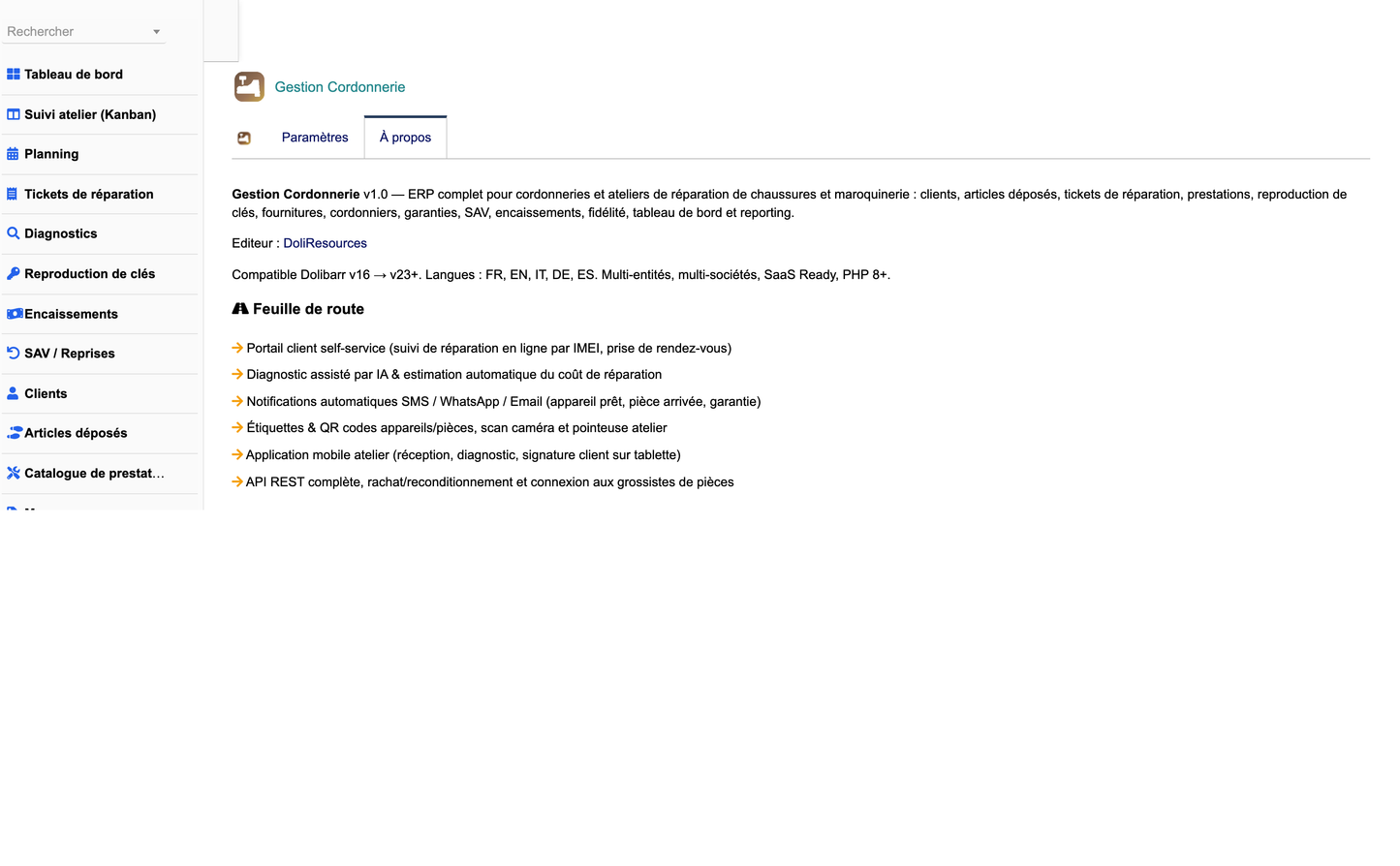
Gestion Cordonnerie turns Dolibarr into a complete, dedicated business software for shoe-repair workshops, cobblers and multi-service leather ateliers. It covers the entire operating cycle of the trade — from the moment a customer drops off a pair of shoes or a leather item, through diagnosis, quotation, workshop repair, quality control and payment, to hand-over, warranty and after-sales follow-up — without requiring any additional software.
The module is built on 21 dedicated business objects, a leather-themed control-centre dashboard, a fifteen-report reporting hub with four export formats, an automation engine, and native links to the standard Dolibarr sales, stock and accounting modules. It ships in five languages: French, English, Italian, German and Spanish.
Target users
· Independent cobblers and shoe-repair shops
· Multi-service ateliers combining shoe repair, key cutting, engraving and leather-goods repair
· Leather-goods repair workshops and luxury shoe-care ateliers
· Retail chains operating an in-store repair counter
· Dry-cleaning and multi-service outlets offering shoe repair
2. Business objects
The module adds 21 business objects, each with a full list view (searchable, sortable, with a show/hide column selector) and a detail card with contextual KPIs and linked records.
|
Object |
Purpose |
|
Repair ticket |
Central object: the deposit ticket / work order for an article handed in by a customer |
|
Service line |
Billable lines of a ticket (service, quantity, unit price, discount, total) |
|
Deposited article |
The shoe, bag, belt or leather item handed in, with brand, material, colour, size and incoming condition |
|
Service catalogue |
Priced catalogue of every service offered, with standard time, VAT rate and warranty |
|
Key copy |
Key-cutting register (flat, lever, remote, badge) with machine, blank and quantity |
|
Brand |
Brand reference table, segmented luxury / premium / mid-range / entry-level |
|
Supply / material |
Leather, soles, heels, rubber, glue, thread, dyes, polish, laces, key blanks, with stock |
|
Supplier |
Suppliers by speciality, with lead time and rating |
|
Supply purchase |
Supplier purchase orders with status workflow and automatic reorder flag |
|
Cobbler |
Workshop staff with role, speciality, skills, hourly rate and availability |
|
Workstation |
Workshop machines (finisher, sewing machine, press, key lathe, engraver) with maintenance |
|
Diagnostic |
Condition report: sole, heel, upper, stitching, lining, zipper, colour, conclusion, estimated cost |
|
Appointment |
Drop-off, pick-up, diagnosis, repair and callback appointments |
|
Payment |
Deposits, balances, full payments and refunds across five payment methods |
|
Warranty |
Workshop, supplier and manufacturer warranties with scope and expiry tracking |
|
After-sales (SAV) |
Return / complaint files with reason, status, resolution and cost |
|
Care contract |
Maintenance and care subscriptions with periodicity and renewal |
|
Loyalty card |
Loyalty card with number, points, tier and total spent |
|
Alert |
Automatically generated alerts with severity |
|
Activity log |
Customer interaction journal (call, email, SMS, WhatsApp, note, notification) |
|
Automation rule |
Event-driven notification and alert rules |
3. The repair workflow
Every repair ticket follows an eight-stage workflow. Statuses are stored language-independently so the Kanban board, planning and dashboards remain fully translatable.
|
# |
Stage |
Description |
|
1 |
Received |
The article is handed in and the deposit ticket is created |
|
2 |
Diagnostic |
The cobbler assesses the article and records a condition report |
|
3 |
Quote |
A price is proposed to the customer |
|
4 |
Customer approval |
The customer approves the quote and work may start |
|
5 |
Repairing |
The repair is carried out in the workshop |
|
6 |
Quality control |
The finished work is inspected before hand-over |
|
7 |
Ready |
The article is ready and the customer is notified |
|
8 |
Delivered |
The article is handed back, the balance is collected and the warranty starts |
Two additional statuses handle exceptions: After-sales, when a customer returns on a completed repair, and Cancelled.
Kanban board
· Tickets are displayed as cards in one column per workflow stage
· Each column shows the ticket count and the cumulative amount
· Drag and drop a card to change its status; ready and delivery dates are stamped automatically
· Priority and express tickets are highlighted with a red edge
Weekly planning
· Seven-day grid showing tickets by promised date, with week navigation
· The current day is highlighted; each event is colour-coded by workflow status
· An 'unplanned' backlog table lists open tickets with no promised date
4. The control-centre dashboard
The dashboard departs from the classic Dolibarr layout. It uses a dedicated leather and brass colour charter — tan leather (#8B5E3C), espresso brown (#5A3A22), cream (#F3E9DE) and brass (#C9A227) — with a gradient hero banner, clickable status tiles, KPI cards and eight charts, grouped into five zones.
Zone 1 — Workshop activity (clickable tiles)
· Open tickets
· In repair
· To pick up today
· Overdue
· Ready but not picked up
· Urgent tickets
· Active warranties
· Alerts
Zone 2 — Financial
· Revenue today, this week, this month, this year
· Average ticket value
· Deposits collected this month
· Outstanding balance to collect
Zone 3 — Production
· Tickets this month and completed this month
· Average turnaround time in days
· Late rate as a percentage
· Number of cobblers and load per cobbler
· Keys cut this month
Zone 4 — Supplies
· Stocked references
· Low-stock references
· Out-of-stock references
· Total stock value
Zone 5 — Customer relation
· Average satisfaction score out of five
· After-sales rate as a percentage
· Open after-sales files
· Loyalty members
Charts
· Revenue trend over twelve rolling months
· Tickets per month over twelve rolling months
· Revenue by service category
· Ticket distribution by workflow status
· Productivity per cobbler
· Repairs by article type
· Top services by volume
· Payment breakdown by method
5. Reporting
A dedicated Reporting menu provides fifteen operational reports. Every report can be printed or exported to CSV, Excel, Word and PDF.
|
Report |
Content |
|
Workshop activity |
Monthly ticket volume and value over twelve months |
|
Revenue |
Monthly collected revenue over twelve months |
|
By service |
Volume and revenue per service category |
|
By cobbler |
Tickets handled and value produced per cobbler |
|
Turnaround time |
Average repair lead time per month |
|
By customer |
Ticket count and value per customer |
|
Open tickets |
Current backlog broken down by workflow stage |
|
Overdue tickets |
Detailed list of tickets past their promised date |
|
Payments |
Collected amounts broken down by payment method |
|
Supplies stock |
Stock valuation per supply, highlighting low stock |
|
Supply purchases |
Monthly purchasing volume and value |
|
Warranties |
Warranty count and active count per warranty type |
|
After-sales |
After-sales files and cost per status |
|
Loyalty |
Loyalty members and total spent per tier |
|
By article type |
Repair volume per article type |
6. Integration with native Dolibarr modules
The module is designed to extend Dolibarr rather than duplicate it. It links to the standard modules so that commercial and accounting documents remain native.
|
Native module |
Integration |
|
Third parties |
Customers and suppliers are native Dolibarr third parties; tickets, articles, warranties, payments and loyalty cards all reference them |
|
Contacts |
Native contacts remain available on every linked third party |
|
Products & services |
Catalogue services and supplies can each be mapped to a native product or service |
|
Quotes (propal) |
A quote can be raised directly from a ticket via the Invoicing screen |
|
Customer orders |
Native order list reachable from the module menu, tagged with the module main menu |
|
Invoices |
An invoice can be raised directly from a ready or delivered ticket |
|
Payments & bank |
Native payment and bank modules remain the accounting reference |
|
Stock & warehouses |
Supplies mapped to products feed native stock management |
|
Projects |
Each ticket may be attached to a native Dolibarr project |
|
Agenda |
Appointments complement the native agenda |
|
Users & HR |
Each cobbler may be linked to a Dolibarr user for rights management |
|
ECM / documents |
Document management reachable from the module menu |
|
Multi-entity |
All 21 objects are entity-aware and honour getEntity() |
7. Automation engine and alerts
A built-in engine regenerates operational alerts and can be driven both on demand and by a daily scheduled job installed automatically with the module.
|
Alert type |
Trigger condition |
Severity |
|
Low stock |
A supply has fallen to or below its reorder threshold |
Warning / Critical |
|
Expiring warranty |
A workshop warranty expires within thirty days |
Warning |
|
Not picked up |
A ready article has not been collected for more than five days |
Warning |
|
Overdue ticket |
An open ticket has passed its promised date |
Critical |
|
Open after-sales |
An after-sales file is still awaiting resolution |
Info |
Automation rules add event-driven customer notifications over email, SMS or WhatsApp: article ready, quote awaiting approval, ticket late, low stock, expiring warranty and uncollected article. Each rule defines a channel, an action and an optional delay, and counts its executions.
8. Configuration and demonstration data
The module setup page centralises the operating parameters and the demonstration dataset controls.
Parameters
· Default currency
· Default hourly rate
· Default workshop warranty duration in months
· Email, SMS and WhatsApp notification channels
Demonstration data
Two buttons are provided on the setup page, as required for evaluation and training:
· Load demo data — installs a complete, realistic dataset: 10 customers, 70 deposited articles, 180 repair tickets with 360 service lines, 14 catalogue services, 14 supplies with stock levels, 5 suppliers, 10 purchase orders, 5 cobblers, 5 workstations, 16 diagnostics, 14 key copies, 20 appointments, 202 payments, warranties, after-sales files, care contracts, loyalty cards, activity journal, automation rules and generated alerts
· Purge demo data — removes the entire dataset from all 21 module tables and also deletes the demonstration customers created in Dolibarr, leaving no orphan records
The dataset is versioned: upgrading the module re-seeds an improved dataset automatically, and re-seeding never duplicates rows.
9. Permissions
Permissions are organised into six functional groups. Read and write are granted by default on activation so the module is immediately usable; delete and administration are not.
|
Group |
Scope |
Permissions |
|
Tickets |
Tickets, service lines, diagnostics, key copies, payments, after-sales |
Read / Write / Delete |
|
Articles |
Deposited articles, service catalogue, brands, warranties |
Read / Write / Delete |
|
Stock |
Supplies, suppliers, purchases |
Read / Write / Delete |
|
Workshop |
Cobblers, workstations, appointments, contracts, loyalty |
Read / Write / Delete |
|
Automation |
Alerts, activity journal, automation rules |
Read / Write / Delete |
|
Reporting |
Access to the reporting hub |
Read |
|
Administration |
Module configuration |
Admin |
10. Technical characteristics
|
Item |
Value |
|
Technical name |
cordonneriemanagement |
|
Module number |
530000 |
|
Version |
1.0 |
|
Dolibarr |
16.0 and above (validated on 17.0.3) |
|
PHP |
7.1 and above (validated on PHP 8) |
|
Database tables |
21 tables prefixed llx_cor_ |
|
Dependencies |
Third parties (modSociete) and Products (modProduct) |
|
Languages |
French, English, Italian, German, Spanish (513 keys each) |
|
Multi-entity |
Yes, all objects are entity-aware |
|
Scheduled job |
Daily automation and alert engine run |
|
Triggers |
Referential integrity on third-party and user deletion |
|
Export formats |
CSV, Excel, Word, PDF |
|
Publisher |
DoliResources — www.doliresources.com |
Installation
· Unzip module_cordonneriemanagement-1.0.zip into the custom/ directory of your Dolibarr installation
· Go to Home > Setup > Modules and enable 'Gestion Cordonnerie'
· Tables, menus, permissions and the scheduled job are created automatically
· Optionally load the demonstration dataset from the module setup page
Legal notice
Gestion Cordonnerie is published by DoliResources. Copyright (C) 2026 DoliResources. All rights reserved. This module is distributed under the GNU General Public License version 3 or later, consistent with the Dolibarr ERP/CRM licensing model.
DoliResources — www.doliresources.com


