
Discover powerful Dolibarr extensions designed to automate your business processes
Inspection Bureau Management is a complete ERP platform, integrated with Dolibarr,...
Couldn't load pickup availability


Inspection Bureau Management is a complete ERP platform, integrated with Dolibarr, designed to manage all the activities of a Technical Inspection Bureau. It covers all the classic inspection missions in civil engineering, building construction, roadworks and utilities, hydraulics, electricity, fire safety, accessibility and infrastructure.
The architecture places the control mission at the center (cockpit): from within a mission, the user has direct access to studies and plans, site visits, reservations, reports, technical opinions, acceptances, and associated documents. The module is multi-entity, multilingual, and fully integrated with Dolibarr's native modules (Third Parties, Projects, Quotes, Orders, Invoices, Calendar, HR, Document Management).
· Centralize the management of control missions and projects.
· Industrialize the control of studies, plans and calculation notes.
· Record site visits, reservations and their resolution.
· Generate inspection reports, technical opinions and acceptance reports.
· Manage activity in real time via a decision-making dashboard.
· Track profitability by mission, client and project.
· Produce a complete report (technical, financial, resources, quality).
|
Domain |
Perimeter |
|
Structural Control |
Reinforced concrete, metal framework, foundations, special structures. |
|
Civil Engineering Control |
Buildings, civil engineering structures, hydraulic engineering, infrastructure. |
|
VRD control |
Roads, sanitation, drinking water, various networks. |
|
Electrical Control |
Low voltage (LV), medium voltage (MV), public lighting, electrical safety. |
|
Fire Safety Control |
Smoke extraction, evacuation, firefighting resources. |
|
Accessibility Control |
Accessibility for people with reduced mobility (PMR), public access buildings (ERP), regulatory standards. |
|
Technical Execution Control |
Work control, quality control, compliance control. |
Direct link with the Dolibarr Third Party module. Target audience: developers, project owners, government agencies, local authorities, construction companies, engineering firms, architects. Complete history of projects, reports, and invoices per client.
Link with the Projects and Tasks modules. Each project includes: reference, client, location, amount of work, engineering firm, architect, company, laboratory, type of work, start and end dates.
Core of the module. Types: Studies, Execution, Acceptance, Expertise, Diagnosis. Each mission has an automatic reference (BC-MIS-xxxxx), a project, a domain, a manager, assigned controllers, dates and a fee amount excluding VAT.
Status: Planned, In progress, Suspended, Completed, Closed.
Management of architectural plans, structural plans, infrastructure plans, calculation notes and specifications. Each document receives a compliance notice: Compliant, Compliant with observations, or Non-compliant.
Detailed record: date of visit, project, participants, GPS coordinates, observations and reservations. Preparation of visit reports and summaries.
For each reservation: reference, description, category (Structure, Architecture, Infrastructure, Electricity, Safety), severity (Minor, Major, Critical), responsible party, and deadline. Status: Open, In Process, Resolved, Rejected.
Generator for preliminary, intermediate and final reports. Structured content: project, findings, reservations, conclusion and opinion.
Issuance and recording of opinions: Favorable, Favorable with reservations, Unfavorable.
Provisional and final acceptances: date, reservations, lifting of reservations and minutes (PV).
Monthly calendar aggregating visits, receptions and mission deadlines, with month-by-month navigation and legend by event type.
Linking with Dolibarr users and the HR module. Monitoring of specialization, qualification, certification and workload.
Management of internal non-conformities, customer complaints, quality audits and corrective actions. Compatible with an ISO 9001 approach.
Links with Quotes, Orders and Invoices. Profitability indicators by mission, by client and by project; monthly revenue graph.
Specialized document management system: plans, calculation notes, reports, photos, minutes, contracts, with version control.
The decision-making dashboard is organized into four areas:
· Zone A — Vision Direction: active missions, completed missions, projects under control, monthly revenue, pending reports, open reserves.
· Zone B — Technical Activity: missions by area, visits by month, reserves by category, validated reports (graphs).
· Zone C — Real-Time Planning: today's interventions, available controllers, urgent missions, scheduled receptions.
· Zone D — Critical Alerts: delayed reports, critical reserves, outdated missions, upcoming receptions.
The Reporting menu includes four report categories, which can be exported to CSV, Excel, and PDF:
· Technical reports: missions by period, missions by area, reserves by category, reports by project.
· Financial reports: Revenue per month, revenue per customer, profitability.
· Resource reports: controller productivity, time spent, occupancy.
· Quality reports: reservations, non-conformities, complaints.
Direct links to Third Parties, Projects, Tasks, Quotes, Orders, Invoices, HR, Calendar and Documents. Project creation from a mission, invoicing, task creation from reserves and appointments from visits.
46 granular permissions: Read, Create/Modify, Delete, and Validate/Close for each business object, plus Reporting and Administration. Typical user profiles: technical director, senior controller, controller, quality manager, salesperson, accountant, administrator.
Daily scheduled task (cron) detecting: overdue missions and reports, open critical reserves, approaching receipts and missed reserve deadlines.
Upon initial activation, a realistic and consistent dataset is automatically installed (clients, projects, missions, studies, visits, reservations, reports, opinions, acceptances, controllers, quality, documents). Installation and removal are done with a single click from the settings.
Generic engine: lists and records are driven by field definitions ($fields) of CommonObject classes; each page is a lightweight stub. The module is multi-entity; all tables have entity, date_creation, tms, fk_user_creat, fk_user_modif, and status.
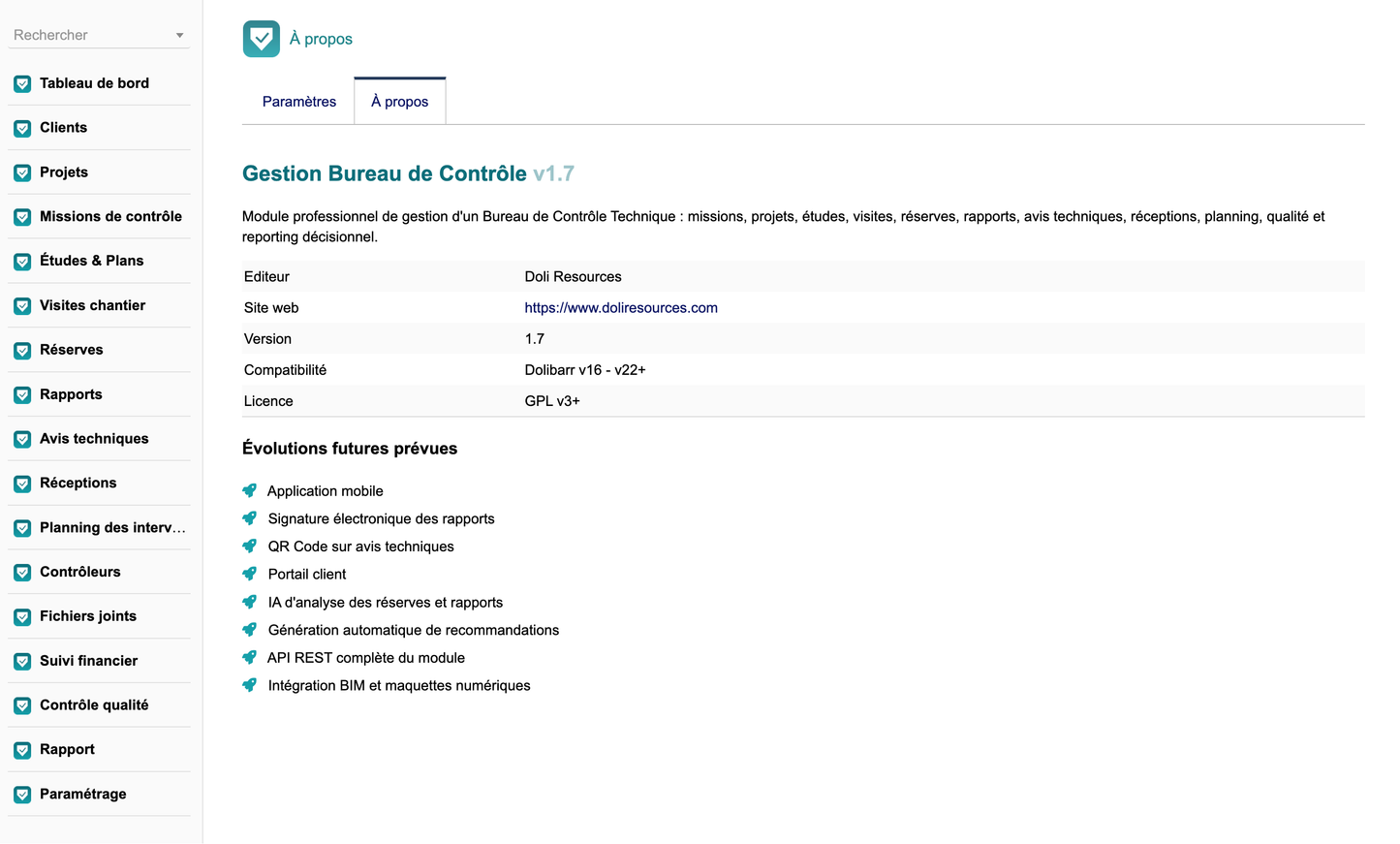
· Mobile application
· Electronic signature of reports
· QR Code on technical notices
· Customer portal
· AI for analyzing reserves and reports
· Automatic generation of recommendations
· module's full REST API
BIM integration and digital models


