
Discover powerful Dolibarr extensions designed to automate your business processes
CT Scan Center Management (French commercial name: Gestion Centre Scanner, technical name ctscancenter, module numero 546500) is a business application module published by DoliResources that...
Couldn't load pickup availability


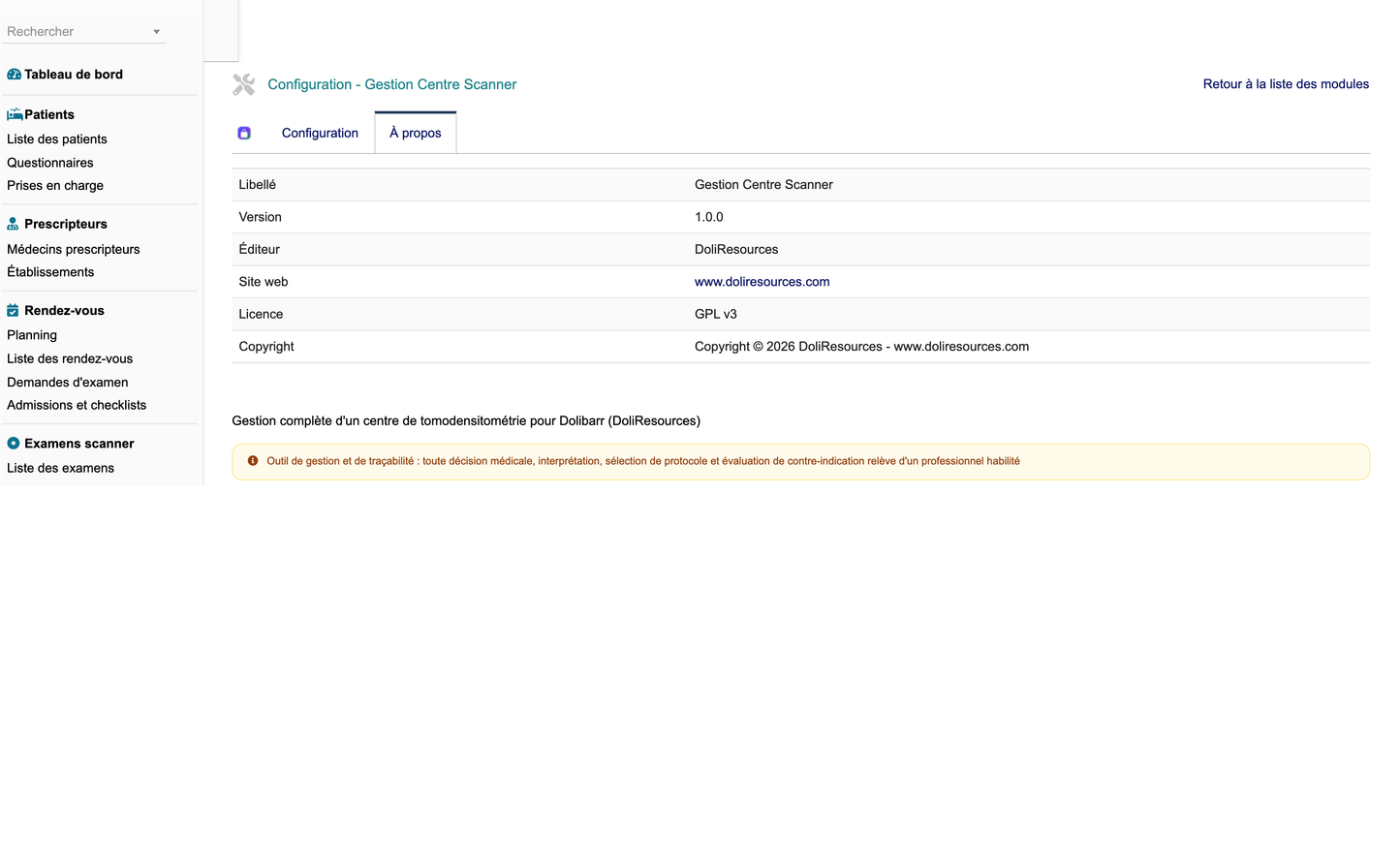
CT Scan Center Management (French commercial name: Gestion Centre Scanner, technical name ctscancenter, module numero 546500) is a business application module published by DoliResources that turns a standard Dolibarr ERP/CRM installation into a complete operational system for a computed tomography centre. It covers the entire patient pathway, from the receipt of a referring physician's prescription through appointment scheduling, admission and safety checks, protocol selection, image acquisition, reconstruction, dosimetric recording, radiological reporting, result delivery, insurance coverage and invoicing, and on to equipment maintenance, quality control, incident management and management reporting.
The module is built on thirty-seven dedicated business objects, each with its own database table, list view, record card, search filters, controlled-vocabulary status handling and PDF output where relevant. It ships sixty-one granular permissions, a role-aware menu tree, a management dashboard with key performance indicators and charts, a dedicated dosimetry analysis screen, a multi-room planning board, a patient portal, a referring physician portal, an interface console for DICOM, HL7 and FHIR exchanges, a REST API and two scheduled cron jobs. It integrates with the native Dolibarr modules for third parties, contacts, products, stock, quotations, orders, invoices, payments, projects, agenda and document management rather than duplicating them.
The design principle throughout is administrative rigour combined with clinical humility. The module structures, times, traces and reports; it does not diagnose, prescribe or validate. It is a management, traceability and decision-support tool and never replaces the medical decision, the radiologist's interpretation, the final protocol selection, the assessment of a contraindication, the decision to use a contrast agent, the prescription or medical validation. Every sensitive medical function remains under the control of a duly qualified professional. Every screen that touches a clinical judgement records who took the decision and when, so that the organisation retains an auditable trail without ever substituting software for professional responsibility.
The module is compatible with Dolibarr versions 18 to 23, requires PHP 8.0 or later and a MySQL or MariaDB database, and is distributed under the GNU General Public Licence version 3 consistent with the Dolibarr platform itself.
· Thirty-seven business objects covering the full CT centre value chain.
· Sixty-one granular permissions grouped into nineteen functional areas.
· Management dashboard with activity, quality, dose, financial and fleet indicators.
· Eleven PDF document types generated directly from live records.
· REST API with a generic object interface, a catalogue endpoint and a DICOM modality worklist endpoint.
· Two cron jobs: appointment reminders (daily) and alert refresh (hourly).
· Patient portal and referring physician portal built on the module's own data.
· Comprehensive demo dataset generated on first activation and removable in one action.
A computed tomography centre is simultaneously a clinical unit, a heavily regulated radiation installation, a capital-intensive technical platform and a commercial business. Managing it with spreadsheets and a generic scheduling tool leaves the organisation blind on the points that matter most: how long patients actually wait, how much radiation dose each protocol really delivers, how quickly reports reach referring physicians, how much a given examination costs against what it bills, and whether the scanner fleet is being used to its economic potential.
CT Scan Center Management addresses those questions by capturing operational events as they happen rather than reconstructing them afterwards. Each appointment records its arrival time; each examination records planned, arrival, start and end timestamps together with preparation, acquisition, total and waiting durations; each acquisition records its own CTDIvol and DLP; each report records dictation, transcription, validation and signature timestamps and the resulting delay in hours. The indicators the management team needs are therefore by-products of normal work, not a separate reporting exercise.
The second objective is regulatory defensibility. Radiation protection, dose optimisation, justification of examinations, quality control of the equipment and the declaration of adverse events are all subject to inspection. The module provides a structured, dated and attributed record for each of these obligations, with reference dose levels held per examination type, automatic comparison of every recorded dose against its reference, and a documented justification field wherever a reference level has been exceeded.
The third objective is commercial coherence. Referring physicians are the centre's principal source of activity, and the module tracks per-physician request volume, generated revenue and average delivery time so that the relationship can be managed on evidence.
· Reduce patient waiting and total examination time through measured turnaround.
· Guarantee an auditable trail for every dose, every protocol and every contraindication check.
· Shorten report turnaround and evidence it with recorded delay hours.
· Maximise scanner utilisation with a room and machine occupancy indicator.
· Control the true cost per examination against its billed amount and margin.
· Secure insurance coverage before the examination rather than after invoicing.
· Manage the referring physician relationship on measured volume, revenue and delivery times.
· Keep consumable and contrast stock available without over-holding expiring lots.
The functional scope is organised in eight coherent domains, each mapped to a top-level entry in the module's left menu. The technical platform domain holds sites, examination rooms, scanners, contrast injectors and biomedical equipment. The patients and correspondents domain holds patient records, referring physicians, partner facilities, insurers and coverage authorisations. The medical reference domain holds examination types, versioned scanner protocols and patient safety questionnaires.
The patient pathway domain holds examination requests, appointments, admissions with their checklist, examinations, acquisitions, reconstructions and dosimetry records. The contrast and sedation domain holds contrast products, their lots, individual injections and sedation episodes. The reporting and distribution domain holds radiology reports, result deliveries and teleradiology assignments. The financial domain holds examination billing and payments. The logistics, maintenance and quality domain holds stock items, stock movements, maintenance work orders, quality controls, incidents, complaints, staff records and interface logs.
Every one of the thirty-seven objects is generated from a single declarative specification, which guarantees uniform behaviour: consistent reference numbering, consistent search and filter columns, consistent multi-entity support, consistent coloured status badges drawn from the shared controlled vocabularies, and a consistent list and card layout. Child objects such as acquisitions, reconstructions, contrast lots and stock movements are rendered inside their parent record as well as being reachable from their own list.
A ten-step patient pathway representation runs across the dashboard hero band and gives an at-a-glance count of work in progress at each stage: request, checks, appointment, preparation, examination, reconstruction, interpretation, validation, result and billing.
· Technical platform: sites, rooms, scanners, injectors, biomedical equipment.
· Patients and correspondents: patients, physicians, facilities, insurers, coverage authorisations.
· Medical references: examination types, versioned protocols, safety questionnaires.
· Patient pathway: requests, appointments, admissions, examinations, acquisitions, reconstructions, dosimetry.
· Contrast and sedation: products, lots, injections, sedation episodes.
· Reporting and distribution: radiology reports, deliveries, teleradiology.
· Finance: examination billing, payments, insurance coverage.
· Logistics and quality: stock items, movements, maintenance, quality controls, incidents, complaints, staff, interface logs.
The module ships sixty-one granular permissions. Fifty-seven of these are organised as nineteen functional groups, each of which carries a read, a write and a delete permission. The nineteen groups are patient, physician, request, appointment, exam, protocol, contrast, dosimetry, report, teleradiology, billing, insurance, stock, equipment, maintenance, quality, incident, staff and interface. The remaining four are cross-cutting rights: access to reporting and statistics, access to the patient and referrer portals, export of module data, and administration of the module.
Permissions are applied consistently at three levels. The menu tree itself is conditioned on the relevant read permission, so a user who cannot read dosimetry never sees the dose menu. Every list and card page re-checks the permission server-side before any query is executed, so the menu condition is a convenience and not the security boundary. The REST API applies the same check through a guard method before every operation, and the PDF document generator maps each of its eleven document types to the permission group that owns the underlying object.
Each object is mapped to exactly one right group, which keeps the model comprehensible. Questionnaires are governed by the patient group, facilities by the physician group, coverage authorisations by the insurance group, admissions by the appointment group, acquisitions and reconstructions by the exam group, examination types and protocols by the protocol group, contrast lots, injections and sedation by the contrast group, deliveries by the report group, complaints by the quality group, and sites, rooms, scanners, injectors and equipment by the equipment group.
The module follows the principle of least privilege. Read and write permissions are granted by default on activation so that the module is immediately usable, but delete and admin are never granted by default, and neither is the data export right. An administrator must deliberately assign destructive and administrative capability to named users or groups.
· Sixty-one permissions in total: nineteen functional groups times read/write/delete, plus four cross-cutting rights.
· Groups: patient, physician, request, appointment, exam, protocol, contrast, dosimetry, report, teleradiology, billing, insurance, stock, equipment, maintenance, quality, incident, staff, interface.
· Cross-cutting rights: reporting, portal, export and admin.
· Delete and admin are never granted by default, in line with least privilege.
· Export is likewise withheld by default so that bulk data extraction is a deliberate grant.
· Menu visibility, page-level checks and API guards all consult the same permission model.
· Every object belongs to exactly one right group, avoiding ambiguous authorisation.
· Permissions are declared with unique identifiers derived from the module numero 546500.
The dashboard is the module's landing page and is reachable directly from the top menu. It opens with a hero band naming the centre and rendering the ten-step patient pathway with a live count of records currently sitting at each step, computed from the request, appointment, examination, report and billing statuses. This gives the operations manager an immediate reading of where work is accumulating.
Below the hero band the dashboard presents three groups of key performance indicators. The first group covers today's activity: distinct patients scheduled today, appointments today, examinations planned today, examinations completed today, examinations in the current month, emergency examinations today, contrast-enhanced examinations in the month and patients currently waiting. The second group covers quality and turnaround: average waiting time in minutes, average total examination duration, room and machine occupancy percentage, pending reports, average report delay in hours, average DLP in mGy.cm, dose alerts, acquisition repeat rate, quality-control conformity rate, teleradiology volume, no-shows and average satisfaction score out of five. The third group covers finance: revenue for the month, outstanding amount, average real cost per examination, margin percentage and cancellations.
A scanner fleet panel lists each machine with its model, slice count, current status badge, and where an examination is in progress the current patient, examination type and examination status, together with the next scheduled maintenance date. An alerts panel surfaces stock items at or below their minimum quantity, expired contrast lots, maintenance work orders requested or planned, overdue quality controls and open incidents.
Four charts complete the page: monthly activity over the trailing twelve months, examinations by body region, average dose by protocol, and monthly revenue. Chart legends and titles are explicitly decoded before being passed to the graphing engine so that accented vocabulary labels render correctly. A medical disclaimer is printed as the closing element of the page.
· Ten-step patient pathway band with live counts per step.
· Today's activity: patients, appointments, examinations planned and done, monthly volume, emergencies, contrast examinations, patients waiting.
· Quality and turnaround: average waiting time, average duration, occupancy, pending reports, report delay, average DLP, dose alerts, repeat rate, QC conformity, teleradiology, no-shows, satisfaction.
· Finance: monthly revenue, outstanding amount, cost per examination, margin, cancellations.
· Scanner fleet panel with live status, current patient and next maintenance date.
· Alert panel for low stock, expired lots, due maintenance, overdue QC and open incidents.
· Charts: monthly activity, examinations by body region, dose by protocol, monthly revenue.
· Colour-coded indicator cards that change colour when a threshold is breached.
The patient record is one of the module's hub objects and is the anchor for the entire clinical history. It carries a patient identifier used as its reference, surname, forename, birth name, civility, gender, date and place of birth, national identifier, postal address, town, postcode, telephone, e-mail and an emergency contact. A link to a native Dolibarr third party is available where the patient is also a commercial counterparty, for example under an occupational health agreement.
Clinically relevant administrative attributes are held on the same record: the usual referring physician, the insurer and member number, preferred language, mobility category (autonomous, assisted, wheelchair or stretcher), weight in kilograms and height in centimetres, and where applicable the legal guardian. Weight and height matter operationally because they drive patient category classification and contrast volume calculation, and they are therefore stored as numeric fields rather than free text.
Data protection is handled explicitly. A data consent flag records whether the patient has consented to the processing of their data, and the patient status vocabulary provides active, archived, anonymised and merged states, so that a record can be retired or de-identified without destroying the operational history attached to it. The merged state supports the correction of duplicate identities, which is a recurring source of identity-vigilance incidents in imaging.
From the patient card the user reaches the full clinical and administrative timeline: questionnaires, requests, appointments, examinations, dosimetry records, reports, deliveries, billing and payments, all filtered to that patient.
· Full identity block with patient identifier, birth name, national identifier and place of birth.
· Contact details, emergency contact and optional link to a native third party.
· Referring physician, insurer and member number held on the record.
· Mobility category, preferred language, weight, height and legal guardian.
· Data consent flag supporting privacy compliance.
· Patient status vocabulary: active, archived, anonymised, merged.
· Search on identifier, surname, forename, birth date, national identifier, town, telephone and status.
· Patient information sheet available as a generated PDF document.
Referring physicians are managed as a hub object in their own right, because for an imaging centre they are both a clinical correspondent and a commercial channel. Each physician record carries a reference, surname, forename, specialty drawn from a twelve-value controlled vocabulary (general, emergency, oncology, cardiology, neurology, pneumology, gastroenterology, urology, orthopaedics, rheumatology, paediatrics and surgery), professional identifier, the partner facility they belong to, an optional link to a native third party, telephone and e-mail.
The despatch preference field determines how results reach that physician: through the referrer portal, by e-mail, by post or by fax. A portal-enabled flag controls whether the physician has access to the referrer portal at all, which allows the centre to roll out portal access progressively.
Three measured fields make the relationship manageable. The number of requests, the revenue generated and the average delivery time in days are maintained by recomputation against the underlying request, billing and delivery data rather than being typed in. They allow the centre to see which correspondents drive volume, which generate value and, importantly, which are receiving slower service than others.
Partner facilities are managed as a separate object with facility type (hospital, clinic, private practice, network or company), department, address, agreement reference and agreement end date, so that contractual relationships with referring institutions have their own expiry tracking.
· Physician record with specialty, professional identifier and partner facility.
· Despatch preference: portal, e-mail, post or fax.
· Portal-enabled flag governing referrer portal access.
· Measured request volume, generated revenue and average delivery time in days.
· Partner facility object with type, department, agreement reference and agreement end date.
· Physician list filtered and searchable by surname, forename, specialty, professional identifier and facility.
· Direct navigation from a physician to their requests, examinations and deliveries.
The appointment object is a hub that binds a request, a patient, a site, a room, a scanner, a radiologist and a technologist to a time slot defined by a start datetime, an end datetime and a duration in minutes. Because the room and the machine are distinct fields, the module can express the common situation where preparation occupies a preparation room while the acquisition occupies the scanner room.
The appointment lifecycle is expressed through a thirteen-value controlled vocabulary: requested, to confirm, confirmed, reminded, arrived, admitted, preparing, ready, in examination, finished, no show, cancelled and postponed. Each value carries its own colour so that the planning board and the lists are readable at a glance. The no-show and cancelled states feed the corresponding dashboard indicators, and a cancellation reason field records why a slot was lost.
Two boolean flags support operational reality: an emergency flag that marks slots inserted outside the normal plan, and a waiting-list flag that marks patients who have accepted to be called at short notice if a slot frees up. A reminder-sent flag and reminder date record the outcome of the automated reminder cron job, and an arrival time field records when the patient actually presented at reception, which is the starting point of the measured waiting time.
A dedicated multi-room planning screen presents appointments by site, room and machine over a chosen period, and the appointment convocation and preparation instruction sheets are available as generated PDF documents.
· Appointment linked to request, patient, site, room, scanner, radiologist and technologist.
· Start and end datetimes plus explicit duration in minutes.
· Thirteen lifecycle statuses from requested through to postponed, each colour-coded.
· Emergency and waiting-list flags for unplanned and opportunistic scheduling.
· Reminder-sent flag and reminder date driven by the daily reminder cron job.
· Recorded arrival time as the basis of measured waiting time.
· Cancellation reason captured on every cancelled slot.
· Dedicated planning board plus convocation and preparation PDF documents.
The examination request is the entry point of the patient pathway and a hub object. It records the patient, the referring physician, the originating facility, the requested examination type, the request datetime, the prescription reference and prescription date, the clinical indication, the body region and the urgency level.
Urgency is a four-value controlled vocabulary: routine, priority, urgent and vital. It is one of the drivers of scheduling priority and is deliberately kept short so that it is used consistently. The body region vocabulary offers fifteen values including head, face, neck, thorax, abdomen, pelvis, spine, limb, vascular, cardiac, urinary, digestive, sinus, dental and whole body, which is the same vocabulary used by examination types, dosimetry records and the dashboard chart.
Two planning flags are set at request time: contrast planned and sedation planned. These propagate into the preparation requirements and into the admission checklist. An insurer can be attached at request stage so that coverage can be secured before the appointment, and a documents-complete flag records whether the administrative file is whole.
The request lifecycle uses an eleven-value vocabulary: draft, received, to check, waiting for documents, medical review, validated, planned, done, refused, cancelled and postponed. The medical review state exists precisely so that a request that raises a clinical question is routed to a qualified professional rather than being administratively approved. A refusal reason field and a verifying user field close the audit trail.
· Request linked to patient, referring physician, facility, examination type and insurer.
· Prescription reference and prescription date recorded against the request.
· Clinical indication and body region captured in structured form.
· Urgency levels: routine, priority, urgent, vital.
· Contrast-planned and sedation-planned flags set at request stage.
· Documents-complete flag for administrative file control.
· Eleven request statuses including an explicit medical review state.
· Refusal reason and verifying user recorded for traceability.
The patient questionnaire is the module's structured safety interview and the principal input to contraindication detection. It is attached to a patient and to a request, and records the date it was completed and who completed it, using a controlled vocabulary of patient, secretary, nurse or physician. Recording who filled the form matters, because a questionnaire completed by the patient alone does not carry the same weight as one completed with a nurse.
The clinical content is captured as explicit fields rather than free text so that it can be queried and alerted upon. Pregnancy status uses a five-value vocabulary (no, unknown, suspected, confirmed, not applicable) and there is a separate breastfeeding flag. Renal function is captured as a renal failure flag together with numeric creatinine and estimated glomerular filtration rate values. Iodine allergy and previous adverse reaction are separate flags, as are diabetes, metformin treatment, asthma, thyroid disease, recent surgery, claustrophobia, reduced mobility and the need for sedation. Current treatment is recorded as free text.
The questionnaire carries an alert level drawn from a four-value vocabulary: none, watch, alert and blocking. The blocking level is the mechanism by which an administrative user is prevented from proceeding without escalation. A validated-by field records the user who reviewed the questionnaire.
Questionnaires are searchable on pregnancy status, iodine allergy, renal failure and alert level, so that the day's list of cases requiring clinical attention can be produced in one query.
· Questionnaire linked to a patient and to a request, with completion date and completing role.
· Pregnancy status vocabulary plus a separate breastfeeding flag.
· Renal failure flag with numeric creatinine and eGFR values.
· Iodine allergy and previous reaction recorded as distinct flags.
· Diabetes, metformin, asthma and thyroid disease captured explicitly.
· Recent surgery, claustrophobia, reduced mobility and sedation requirement flags.
· Alert level: none, watch, alert or blocking.
· Validating user recorded on the questionnaire.
Contraindication management in this module is not a separate table but a cross-cutting mechanism assembled from the questionnaire fields, the examination type requirements and the admission checklist. This is deliberate: a contraindication is a conclusion drawn from several facts, and the module's role is to make those facts visible, dated and attributed rather than to compute a clinical verdict.
The relevant facts are gathered in structured form. From the questionnaire come pregnancy status, breastfeeding, iodine allergy, previous adverse reaction, renal failure with creatinine and eGFR values, diabetes, metformin treatment, asthma, thyroid disease and claustrophobia. From the examination type come the fasting-required, biology-required and consent-required flags, and whether contrast is possible at all for that examination. From the admission record come the allergy-checked, pregnancy-checked, biology-checked and fasting-checked confirmations.
The alert level on the questionnaire is the summary signal. A blocking alert level, combined with the admission status vocabulary that includes an explicit blocked state, gives the centre a defined point at which the pathway stops until a qualified professional intervenes. A request can equally be routed to the medical review status, and a validated-by user is recorded on the questionnaire once review has taken place.
This function is a management, traceability and decision-support tool. It never replaces the medical decision, the radiologist's interpretation, the final selection of the protocol, the assessment of a contraindication, the decision to administer a contrast agent, the prescription or the medical validation. Every sensitive medical function described above remains under the control of a duly qualified professional, and the module records only what that professional has decided, when they decided it and on what documented basis.
· Structured capture of all contraindication-relevant facts across questionnaire, examination type and admission.
· Renal function held as numeric creatinine and eGFR values, not as free text.
· Iodine allergy and previous adverse reaction distinguished from one another.
· Metformin treatment flagged separately from diabetes.
· Alert level with an explicit blocking value.
· Admission status includes a blocked state that halts the pathway.
· Request status includes a medical review state for clinical escalation.
· Reviewing user recorded so the decision is always attributable.
The admission record is the operational bridge between the appointment and the examination. It is linked to an appointment and a patient and holds three timestamps that together define the pre-examination phase: arrival datetime, admission datetime and ready datetime. The interval between arrival and ready is what patients experience as waiting time, and it is the basis of the corresponding dashboard indicator.
The core of the admission is a ten-point checklist, each point held as its own boolean field so that partial completion is visible: identity checked, prescription checked, insurance checked, questionnaire checked, allergy checked, pregnancy checked, biology checked, fasting checked, consent signed and intravenous line placed. A separate checklist-complete flag summarises the set and is a searchable field, so the reception desk can list at any moment which patients are not yet cleared.
The admission status vocabulary provides open, checking, blocked, ready and closed. The blocked state is the formal expression of a checklist item that cannot be satisfied, for example an unconfirmed pregnancy status or missing biology results, and it prevents the patient being presented as ready. The admitting user is recorded on every admission.
The complete checklist is available as a generated PDF document, which gives the centre a printable, signable artefact for the patient file and for inspection.
· Arrival, admission and ready timestamps recorded separately.
· Ten-point checklist: identity, prescription, insurance, questionnaire, allergy, pregnancy, biology, fasting, consent, intravenous line.
· Searchable checklist-complete summary flag.
· Admission statuses: open, checking, blocked, ready, closed.
· Admitting user recorded on every admission.
· Blocked state prevents a patient being declared ready while a check is outstanding.
· Printable checklist PDF document generated from the live record.
The scanner protocol is a hub object and the module's central technical reference. A protocol is attached to an examination type and to a specific scanner, because acquisition parameters are not transferable between machines. It records the clinical indication it serves, the patient position (supine head first, supine feet first, prone head first or lateral), and the coverage zone.
The acquisition parameters are held explicitly: slice thickness, pitch value, kilovoltage, milliampere-seconds, a dose modulation flag, the number of phases, whether contrast is used, whether bolus tracking is applied, the reconstruction planes to be produced and the filter kernel. Two expected dose values, expected CTDIvol and expected DLP, allow the protocol's designed dose to be compared against what is actually delivered.
Protocol governance is built into the object. A version number, a validating user, an application date and a five-value status vocabulary (draft, review, active, superseded, retired) provide a controlled document lifecycle. A protocol therefore has a documented author, a documented approval and a documented period of validity, and superseded versions remain in the system so that a historical examination can still be read against the protocol that was in force at the time.
This function is a management, traceability and decision-support tool. It never replaces the medical decision, the radiologist's interpretation, the final selection of the protocol, the assessment of a contraindication, the decision to administer a contrast agent, the prescription or the medical validation. Every sensitive medical function described above remains under the control of a duly qualified professional, and the module records only what that professional has decided, when they decided it and on what documented basis.
· Protocol bound to a specific examination type and a specific scanner.
· Patient position and coverage zone recorded as structured fields.
· Full acquisition parameter set: slice thickness, pitch, kV, mAs, dose modulation, phases, filter kernel.
· Contrast and bolus tracking flags, plus the reconstruction planes to be produced.
· Expected CTDIvol and expected DLP held on the protocol for comparison against delivered dose.
· Version number, validating user and application date.
· Status lifecycle: draft, review, active, superseded, retired.
· Superseded versions retained so historical examinations remain interpretable.
The acquisition object represents an individual series within an examination and is rendered as a line of the examination record as well as being reachable from its own list. Each acquisition carries a series number, a Series Instance UID, a series label and a phase type drawn from a seven-value vocabulary: scout, native, arterial, portal, venous, late and excretory.
The technical parameters actually used are recorded per series rather than assumed from the protocol: kilovoltage used, milliampere-seconds used, slice thickness, pitch value, scan length in centimetres and number of images. This distinction between the protocol's designed parameters and the series' delivered parameters is what makes protocol optimisation possible.
Dose is recorded at series level as CTDIvol and DLP. Recording dose per series rather than only per examination is what allows the centre to identify which phase of a multiphase protocol is the dominant dose contributor, and therefore where optimisation effort should be directed.
A repeat flag marks series that had to be reacquired. The dashboard aggregates these into an acquisition repeat rate, computed as repeated series over total series for examinations started in the current month, which is a standard quality indicator for an imaging department. An acquisition datetime completes the record.
· Series number, Series Instance UID, series label and phase type per acquisition.
· Phase vocabulary: scout, native, arterial, portal, venous, late, excretory.
· Delivered kV, mAs, slice thickness, pitch, scan length and image count recorded per series.
· Per-series CTDIvol and DLP.
· Repeat flag feeding the dashboard repeat-rate indicator.
· Acquisition datetime for each series.
· Acquisitions displayed as lines of the parent examination and in their own filtered list.
Reconstructions are post-processing products derived from acquisitions and are managed as lines of the examination alongside them. Each reconstruction is linked to its examination and optionally to the specific acquisition it was derived from, and carries a descriptive label.
The reconstruction type vocabulary provides multiplanar reformation, maximum intensity projection, volume rendering, curved reformation, bone algorithm and soft-tissue algorithm. The plane vocabulary provides axial, coronal, sagittal, oblique and volume. Together these describe what was produced in terms a radiologist and a technologist share.
The technical attributes recorded are the filter kernel, the slice thickness and the number of images produced. A duration in minutes records the post-processing effort, and the user who performed the reconstruction and the reconstruction datetime are stored, which allows the workstation workload to be quantified. This is frequently invisible work in an imaging department, and measuring it is a prerequisite for staffing it properly.
As with acquisitions, the images themselves are never stored in Dolibarr: the reconstruction record is metadata describing a dataset that lives in the PACS.
· Reconstruction linked to its examination and optionally to a source acquisition.
· Type vocabulary: MPR, MIP, VRT, curved, bone, soft tissue.
· Plane vocabulary: axial, coronal, sagittal, oblique, volume.
· Filter kernel, slice thickness and image count per reconstruction.
· Post-processing duration in minutes.
· Performing user and reconstruction datetime recorded.
· Metadata only: the reconstructed dataset itself remains in the PACS.
Contrast media are managed as three related objects: the product, the lot and the individual injection. The contrast product record holds a reference, a label, a contrast type drawn from a five-value vocabulary (low-osmolar iodinated, iso-osmolar iodinated, oral, rectal and saline), the concentration, the standard volume in millilitres, an optional link to a native Dolibarr product, the supplier, the unit cost, the stock quantity, the stock alert threshold and the storage conditions.
The lot record provides pharmaceutical traceability. Each lot carries its lot number, the parent product, the receipt date, the expiry date, the quantity received, the quantity remaining, the supplier and a status drawn from available, low, expired, blocked and consumed, with a blocking reason field. Expired lots that have not been consumed are surfaced directly on the dashboard alert panel.
The injection record ties everything to a patient and an examination. It records the contrast product, the specific lot, the injector used, the volume in millilitres, the flow rate, the injection route (antecubital intravenous, hand intravenous, central line, oral or rectal), the injection datetime, the operating user and the validating user. An incident flag and incident type allow extravasation or reaction events to be recorded at the point of care and later correlated with the incident register.
This function is a management, traceability and decision-support tool. It never replaces the medical decision, the radiologist's interpretation, the final selection of the protocol, the assessment of a contraindication, the decision to administer a contrast agent, the prescription or the medical validation. Every sensitive medical function described above remains under the control of a duly qualified professional, and the module records only what that professional has decided, when they decided it and on what documented basis.
· Contrast product with type, concentration, standard volume, cost, stock quantity and alert threshold.
· Optional linkage to a native Dolibarr product for purchasing and stock integration.
· Lot-level traceability: lot number, receipt date, expiry date, quantities received and remaining.
· Lot statuses: available, low, expired, blocked, consumed, with a blocking reason.
· Injection record with product, lot, injector, volume, flow rate and route.
· Operating user and validating user both recorded on every injection.
· Incident flag and incident type captured at the point of injection.
· Expired unconsumed lots raised on the dashboard alert panel.
Sedation is managed as a distinct object because it introduces a separate clinical responsibility, a separate consent and a separate monitoring obligation. A sedation record is linked to an examination, a patient and an anaesthetist, and records the evaluation date and whether consent has been signed.
The sedation type vocabulary provides anxiolysis, conscious sedation, deep sedation and general anaesthesia, and the medication used is recorded alongside it. Four timestamps describe the episode: start, end, recovery and discharge. The interval between end and discharge is the recovery period, during which the patient occupies a recovery bay rather than the scanner, which is why the room-type vocabulary includes a dedicated recovery room type.
Monitoring notes are captured as free text, and the accompanying person is recorded, since a sedated patient cannot normally be discharged unaccompanied. An incident flag allows adverse events during sedation to be marked and cross-referenced with the incident register. The status vocabulary provides requested, evaluated, running, recovery, discharged and cancelled.
This function is a management, traceability and decision-support tool. It never replaces the medical decision, the radiologist's interpretation, the final selection of the protocol, the assessment of a contraindication, the decision to administer a contrast agent, the prescription or the medical validation. Every sensitive medical function described above remains under the control of a duly qualified professional, and the module records only what that professional has decided, when they decided it and on what documented basis.
· Sedation linked to examination, patient and named anaesthetist.
· Evaluation date and signed-consent flag recorded before the episode.
· Sedation types: anxiolysis, conscious, deep, general anaesthesia.
· Medication used recorded on the episode.
· Start, end, recovery and discharge timestamps.
· Monitoring notes and accompanying person captured.
· Incident flag for adverse events during sedation.
· Statuses: requested, evaluated, running, recovery, discharged, cancelled.
The examination is the module's principal hub object and the point at which every other domain converges. It carries its own reference, an accession number and a Study Instance UID, which together are the identifiers by which the examination is known to the RIS, to the modality and to the PACS. The accession number is a searchable field, because it is the identifier staff quote when they telephone about a study.
The examination links the patient, the originating request, the appointment, the examination type, the protocol applied, the site, the room, the scanner, the radiologist and the technologist. Timing is recorded in detail: planned datetime, arrival datetime, start datetime and end datetime, plus four derived duration fields held in minutes — preparation duration, acquisition duration, total duration and waiting time. These timing fields are what make the turnaround indicators on the dashboard possible.
Clinical and technical context is recorded through the with-contrast, with-sedation and emergency flags, the number of acquisitions, the number of repeats, the total CTDIvol and the total DLP for the study, and the image quality assessment drawn from a five-value vocabulary of excellent, good, acceptable, degraded and non-diagnostic. Interruption and delay reasons are captured as free text when the examination did not run as planned. A PACS link field holds the deep link to the study in the image archive, and billed amount and real cost allow per-examination margin analysis.
The examination lifecycle is expressed by a thirteen-value controlled vocabulary: planned, arrived, preparing, ready, acquiring, reconstructing, interrupted, finished, to report, reporting, validated, delivered and cancelled. This sequence is what drives the pathway band on the dashboard, the modality worklist filter in the API and the report production queue. An examination sheet is available as a generated PDF document.
· Accession number and Study Instance UID held on every examination.
· Links to patient, request, appointment, examination type, protocol, site, room, scanner, radiologist and technologist.
· Timing fields: planned, arrival, start and end datetimes.
· Derived durations: preparation, acquisition, total and waiting time, all in minutes.
· Contrast, sedation and emergency flags; acquisition and repeat counts.
· Total CTDIvol and total DLP aggregated for the study.
· Image quality assessment: excellent, good, acceptable, degraded, non-diagnostic.
· Interruption reason, delay reason and PACS deep link.
· Billed amount and real cost for per-examination margin analysis.
· Thirteen statuses: planned, arrived, preparing, ready, acquiring, reconstructing, interrupted, finished, to report, reporting, validated, delivered, cancelled.
Dosimetry is a hub object and the module's answer to the regulatory obligation to record, monitor and optimise patient radiation exposure. A dosimetry record is attached to an examination, a patient, a scanner and a protocol, and additionally records the body region, the patient category (adult, paediatric, infant, bariatric or geriatric) and the patient's age, because reference levels differ by category.
The dose quantities held are CTDIvol in milligray, DLP in milligray-centimetre and the effective dose in millisievert, together with the number of acquisitions and the scan length in centimetres that produced them. The reference DLP applicable to that examination type is copied onto the record, and a ratio-to-reference and an exceeds-reference boolean are derived from the comparison. The exceeds-reference flag is a searchable field, so the list of examinations above the diagnostic reference level can be produced instantly.
Where a reference level has been exceeded, a justification field records the clinical or technical reason, and a validating user records who accepted that justification. This is the specific evidence an inspection asks for. A dedicated dosimetry analysis screen presents record count, average CTDIvol, average DLP, average effective dose, the count of exceeding examinations and the exceeding rate as percentage indicators over a user-selected period, followed by a comparison table of measured against reference CTDIvol and DLP per examination type and body region, charts of dose by protocol and DLP trend, and a detail table of every exceeding record with its justification.
This function is a management, traceability and decision-support tool. It never replaces the medical decision, the radiologist's interpretation, the final selection of the protocol, the assessment of a contraindication, the decision to administer a contrast agent, the prescription or the medical validation. Every sensitive medical function described above remains under the control of a duly qualified professional, and the module records only what that professional has decided, when they decided it and on what documented basis.
· Dosimetry record linked to examination, patient, scanner and protocol.
· Patient category and age recorded because reference levels are category-dependent.
· CTDIvol in mGy, DLP in mGy.cm and effective dose in mSv.
· Number of acquisitions and scan length in centimetres.
· Reference DLP copied onto the record with derived ratio-to-reference.
· Searchable exceeds-reference flag.
· Justification text and validating user for every exceeding record.
· Dedicated dose analysis screen with indicators, reference comparison table, charts and exceeding detail.
· Dose report available as a generated PDF document.
Radiation protection extends beyond patient dose to the installation, the equipment and the staff, and the module carries each of these strands. At installation level, the room record holds a shielding-conformity flag and the date of the last shielding check, so that the periodic verification of structural protection is tracked as an object rather than remembered.
At equipment level, the scanner record holds maximum kilovoltage and maximum milliampere ratings, accumulated tube hours, cumulative examination count and the next maintenance date, while the biomedical equipment record includes a dedicated protection equipment type for lead aprons, shields and similar protective devices, each with its own installation date, warranty end and status.
At staff level, the staff record holds the radiation protection certificate reference, the certificate expiry date and a training expiry date, both of which are searchable. This turns the recurring compliance question — who is currently authorised to operate — into a query rather than a paper exercise. Staff roles include a dedicated medical physicist role alongside radiologist, technologist, nurse, anaesthetist, secretary, reception, technician and manager.
At process level, dose optimisation is supported by protocol-level expected CTDIvol and DLP, series-level delivered dose, the dose modulation flag on protocols, the low-dose examination category and the acquisition repeat rate, since an avoided repeat is an avoided dose.
· Room-level shielding conformity flag and last shielding check date.
· Scanner maximum kV and mA ratings, tube hours and cumulative examination count.
· Dedicated protection equipment type for lead aprons and shields.
· Staff radiation protection certificate reference with searchable expiry date.
· Training expiry date tracked alongside certification.
· Medical physicist role represented in the staff role vocabulary.
· Low-dose examination category available on examination types.
· Dose modulation flag on every protocol.
· Repeat rate monitored as an avoidable-dose indicator.
DICOM support is delivered through three complementary mechanisms: identifier management, worklist publication and exchange logging. Identifier management means that the examination carries a Study Instance UID and an accession number, and each acquisition carries a Series Instance UID, so that records in Dolibarr and objects in the imaging chain refer to one another unambiguously. Each scanner carries its AE title, which is the address by which the modality identifies itself.
Worklist publication is provided by a dedicated REST endpoint that returns modality worklist entries for a given AE title over a configurable window of one to thirty days. The response is shaped in DICOM terms: AccessionNumber, StudyInstanceUID, ScheduledProcedureStepStartDate and Time, ScheduledStationAETitle, Modality, PatientID, PatientName in the caret-delimited form, PatientBirthDate, PatientSex, RequestedProcedureID, RequestedProcedureDescription and ProcedureCode. Only examinations in the planned, arrived, preparing or ready states are returned, which is exactly the set a modality should see.
Exchange logging is provided by the interface log object, whose interface type vocabulary includes DICOM Modality Worklist, DICOM Modality Performed Procedure Step and DICOM Store alongside HL7, FHIR, PACS and RIS. Each log entry records direction, endpoint, payload reference, message datetime, duration in milliseconds, retry count, error message and a status of success, warning, error or retry.
It must be stated explicitly that large CT image data always remains in the PACS. Dolibarr stores only metadata, identifiers, links, statuses and exchange logs. No pixel data, no DICOM object and no image series is ever written into the Dolibarr database or its document directories.
· Study Instance UID on every examination and Series Instance UID on every acquisition.
· Accession number as the shared operational identifier.
· AE title held per scanner and configurable centre-wide.
· REST modality worklist endpoint filtered by AE title and date window.
· Worklist response fields expressed in native DICOM attribute names.
· Worklist restricted to planned, arrived, preparing and ready examinations.
· Interface log covering DICOM MWL, MPPS and Store message types.
· Image data always remains in the PACS; Dolibarr holds only metadata, identifiers, links, statuses and logs.
The module performs the radiology information system function for the centre: it is the system of record for the order, the schedule, the patient state, the examination state, the report state and the billing state. The RIS role is discharged by the request, appointment, admission, examination and report objects working together, each holding its own lifecycle status and its own timestamps.
Where the centre already operates an external RIS, the interface type vocabulary includes an explicit RIS value and the interface log records every message exchanged with it, in either direction, with duration, retry count and error text. The message type vocabulary — worklist, ADT, ORM, ORU, study and report — covers the standard order and result flows.
The interface console page displays the current interface configuration, namely the PACS base URL, the AE title and the enablement state of the DICOM, HL7 and FHIR channels, followed by an activity summary counting messages and errors per interface type, and then the most recent log entries with date, type, message type, direction, status and duration.
The design intent is coexistence rather than replacement. A centre with no RIS can use the module as its RIS; a centre with an established RIS can use the module as its management, dosimetry, quality and financial layer while the RIS retains the clinical order flow, with the interface log providing the audit trail of the boundary between them.
· Order, schedule, examination, report and billing states all held as first-class objects.
· Explicit RIS interface type in the interface vocabulary.
· Message types covering worklist, ADT, ORM, ORU, study and report flows.
· Bidirectional logging with duration, retry count and error text.
· Interface console showing configuration, per-type activity and recent messages.
· Configurable enablement of the DICOM, HL7 and FHIR channels.
· Designed to operate either as the centre's RIS or alongside an existing one.
The picture archiving and communication system is treated as an external authority for images, and the module's relationship with it is one of reference rather than storage. A PACS base URL is held as a module configuration constant, and each examination holds a PACS link field containing the deep link to that specific study, so that a user reading an examination card can open the images in the viewer in one click.
The identifiers that make the link resolvable are the Study Instance UID on the examination and the Series Instance UID on each acquisition. Because these are stored as first-class fields rather than buried in notes, they are available to the API, to the worklist endpoint and to any external integration.
PACS exchanges are logged like any other interface. The interface type vocabulary includes a dedicated PACS value and a DICOM Store value, and each entry records the endpoint, the payload reference, the direction, the transmission duration in milliseconds, the number of retries and any error message, with a status of success, warning, error or retry.
As with DICOM generally, large CT image data always remains in the PACS. Dolibarr stores only metadata, identifiers, links, statuses and exchange logs. This division of responsibility keeps the ERP database small and fast, avoids duplicating a regulated image archive, and ensures that image retention policy stays under the control of the system designed for it.
· Centre-wide PACS base URL held as a module configuration constant.
· Per-examination PACS deep link for one-click access to the study.
· Study and Series Instance UIDs stored as structured, queryable fields.
· Dedicated PACS and DICOM Store interface types in the exchange log.
· Endpoint, payload reference, duration, retries and error message logged per exchange.
· Image data always remains in the PACS; Dolibarr holds only metadata, identifiers, links, statuses and logs.
HL7 messaging is supported as a configurable interface channel. A module constant enables or disables the HL7 channel, and its state is displayed on the interface console alongside the DICOM and FHIR channels, so that the operational configuration is visible without inspecting the database.
The interface log object carries HL7 as an explicit interface type, and its message type vocabulary reflects the standard HL7 event families used in an imaging context: ADT for patient admission, discharge and transfer events, ORM for order messages and ORU for observation result messages, alongside worklist, study and report types.
Each logged message records its direction (inbound or outbound), the endpoint it was exchanged with, a payload reference pointing to the stored message body, the message datetime, the processing duration in milliseconds, the number of retries attempted, any error message returned and a status drawn from success, warning, error and retry. Messages can additionally be linked to the examination, the patient and the scanner they concern, which turns the log from a technical trace into a clinically navigable audit record.
The interface console aggregates the log by interface type, showing message counts and error counts per channel, so that a degrading HL7 link is visible as a rising error count before it becomes a clinical incident.
· HL7 channel enabled or disabled through a module configuration constant.
· HL7 present as an explicit interface type in the log vocabulary.
· Message types covering ADT, ORM and ORU alongside worklist, study and report.
· Direction, endpoint, payload reference and message datetime recorded per message.
· Processing duration in milliseconds and retry count captured.
· Statuses: success, warning, error, retry.
· Messages linkable to the examination, patient and scanner concerned.
· Per-channel message and error counts on the interface console.
FHIR is supported on the same footing as HL7 version 2 and DICOM: as a configurable, logged exchange channel. A dedicated module constant enables or disables the FHIR channel, and its state appears on the interface console.
The interface log carries FHIR as an explicit interface type, allowing modern REST-based exchanges with hospital information systems, national health platforms and referring institutions to be traced with the same fields as legacy channels: direction, endpoint, payload reference, message datetime, duration in milliseconds, retry count, error message and status.
The module's own REST API is complementary to FHIR support rather than a substitute for it. The API exposes the module's native object model, which is richer in operational and management terms than a clinical exchange profile would be, and is intended for integration with the centre's own tools, portals and reporting systems.
Because both the FHIR channel and the native API are logged and permission-guarded through the same mechanisms, an organisation can adopt FHIR progressively, channel by channel, without losing traceability during the transition.
· FHIR channel enabled or disabled through a module configuration constant.
· FHIR present as an explicit interface type in the exchange log.
· Same logged fields as every other channel: direction, endpoint, payload, duration, retries, status.
· Channel state displayed on the interface console with DICOM and HL7.
· Complementary native REST API for operational and management integration.
· Per-channel error counting supports progressive, monitored adoption.
The radiology report is a hub object and the clinical output of the examination. It is linked to the examination, the patient, the reporting radiologist and, where applicable, a transcriber. Its content is structured into five distinct text sections: indication, technique, results, conclusion and recommendation. Structuring the report in this way rather than as a single free-text block makes it possible to render a consistent PDF, to search within a section and to compare reports.
A comparison reference field records the prior study the report was read against, which is standard practice in oncological follow-up. A version number supports corrected reports, and the vocabulary includes a corrected status so that an amendment is visible as such rather than silently overwriting the original.
The report lifecycle uses an eleven-value vocabulary: to dictate, dictated, transcribing, draft, to proofread, to validate, validated, signed, sent, corrected and archived. Five timestamps mark the progression — dictation, transcription, validation, signature — and a derived delay in hours quantifies turnaround, which is aggregated into the average report delay indicator on the dashboard. A teleradiology flag marks reports produced by an external reader.
This function is a management, traceability and decision-support tool. It never replaces the medical decision, the radiologist's interpretation, the final selection of the protocol, the assessment of a contraindication, the decision to administer a contrast agent, the prescription or the medical validation. Every sensitive medical function described above remains under the control of a duly qualified professional, and the module records only what that professional has decided, when they decided it and on what documented basis.
· Report linked to examination, patient, reporting radiologist and transcriber.
· Five structured sections: indication, technique, results, conclusion, recommendation.
· Comparison reference to a prior study.
· Version number and an explicit corrected status for amendments.
· Eleven statuses from to dictate through to archived.
· Dictation, transcription, validation and signature timestamps.
· Derived delay in hours feeding the average report delay indicator.
· Teleradiology flag identifying externally produced reports.
· Report available as a generated PDF document.
Dictation is handled as an explicit stage of the report lifecycle rather than as an afterthought, because in most centres it is where turnaround is won or lost. The report record holds a dictation file reference, a dictation datetime and a transcription datetime, and the status vocabulary contains dedicated to-dictate, dictated and transcribing values.
The separation of the reporting radiologist from the transcriber on the report record means that the work of transcription is attributable and measurable. The interval between the dictation datetime and the transcription datetime is the transcription backlog; the interval between transcription and validation is the radiologist's review backlog. Because both intervals are derivable from stored timestamps, a manager can see which of the two is the constraint.
The dictation file reference points at the audio artefact rather than storing it in the database, consistent with the module's general approach to large binary data. This keeps the database compact while preserving the link between the recording and the resulting text.
The pending-report indicator on the dashboard counts reports in the to-dictate, dictated, transcribing, draft, to-proofread and to-validate states together, giving a single figure for the reporting queue regardless of where in the chain the delay sits.
· Dictation file reference stored on the report record.
· Dictation datetime and transcription datetime held separately.
· Dedicated to-dictate, dictated and transcribing statuses.
· Reporting radiologist and transcriber recorded as distinct users.
· Transcription and review backlogs both derivable from stored timestamps.
· Audio artefact referenced rather than embedded in the database.
· Consolidated pending-report indicator spanning the whole reporting chain.
The delivery object records the act of transmitting a result and closes the loop on the patient pathway. Each delivery is linked to a report, an examination, a patient and a referring physician, and records the recipient type — patient, physician, facility or legal guardian — and the delivery channel used.
The channel vocabulary provides portal, e-mail, print, counter collection, post and secure link. For the electronic channels the record holds an access code and a link expiry datetime, so that access to sensitive results is time-limited by design rather than by policy alone.
Delivery outcomes are measured, not assumed. The record holds the sent datetime, the first download datetime, the number of downloads and an acknowledgement flag. The status vocabulary provides pending, sent, downloaded, acknowledged, expired and revoked, the last of which allows access to be withdrawn if a result was sent to the wrong recipient — a scenario that must be handled explicitly rather than by deleting evidence.
Delivery data feeds the average delivery time in days maintained on each referring physician record, which is the metric that governs the commercial relationship with correspondents.
· Delivery linked to report, examination, patient and referring physician.
· Recipient types: patient, physician, facility, legal guardian.
· Channels: portal, e-mail, print, counter, post, secure link.
· Access code and link expiry datetime for electronic delivery.
· Sent datetime, first download datetime and download count recorded.
· Acknowledgement flag for receipted delivery.
· Statuses: pending, sent, downloaded, acknowledged, expired, revoked.
· Feeds the per-physician average delivery time indicator.
The patient portal is a dedicated screen presenting, for a selected patient, everything that patient is entitled to see about their own care at the centre. It is governed by the portal permission, which is separate from the patient read permission, so that portal access can be granted to reception staff without granting them the full clinical record, or withheld entirely.
The portal is organised in five panels. Upcoming appointments lists the start datetime, site and appointment status. Examination history lists past examinations with their date, examination type and status. Results lists deliveries with their sent date, channel and delivery status. Invoices lists billing records with their date, total including tax, remaining amount and billing status. Preparation instructions presents the preparation notes attached to the examination types the patient is scheduled for, including fasting and consent requirements.
A module constant enables or disables the portals globally, so an organisation can deploy the module without patient-facing features and activate them later. Where no data exists for a panel, an explicit empty-state message is shown rather than a blank area.
The portal is a presentation of existing records and introduces no separate data store. Anything the patient sees has been produced by the normal operational process and carries the same status vocabularies and the same audit trail as the internal views.
· Patient-scoped view governed by a dedicated portal permission.
· Upcoming appointments with date, site and status.
· Examination history with date, examination type and status.
· Result deliveries with sent date, channel and status.
· Invoices with date, total including tax, remaining amount and status.
· Preparation instructions drawn from the scheduled examination types.
· Global portal enablement controlled by a module constant.
· Explicit empty states rather than blank panels.
The referring physician portal is the counterpart of the patient portal and presents, for a selected correspondent, the state of the work they have referred. It is governed by the same portal permission and by the portal-enabled flag held on each physician record, which allows the centre to grant access selectively.
The portal answers the three questions a referrer actually asks: what has happened to the patients I sent, where are the reports I am waiting for, and what results have already been sent to me. It therefore presents the referrer's requests with their status, the corresponding examinations with their lifecycle state, and the deliveries addressed to that referrer with their sent date, channel and delivery status.
Because the physician record also carries measured request volume, generated revenue and average delivery time, the portal doubles as the evidential basis for the commercial conversation with the correspondent. The despatch preference recorded on the physician record determines the default channel used for their results.
As with the patient portal, the referrer portal is a view over existing records with no separate data store, and it respects the same permission model, the same vocabularies and the same multi-entity scoping as every other screen in the module.
· Physician-scoped view governed by the portal permission and the per-physician portal-enabled flag.
· Requests submitted by the referrer with their current status.
· Resulting examinations with their lifecycle state.
· Deliveries addressed to the referrer with sent date, channel and status.
· Despatch preference determining the default result channel.
· Supported by the measured request volume, revenue and delivery-time fields on the physician record.
· No separate data store: a permission-scoped view over operational records.
Teleradiology is managed as a first-class object because remote reading has its own contractual, financial and turnaround characteristics. A teleradiology record links an examination and, once produced, a report, and identifies the sending site, the remote radiologist by name, the provider third party, the specialty concerned and the governing contract reference.
The lifecycle is expressed by an eight-value vocabulary: to send, sent, accepted, reading, to complete, validated, refused and closed. The to-complete state covers the common case where the remote reader returns a report requiring additional images or clinical information before it can be finalised, and the refused state covers assignments the provider declines.
Four timestamps measure the service: sent, accepted, interpreted and validated, from which a delay in hours is derived. An emergency flag marks out-of-hours and urgent assignments, which typically carry a different tariff, and a unit cost field records what the assignment cost. Together these allow the centre to evaluate a teleradiology provider on both speed and price rather than on impression.
The count of teleradiology assignments in the current month is presented as a dashboard indicator, and reports produced remotely are flagged as such on the report record so that internal and external production can be distinguished in reporting.
· Teleradiology record linked to an examination and to the resulting report.
· Sending site, remote radiologist, provider third party, specialty and contract reference.
· Eight statuses: to send, sent, accepted, reading, to complete, validated, refused, closed.
· Sent, accepted, interpreted and validated timestamps with derived delay in hours.
· Emergency flag for urgent and out-of-hours assignments.
· Unit cost recorded per assignment for provider cost analysis.
· Monthly teleradiology volume shown as a dashboard indicator.
· Teleradiology flag on the report distinguishing external from internal production.
Insurance is handled through two objects: the insurer and the coverage authorisation. The insurer record holds a reference, a label, an insurance type drawn from public, mutual, private, employer and self-pay, an optional link to a native third party, the coverage rate, the ceiling amount, the franchise amount, a third-party-payer flag, the payment delay in days, the list of required documents and a named contact with telephone and e-mail.
The coverage authorisation record is the per-patient, per-examination instance of that relationship. It links a patient, an insurer and an examination, and records the member number, the authorisation reference, the request date, the validity date, the covered amount and the patient's share.
The coverage status vocabulary provides to request, requested, granted, partial, refused and expired, with a rejection reason field where cover has been declined. Managing authorisation as an explicit state machine ahead of the examination is what prevents the most common cause of unpaid invoices in an imaging centre: an examination performed on the assumption of cover that was never in fact granted.
Because the insurer record holds the payment delay in days and the required documents list, the administrative team has the information needed to chase correctly, and the covered amount and patient share flow directly into the billing record.
· Insurer types: public, mutual, private, employer, self-pay.
· Coverage rate, ceiling amount and franchise amount held per insurer.
· Third-party-payer flag, payment delay in days and required documents list.
· Coverage authorisation linking patient, insurer and examination.
· Member number, authorisation reference, request date and validity date.
· Covered amount and patient share computed before the examination.
· Statuses: to request, requested, granted, partial, refused, expired.
· Rejection reason recorded on declined authorisations.
Billing is a hub object that connects the clinical act to the financial record. Each billing record links an examination, a patient, an insurer, an optional native Dolibarr invoice and an optional third party, and carries the billing date and a tariff type drawn from standard, agreement, insurance, private and emergency.
The amount structure is explicit rather than derived at display time: base amount, discount amount, total excluding tax, total including tax, covered amount, patient share, paid amount and remaining amount are each stored. This makes reconciliation straightforward and allows the outstanding indicator on the dashboard to be a simple aggregation of the remaining amount over issued, partial and overdue records.
The billing lifecycle uses a seven-value vocabulary: draft, issued, partial, paid, overdue, credited and cancelled. Payments are managed as a separate object recording the parent billing record, the patient, the payment method (cash, card, transfer, cheque, insurance or online), the payer type (patient, insurance, employer or facility), the amount, the payment date, the transaction reference, the cashier and a status of pending, confirmed, refused or refunded.
Because the examination record also carries a real cost alongside its billed amount, the dashboard can present an average cost per examination and a margin percentage computed only over examinations where a real cost has actually been recorded, so that missing cost data cannot inflate the apparent margin.
· Billing linked to examination, patient, insurer and optionally to a native Dolibarr invoice.
· Tariff types: standard, agreement, insurance, private, emergency.
· Explicit amounts: base, discount, total excluding and including tax, covered, patient share, paid, remaining.
· Statuses: draft, issued, partial, paid, overdue, credited, cancelled.
· Separate payment object with method, payer type, amount, date and transaction reference.
· Payment statuses: pending, confirmed, refused, refunded.
· Cashier recorded on every payment.
· Margin computed only over examinations carrying a recorded real cost.
· Invoice document available as a generated PDF.
Inventory covers the consumables an imaging centre burns through daily. The stock item record carries a reference, a label, an item category, an optional link to a native Dolibarr product, the site holding it, the unit of measure, the current quantity, the minimum and maximum quantities, the unit cost, the derived stock value, a lot number, an expiry date, the supplier and a status of available, low, out of stock, quarantine or obsolete.
The item category vocabulary is specific to the domain: contrast, syringe, needle, catheter, tubing, disinfectant, linen, media, spare part and office supplies. Categorising consumables this way makes consumption analysis meaningful, since the drivers of syringe consumption and of spare part consumption are entirely different.
Stock movements are recorded as lines of the stock item. Each movement carries a movement type drawn from in, out, consumption, transfer, inventory adjustment and scrap, the quantity, the unit cost, the total value, the movement datetime, the user who performed it and a reason. Crucially, a movement can be linked to an examination, which is what allows consumable cost to be attributed to the act that consumed it and therefore to feed the real cost per examination.
Items at or below their minimum quantity are surfaced on the dashboard alert panel, alongside expired contrast lots, so that supply problems are visible before they interrupt a list.
· Stock item with quantity, minimum, maximum, unit cost, stock value and expiry date.
· Domain-specific categories including contrast, syringe, needle, catheter, tubing, disinfectant, linen, media, spare part, office.
· Optional link to a native Dolibarr product for purchasing integration.
· Item statuses: available, low, out, quarantine, obsolete.
· Movement types: in, out, consumption, transfer, inventory, scrap.
· Movements linkable to the examination that consumed the item.
· Movement quantity, unit cost, total value, datetime, user and reason recorded.
· Below-minimum items raised on the dashboard alert panel.
The technical platform is described by five related objects. The site record holds the centre or facility with its type (centre, clinic, hospital, private practice, emergency unit), address, contact details, manager, opening hours, room count and an emergency-capable flag. The room record holds the individual room with its type (scanner, preparation, recovery, console, waiting), surface area, shielding conformity, last shielding check date and a status of available, occupied, cleaning, maintenance or closed.
The scanner record is a hub object and the centre's principal asset. It holds the site and room, manufacturer, model, serial number, slice count, maximum kilovoltage, maximum milliamperes, installation date, service commissioning date, AE title, accumulated tube hours, cumulative examination count, next maintenance date and purchase cost, with a status of available, in use, maintenance, breakdown or offline.
The injector record covers contrast injectors with manufacturer, model, serial number, head count, maximum flow rate, last check date and its own status vocabulary. The biomedical equipment record covers everything else — tube, console, workstation, monitor, cooling system, uninterruptible power supply, protection equipment and accessories — each with manufacturer, model, serial number, installation date, warranty end date, supplier, purchase cost, a counter value and a status of operational, degraded, maintenance, breakdown or retired.
Together these records give the centre an asset register that is directly connected to operations: the scanner status appears on the dashboard fleet panel, the room status governs planning, and the warranty end dates and next maintenance dates feed the maintenance function.
· Sites with type, contact details, manager, opening hours, room count and emergency capability.
· Rooms with type, surface area, shielding conformity, last shielding check and live status.
· Scanners with manufacturer, model, serial number, slice count, maximum kV and mA.
· Scanner AE title, tube hours, cumulative examination count and next maintenance date.
· Injectors with head count, maximum flow rate and last check date.
· Biomedical equipment covering tube, console, workstation, monitor, cooling, UPS, protection and accessories.
· Purchase cost and warranty end date recorded for asset and contract management.
· Equipment statuses: operational, degraded, maintenance, breakdown, retired.
Maintenance is a hub object providing a computerised maintenance management function for the technical platform. A work order links a scanner or a piece of equipment, and the site, and records a label, a maintenance type drawn from preventive, corrective, conditional, regulatory and upgrade, and a priority level of low, normal, high or critical.
The chronology is captured through four datetimes: request, planned, start and end. From these, and from the recorded downtime hours and labour hours, the centre can compute machine availability and intervention efficiency. A failure description field records the reported symptom, which is the input to any subsequent root-cause work.
Cost is captured in three parts: parts cost, labour cost and total cost, alongside the parts used as free text, the internal technician and the external provider third party. This supports the comparison of internal against contracted maintenance and the evaluation of service providers.
A blocks-planning flag marks interventions that make the machine unavailable, which is the link between the maintenance function and the scheduling function. The status vocabulary provides requested, planned, running, waiting for parts, done and cancelled, and requested or planned work orders are surfaced on the dashboard alert panel.
· Work order linked to a scanner or item of equipment and to its site.
· Maintenance types: preventive, corrective, conditional, regulatory, upgrade.
· Priority levels: low, normal, high, critical.
· Request, planned, start and end datetimes recorded.
· Downtime hours and labour hours captured for availability analysis.
· Parts used, parts cost, labour cost and total cost.
· Internal technician and external provider both recorded.
· Blocks-planning flag linking maintenance to scheduling availability.
· Statuses: requested, planned, running, waiting parts, done, cancelled.
Quality control is a hub object covering the periodic physical verification of the scanners. Each control links a scanner and records a label, a control type drawn from daily, weekly, monthly, annual, phantom, manufacturer and regulatory, and a frequency of daily, weekly, monthly, quarterly or annual.
Both a planned date and an actual completion date are held, together with the user who performed the control. The measured values are stored as explicit numeric fields: noise value, uniformity value, resolution value and the CT number of water, which is the classic calibration reference. Tolerance minimum and tolerance maximum bound the acceptable range.
Conformity is recorded as a searchable boolean, with a deviation description and a corrective action field where the result fell outside tolerance. The control status vocabulary provides planned, done, overdue, deviation and cancelled. Overdue controls are surfaced on the dashboard alert panel, and the ratio of conforming controls to completed controls is presented as a conformity percentage indicator computed over the same population on both sides of the ratio.
Because the controls, their tolerances, their measured values and their corrective actions are all held in structured form, the quality file for an inspection can be produced as a query rather than assembled from paper.
· Control linked to a specific scanner with type and frequency.
· Control types: daily, weekly, monthly, annual, phantom, manufacturer, regulatory.
· Planned date, completion date and performing user recorded.
· Measured noise, uniformity, resolution and CT number of water.
· Tolerance minimum and maximum bounding the acceptable range.
· Searchable conformity flag with deviation description and corrective action.
· Statuses: planned, done, overdue, deviation, cancelled.
· Overdue controls raised on the dashboard alert panel.
· Conformity rate computed over completed controls only.
The incident register is a hub object covering adverse events, near misses and technical failures. Each incident carries a label, an incident type, a severity level of minor, moderate, major or critical, and links to the site, room, scanner, examination and patient concerned, so that recurring patterns attached to a particular machine or room become visible.
The incident type vocabulary is deliberately specific to computed tomography and contains fifteen values: identity error, scheduling error, contrast reaction, extravasation, patient malaise, fall, equipment breakdown, examination interruption, unusual dose, repeated acquisition, IT incident, connection lost, equipment defect, major delay and other. Generic incident categories produce generic analysis; these categories map to specific corrective actions.
The management cycle is fully represented: incident datetime, declaring user, description, immediate action taken, root cause, corrective action, responsible user, due date and closure date. The status vocabulary provides open, analysing, action, monitoring and closed, with the monitoring state covering the period during which a corrective action is being verified as effective.
Complaints and satisfaction are managed as a related but distinct object, with complaint type, source, channel, description, response text, response date, delay in days, an overall satisfaction score and four component scores for welcome, waiting time, information and comfort. Open incidents are counted on the dashboard alert panel and the average satisfaction score is presented as an indicator out of five.
· Incident linked to site, room, scanner, examination and patient.
· Fifteen domain-specific incident types including extravasation, unusual dose and repeated acquisition.
· Severity levels: minor, moderate, major, critical.
· Declaring user, description and immediate action recorded.
· Root cause, corrective action, responsible user, due date and closure date.
· Statuses: open, analysing, action, monitoring, closed.
· Separate complaint object with type, source, channel and response tracking.
· Satisfaction scored overall and on welcome, delay, information and comfort.
· Incident report available as a generated PDF document.
The reporting screen is a dedicated analytical page distinct from the operational dashboard. Where the dashboard answers what is happening now, the reporting page answers how the centre has been performing, and it is governed by its own reporting permission so that analytical access can be granted independently of operational access.
The page is organised in four sections. The activity section presents examination volumes by scanner, by examination type, by referring physician and by reading radiologist, which together cover the capacity, case-mix, commercial and workload dimensions of activity.
The dose section presents average dose by protocol and dose distribution by patient category, using the same underlying dosimetry records as the dedicated dose screen but aggregated for management rather than for regulatory review. The finance section presents monthly revenue and a breakdown by billing status showing both record count and total including tax, which makes the composition of outstanding debt immediately legible.
The quality section presents incidents by type and maintenance cost, closing the loop between operational quality events and their financial consequence. All charts render through the Dolibarr graphing engine with explicitly decoded labels, and every table shows an explicit empty state where no data exists for the selected period.
· Dedicated reporting page governed by its own reporting permission.
· Activity analysis by scanner, examination type, referring physician and radiologist.
· Dose analysis by protocol and by patient category.
· Financial analysis: monthly revenue and breakdown by billing status with counts and amounts.
· Quality analysis: incidents by type and maintenance cost.
· Charts rendered with correctly decoded labels and legends.
· Explicit empty states where no data exists for the period.
Beyond the reporting page, the module is designed so that the centre's key management questions are answerable directly from the stored data without an external analytical tool. This rests on three design decisions: measured quantities are stored rather than recomputed from free text; every categorical field is a controlled vocabulary rather than an open string; and every operational event carries its own timestamp.
The result is a set of indicators that are computable with simple aggregation. Turnaround indicators come from the examination timing fields and the report delay hours. Utilisation comes from the occupancy calculation over booked duration against available window per room and machine. Dose performance comes from the ratio of measured to reference DLP per examination type and patient category. Quality comes from the acquisition repeat rate and the quality control conformity rate. Commercial performance comes from per-physician request volume, revenue and delivery time. Profitability comes from billed amount against real cost per examination.
Care has been taken with ratio indicators so that both sides of the ratio are drawn from the same population. The margin indicator, for example, is computed only over examinations that carry a recorded real cost, because including examinations whose cost has not yet been captured would report a spurious margin approaching one hundred per cent. Similarly, the quality control conformity rate is computed over completed controls only.
Where an indicator is derived rather than measured, it is stored on the record it describes and recomputed rather than being maintained by hand — the per-physician request count is a case in point — so that the analytical layer cannot drift away from the operational reality it describes.
· Indicators derived from stored measurements rather than reconstructed from text.
· Controlled vocabularies throughout, making categorical aggregation reliable.
· Timestamped events supporting turnaround and backlog analysis.
· Occupancy computed from booked duration against the available window per room and machine.
· Dose performance expressed as measured against reference by examination type and patient category.
· Quality expressed as repeat rate and quality control conformity rate.
· Ratio indicators computed over a single consistent population on both sides.
· Derived counters recomputed from source data rather than maintained manually.
· Data export available as a separately granted permission.
The module exposes a REST API built on the native Dolibarr API framework, which means it inherits the platform's API key authentication, its routing and its documentation generation. Every endpoint applies the module's own permission model through a guard method before performing any work.
The core of the API is a generic object interface covering the module's registry of business objects. A GET on the objects collection returns a paginated, sortable list for a named object, with the sort field validated against the actual table columns so that the parameter cannot be used for injection. A GET on a single object returns one record by identifier. POST creates, PUT updates and DELETE removes a record, each guarded by the write or delete permission of the right group that owns the object.
A catalogue endpoint returns the list of objects the API exposes, giving for each one its object name, its table, the permission group that governs it and its field count. This makes the API self-describing, so an integrator can discover the model without reading the source.
The worklist endpoint is the specialised one. It returns DICOM modality worklist entries for a given AE title over a window of one to thirty days, restricted to examinations in the planned, arrived, preparing or ready states and capped at five hundred entries. The response uses DICOM attribute names directly. As everywhere in the module, it returns only the metadata a modality needs: the images themselves always stay in the PACS.
· Built on the native Dolibarr REST API framework with API key authentication.
· Permission guard applied before every operation, using the module's own right groups.
· GET collection endpoint with pagination, sorting and validated sort fields.
· GET, POST, PUT and DELETE on individual records of any registered object.
· Self-describing catalogue endpoint listing objects, tables, right groups and field counts.
· DICOM modality worklist endpoint filtered by AE title and date window.
· Worklist limited to planned, arrived, preparing and ready examinations, capped at five hundred entries.
· Worklist response expressed in DICOM attribute names; images remain in the PACS.
Security is applied consistently rather than screen by screen. Every page performs a server-side permission check before executing any query, so the conditional menu tree is a usability feature and not the access control boundary. The REST API applies the same checks through a guard method, and the PDF document generator maps each document type to the permission group that owns the underlying record.
All database queries are scoped by Dolibarr's entity mechanism, so a multi-company installation keeps each entity's patients, examinations, reports and financial records strictly separated. All user-supplied values are escaped through the database abstraction layer, and sort field parameters on the API are validated against the real column list rather than interpolated.
Output is escaped at the point of rendering throughout, and free-text content passed to the PDF generator is plain-text normalised. Delivery of results is time-limited by design: electronic deliveries carry an access code and a link expiry datetime, and the delivery status vocabulary includes expired and revoked states so that access can be withdrawn without destroying the record of what was sent.
Patient privacy is supported structurally through the data consent flag and the patient status vocabulary, which allows a record to be archived, anonymised or marked as merged rather than deleted. The principle of least privilege is applied to the permission defaults: delete, export and admin rights are never granted automatically on activation.
· Server-side permission check on every page, API route and document type.
· Entity scoping on every query for multi-company separation.
· Database escaping through the abstraction layer on all user input.
· API sort fields validated against actual table columns.
· Output escaping at the point of rendering.
· Time-limited result access via access codes and link expiry.
· Revocable deliveries preserving the record of what was sent.
· Data consent flag and archive, anonymise and merge patient states.
· Delete, export and admin rights withheld by default.
The module generates a comprehensive demonstration dataset on first activation, so that an evaluator sees a working imaging centre rather than a set of empty lists. The dataset is versioned and its generation is recorded in a configuration constant, which means it is created once and not duplicated on subsequent activations.
The generated data spans the whole model coherently: sites, rooms, scanners, injectors and equipment; patients, referring physicians, partner facilities and insurers; examination types and versioned protocols; requests, appointments, admissions and examinations; acquisitions with realistic technical parameters and per-series dose values; reconstructions; dosimetry records with reference comparison; contrast products, lots and injections; reports at various stages of the reporting chain; deliveries; teleradiology assignments; billing records and payments; stock items and movements; maintenance work orders; quality controls; incidents; complaints with satisfaction scores; staff records; and interface logs.
The data is generated across a rolling historical window rather than only in the current month, so that the twelve-month charts on the dashboard and reporting page are populated across their full axis, and a proportion is forced into the current period so that the today and this-month indicators are non-zero. Derived counters such as the per-physician request count are recomputed from the generated records rather than being written directly, which exercises the same code path the live system uses.
A purge function removes the entire demonstration dataset in a single administrative action. It enumerates every table the generator writes to and cascades to child records, so that no orphaned rows remain and a subsequent regeneration cannot double the data.
· Versioned dataset generated automatically on first activation.
· Generation recorded in a configuration constant to prevent duplication.
· Coverage across all thirty-seven objects with coherent cross-references.
· Historical spread so twelve-month charts are populated across the full axis.
· Current-period records so today and this-month indicators are non-zero.
· Realistic technical and dose values rather than placeholder numbers.
· Derived counters recomputed from generated data through the live code path.
· One-action purge enumerating every table and cascading to child records.
The module installs as a standard Dolibarr external module. The distribution folder is placed in the custom directory of the Dolibarr document root, after which the module appears in the modules administration screen under the products family and can be enabled from there.
Activation creates all database tables and their indexes, installs the permission set, builds the menu tree, registers the two cron jobs and generates the demonstration dataset. A schema verification routine runs immediately after table creation and adds any column missing from an existing installation, which makes upgrades from an earlier version safe. Both the schema verification and the demonstration data generation are wrapped so that a failure in either is logged as a warning rather than aborting the activation.
The module depends on the native third parties and products modules and declares a minimum Dolibarr version. It is compatible with Dolibarr 18 to 23 and requires PHP 8.0 or later with a MySQL or MariaDB database. Its own CSS and JavaScript are registered as module parts, and it declares triggers and document models to the platform.
A configuration screen provides ten settings: the centre name, the default appointment duration, the reminder delay, the dose alert ratio, the PACS base URL, the AE title, and enablement switches for the DICOM, HL7 and FHIR channels and for the portals. The same screen offers the generation and the purge of the demonstration dataset. Deactivation removes the menus and permissions while leaving the data intact.
· Standard external module installation into the Dolibarr custom directory.
· Activation creates tables, permissions, menus, cron jobs and demonstration data.
· Self-healing schema check adds missing columns on upgrade.
· Dependencies on the native third parties and products modules.
· Compatible with Dolibarr 18 to 23, PHP 8.0 or later, MySQL or MariaDB.
· Ten configuration settings covering centre, scheduling, dose, PACS, interfaces and portals.
· Demonstration data generation and purge available from the configuration screen.
· Two cron jobs registered: daily appointment reminders and hourly alert refresh.
· Deactivation removes menus and permissions without destroying data.
The delivered package is a single module folder named ctscancenter containing the complete application: the module descriptor, thirty-seven business object classes with their SQL table and index definitions, thirty-seven list pages and thirty-seven record card pages, the shared list and card rendering includes, the shared function library holding the controlled vocabularies, the dashboard, the dose analysis screen, the planning board, the reporting page, the interface console, the two portal pages, the PDF document generator, the REST API class, the scheduled job class, the demonstration data class, the administration and configuration pages, the language files, the stylesheet, the script file and the icon assets.
Documentation accompanies the module: this complete feature description, a set of interface screenshots covering the dashboard, the principal lists and cards, the dose analysis, the planning board, the reporting page, the interface console and the portals, and the module's own inline technical documentation in the source.
The module is published by DoliResources and carries the copyright notice Copyright (C) 2026 DoliResources - www.doliresources.com in every source file. It is distributed under the GNU General Public Licence version 3 or later, consistent with the Dolibarr platform.
Version 1.0.0 is the initial public release. The module reserves numero 546500, verified free against the existing module registry before allocation, and its permission identifiers are derived from that number so that they cannot collide with those of another module.
· Complete ctscancenter module folder ready for deployment.
· Thirty-seven object classes with SQL schema and index definitions.
· Seventy-four generated list and card pages plus the shared rendering includes.
· Dashboard, dose analysis, planning, reporting, interface console and two portal pages.
· PDF document generator covering eleven document types.
· REST API class and scheduled job class.
· Demonstration data generator with purge.
· Language files, stylesheet, script and icon assets.
· Interface screenshot set and this feature documentation.
· Version 1.0.0, module numero 546500, published by DoliResources under GPL v3.


