
Discover powerful Dolibarr extensions designed to automate your business processes
1. Overview
DoliCRM Pro turns Dolibarr into a modern, full-featured...
Couldn't load pickup availability


1. Overview
DoliCRM Pro turns Dolibarr into a modern, full-featured Customer Relationship Management platform able to replace Perfex CRM, HubSpot CRM, Zoho CRM or Pipedrive, while enriching — not replacing — the native power of Dolibarr ERP (third parties, contacts, agenda, projects, quotes, orders, invoices, contracts and ECM).
It covers the entire commercial cycle: lead acquisition and scoring, a drag-and-drop sales pipeline, opportunity management, marketing campaigns, omnichannel activities (calls, emails, meetings, WhatsApp), a customer-service helpdesk with SLA and a knowledge base, sales goals, contracts, a workflow automation engine, and a complete analytics & reporting suite with PDF / Excel / CSV exports.
Key facts
|
Editor |
DoliResources (https://www.doliresources.com) |
|
Technical name |
dolicrmpro • Module number 500900 |
|
Version |
1.1 |
|
Compatibility |
Dolibarr v16 to v23+ • Multi-entity, Multi-company, SaaS-ready |
|
Languages |
English, French, Italian, German, Spanish |
|
Dependencies |
Third parties module (modSociete); integrates Quotes & Invoices when enabled |
|
License |
GNU GPL v3 |
2. Why DoliCRM Pro
· A single workspace for sales, marketing and customer service inside your existing Dolibarr ERP.
· A premium, HubSpot/Salesforce-inspired interface (blue/violet charter) that teams adopt quickly.
· Connected interfaces: every record (lead, opportunity, ticket…) shows its linked items with one-click pre-filled creation, so data entry is fast and consistent.
· Granular permissions matching real sales-organisation roles.
· Ready for growth: automation engine, omnichannel architecture and an open roadmap (AI, WhatsApp Business API, REST API, connectors).
3. Functional scope
3.1 Sales performance dashboard
A modern dashboard organised in five zones:
· Sales performance — monthly & annual revenue, open / won / lost opportunities, conversion rate, weighted pipeline value, number of leads.
· Pipeline — a live Kanban preview by stage (count and amount).
· Sales activity — calls today, emails sent, meetings planned, tasks to do, plus a 12-month won-revenue bar chart and a leads-by-source donut chart.
· Marketing — active campaigns, generated leads, cost per lead, marketing ROI.
· Customer service — open / closed tickets, average resolution time, customer satisfaction.
3.2 Lead management
Advanced prospect records: name, company, job position, email, phone, mobile, LinkedIn, website, business sector, acquisition source, a 0–100 lead score, priority, pipeline stage, assigned sales rep, linked third party and estimated budget. Each lead card lists its linked opportunities, tasks, activities, meetings, emails, calls, WhatsApp messages and tickets.
3.3 Sales pipeline (Kanban)
A fully interactive pipeline board with drag-and-drop: move an opportunity card between stages (New Lead → Contacted → Qualification → Proposal sent → Negotiation → Won / Lost) and the stage is saved instantly. Each column shows the opportunity count and total amount.
3.4 Opportunities
Each opportunity carries an amount, probability, sales rep, stage, source and expected close date, with a KPI cockpit (amount, probability, weighted pipeline value) and links to its tasks, activities and contracts.
3.5 Marketing campaigns
Email, SMS, WhatsApp and social campaigns with budget, target audience, objective, number sent, generated leads, revenue and a computed ROI. Each campaign holds its channel actions (waves) with targets, opens and clicks.
3.6 Activities, agenda & communication
CRM tasks, activities (call / email / meeting / note / visit), a consolidated sales agenda, meetings, emails (with open & click tracking), phone calls and WhatsApp conversations — all linkable to a lead or opportunity for a complete interaction history.
3.7 Customer service & helpdesk
Support tickets with a status workflow, configurable SLA, severity/priority, a message thread and a satisfaction score; a service overview page (open/overdue tickets, average resolution time, satisfaction); and a knowledge base (FAQ, articles, guides, procedures).
3.8 Contracts, documents & goals
Contracts linked to third parties and opportunities; CRM document management integrated with the Dolibarr ECM; and sales goals by sales rep, team or region (target vs. achieved).
3.9 Automation engine
An IF/THEN workflow engine with a daily cron and on-demand execution. Example rules: auto-assign new leads to a sales rep, quote follow-up after N days, convert won opportunities into customers, dunning of unpaid invoices.
3.10 Reporting
Sixteen ready-made reports across leads (by source, by period, converted), opportunities (won, lost, conversion), sales (revenue by sales rep, by sector), marketing (campaign ROI, acquisition cost), support (tickets, SLA, satisfaction) and activities (calls, emails, meetings). Every report can be Printed and exported to PDF, Excel and CSV.
4. Technical architecture
DoliCRM Pro is built on a robust generic object engine: 17 business objects stored in 19 dedicated llx_crm_* tables, all carrying entity, status, creation/modification stamps and an import key for safe demo purging.
· Leads, Pipeline stages, Opportunities
· Campaigns (+ campaign actions)
· CRM tasks, Activities, Meetings, Emails, Calls, WhatsApp messages
· Tickets (+ ticket messages), Knowledge base
· Sales goals, Automation rules, Contracts
· Saved dashboard widgets & report definitions
Native integration: third parties, users, quotes (Propal), invoices (Facture) and the ECM; business triggers keep CRM data consistent when a third party or user is removed.
5. User roles & permissions
Granular permissions (read / write / delete) per functional area — leads, opportunities, pipeline, campaigns, activities & agenda, customer service, knowledge base, goals, automations, contracts and reporting — supporting roles such as Sales Director, CRM Manager, Sales Rep, Marketing, Support Agent and Administrator. Read and write are granted by default on activation for immediate use.
6. Demonstration data
On first activation the module installs a realistic demo dataset (and it can be reinstalled or fully removed from the setup page in one click): 200 leads, 100 opportunities, 20 campaigns, 50 meetings, 100 tickets, plus tasks, activities, calls, emails, WhatsApp messages, contracts, goals, knowledge-base articles, 40 native customers and — when the Quotes/Invoices modules are enabled — 50 quotes and 50 invoices.
7. Roadmap
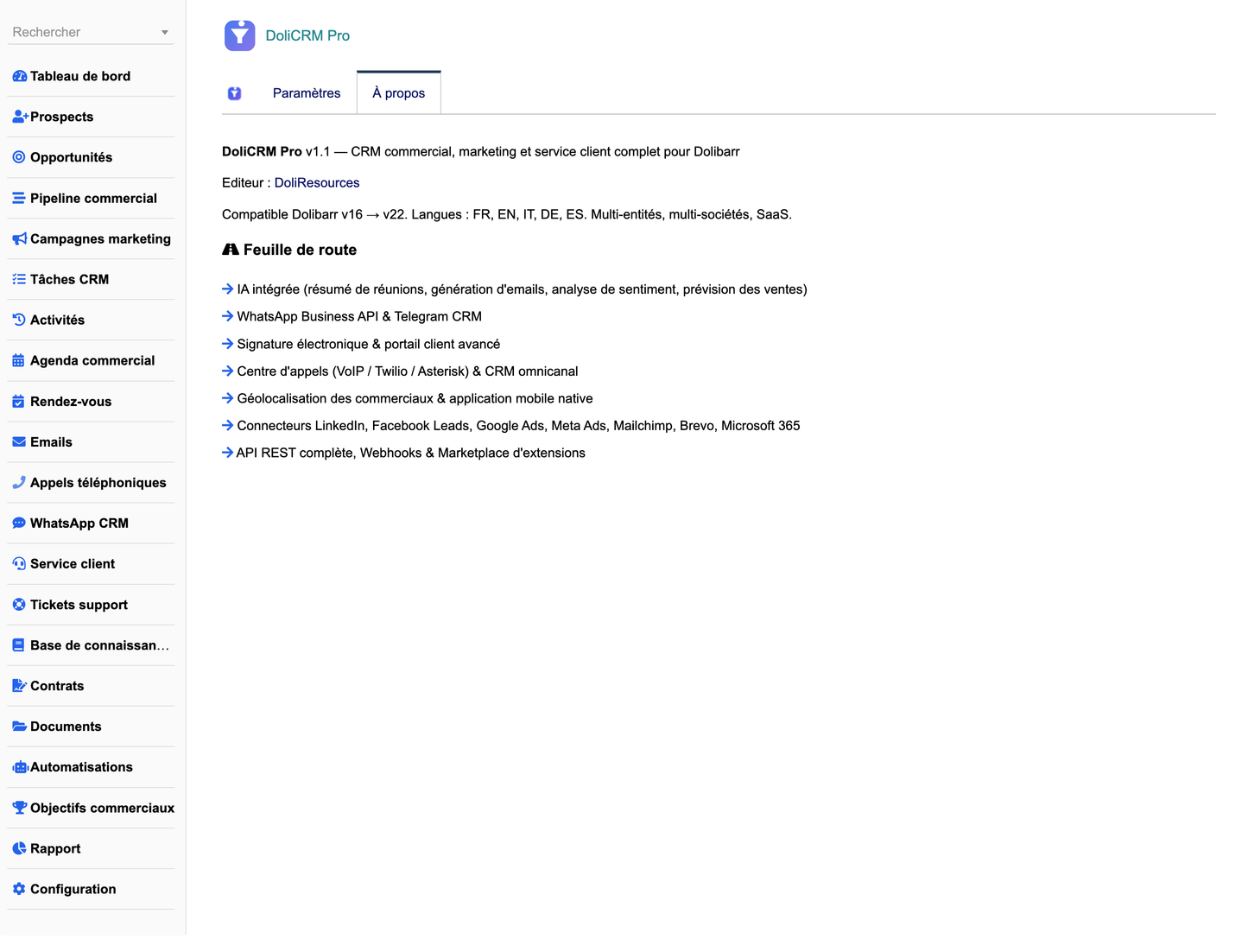
· Built-in AI (meeting summaries, email generation, sentiment analysis, sales forecasting)
· WhatsApp Business API & Telegram CRM
· Electronic signature & advanced customer portal
· Call centre (VoIP / Twilio / Asterisk) & omnichannel CRM
· Sales-rep geolocation & native mobile application
· Connectors: LinkedIn, Facebook Leads, Google Ads, Meta Ads, Mailchimp, Brevo, Microsoft 365
· Full REST API, Webhooks & an extensions marketplace
▶ Live online demoTry the full module with realistic demo data — no installation needed. Identifiants : demo / demo |
📖 Free training manualDownload the complete step-by-step PDF manual — every feature explained, with screenshots.
|


