
Discover powerful Dolibarr extensions designed to automate your business processes
ERP Copilot AI turns a standard Dolibarr installation into an AI-Native ERP platform. Rather than bolting a chat window onto an existing back office, the...
Couldn't load pickup availability


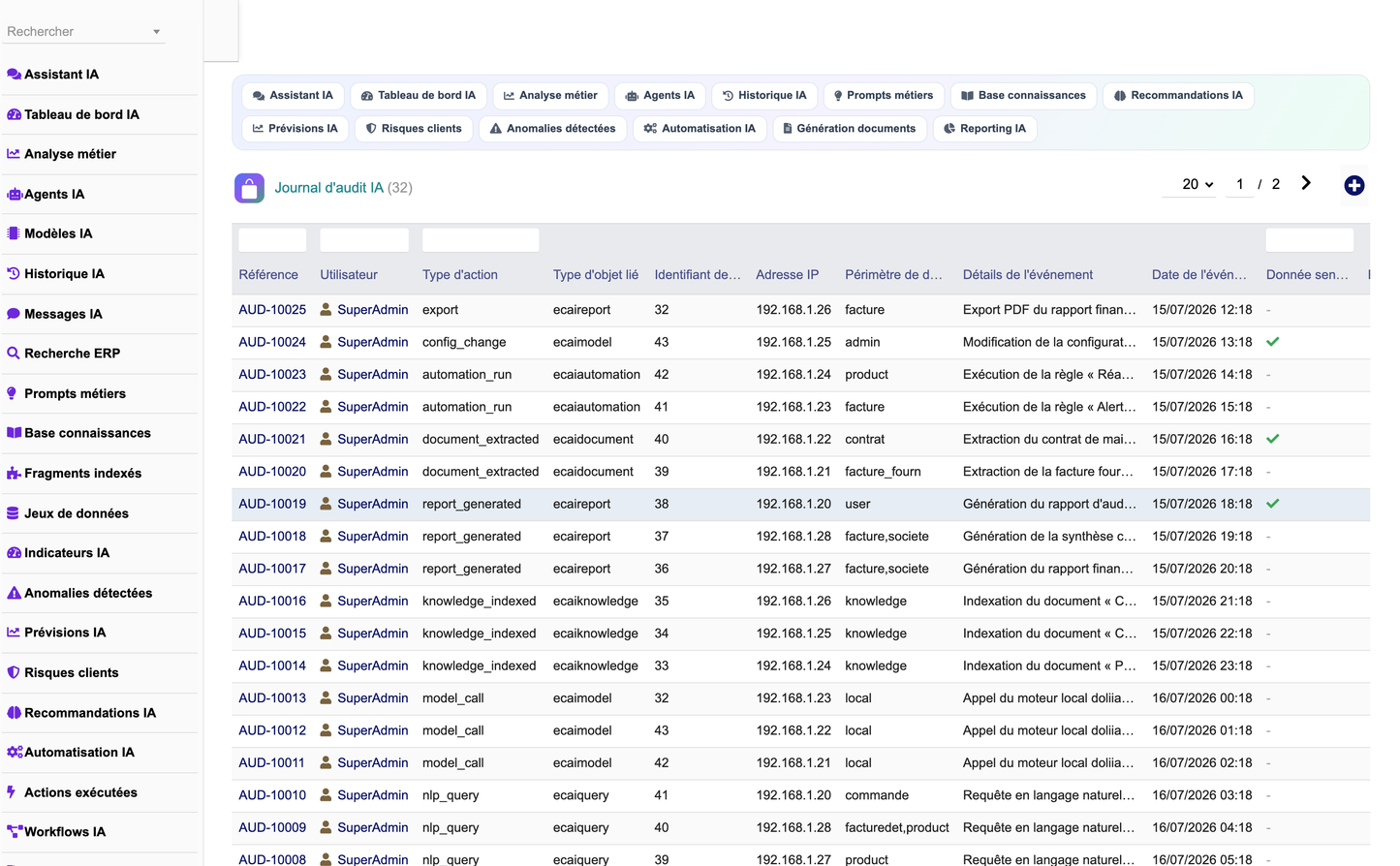
ERP Copilot AI turns a standard Dolibarr installation into an AI-Native ERP platform. Rather than bolting a chat window onto an existing back office, the module wires a conversational and analytical layer directly into the data Dolibarr already holds — third parties, products, stock, orders, invoices, projects and users — and exposes it as an Intelligent Enterprise surface: an Autonomous Business Assistant that answers questions in natural language, an Enterprise Copilot that surfaces insights, forecasts and risks before anyone thinks to ask for them, and an automation runtime that acts on them.
The design goal that governs every other decision in this module is that it must be safe to point at a production ERP. Three properties follow from that goal, and they are worth stating up front because they explain choices that would otherwise look conservative:
· A language model never emits SQL that the module executes. Questions are routed to an intent, the intent maps to a closed set of whitelisted, hand-written queries, and only the resulting facts are handed to the model as grounding context. Section 3 details this pipeline.
· The module is fully functional with no external provider configured. The built-in local engine renders the same grounded facts directly, so an instance with no internet egress loses fluency of phrasing but loses no functionality — and no data leaves the instance.
· Everything an operator can configure is a code plus parameters, never executable code. An automation rule stores a handler code and a JSON payload; it can never widen what the module is able to do.
The module ships 21 business objects, 20 permissions, 28 menu entries and five interface languages (fr_FR, en_US, es_ES, it_IT, de_DE). Every translation key is prefixed "Ecai" — Dolibarr merges all active modules' translations into a single table, so an unprefixed generic key such as Ref or Status would silently render another module's wording. The interface uses the Font Awesome 5 icon set.
ERP Copilot AI is built from six engines. Each engine is a plain PHP class under class/, holds no state between requests beyond what it reads from the database, and is callable from the web UI, from the REST API and from the scheduled job runner alike. The engines are deliberately layered: the NLP engine is the only component that reads the ERP through business queries, and the AI Core Engine is the only component that talks to a provider.
The AI Core Engine is the provider abstraction and the conversation orchestrator. It resolves which provider a given call should use, degrades to the local engine when a provider lacks the credentials it needs, and orchestrates the answer pipeline: detect intent, gather grounded ERP facts, retrieve knowledge chunks, then either ask the LLM with those facts as context or let the local engine render them directly. It also performs token accounting and writes the audit trail, so every call is costed and attributable regardless of which path it took.
The Business Knowledge Engine ingests documents into llx_ecai_knowledge, splits them into passages in llx_ecai_chunk, and retrieves the passages relevant to a question. Retrieval is lexical: a TF-style score normalised by chunk length, which deliberately requires no external embedding service and therefore no egress. An embedding column exists on the chunk table for providers that do expose vectors, so a deployment that has an embedding endpoint can populate it without a schema change.
One class carries both the descriptive and the predictive workload. As the Data Intelligence Engine it computes KPIs and the company health score; as the Predictive Analytics Engine it produces revenue forecasts, detects anomalies and scores customer payment risk, persisting results into llx_ecai_kpi, llx_ecai_forecast, llx_ecai_anomaly and llx_ecai_risk. Section 6 documents the formulas.
The Automation Engine evaluates "IF condition THEN AI action" rules against a closed set of triggers and dispatches a closed set of actions. It is exposed as a Dolibarr scheduled job through EcaiAutomationEngine::runDueRules and is idempotent by construction. Section 5 covers it in detail.
The Document Intelligence Engine generates business documents from a prompt and an optional third-party context, and analyses documents fed into it, recording both in llx_ecai_document. Generation routes through the AI Core Engine, so it inherits the same provider resolution, local fallback, masking and audit behaviour as the assistant.
The NLP engine turns a natural-language question into an intent via a multilingual keyword table, then reads Dolibarr through whitelisted, hand-written queries to produce grounded facts, and can render an answer from them unaided. It is the largest engine in the module and the only one that issues business queries — a boundary that is what makes the assistant safe to point at a production ERP.
chat.php / API POST ask
|
v
EcaiAiEngine::ask($question, $agent, $history)
|
+--> EcaiNlpEngine::detectIntent() -> intent code
+--> EcaiNlpEngine whitelisted queries -> grounded ERP facts
+--> EcaiKnowledgeEngine::search() -> knowledge chunks
|
+--> resolveProvider() openai | azure | ollama | local
| | |
| v (facts as context, masked) v
| remote completion local rendering
| | |
| +----------------+-------------------+
| v
+--> llx_ecai_message, llx_ecai_usage, llx_ecai_audit
The module defines 21 business objects, each backed by one table and each with the standard Dolibarr list and card pages (ecai<object>_list.php / ecai<object>_card.php). All tables are entity-aware.
|
Table |
Object |
Purpose |
|
llx_ecai_model |
Model |
Provider model definition and per-model overrides |
|
llx_ecai_agent |
Agent |
Specialised business agent configuration |
|
llx_ecai_conversation |
Conversation |
Assistant conversation header |
|
llx_ecai_message |
Message |
Individual turn within a conversation |
|
llx_ecai_prompt |
Prompt |
Reusable business prompt template |
|
llx_ecai_knowledge |
Knowledge |
Knowledge base source document |
|
llx_ecai_chunk |
Chunk |
Retrievable passage (+ optional embedding) |
|
llx_ecai_dataset |
Dataset |
Declared analysable dataset |
|
llx_ecai_kpi |
KPI |
Computed key performance indicator |
|
llx_ecai_query |
Query |
Recorded analytical query |
|
llx_ecai_anomaly |
Anomaly |
Detected statistical anomaly |
|
llx_ecai_automation |
Automation |
IF/THEN rule (trigger + handler code + JSON) |
|
llx_ecai_action |
Action |
Action executed by a rule |
|
llx_ecai_workflow |
Workflow |
BPMN workflow (bpmn_xml) |
|
llx_ecai_document |
Document |
Generated or analysed document |
|
llx_ecai_report |
Report |
Reporting definition and output |
|
llx_ecai_forecast |
Forecast |
Forecast point, band and accuracy |
|
llx_ecai_risk |
Risk |
Customer risk score and level |
|
llx_ecai_insight |
Insight |
AI recommendation |
|
llx_ecai_audit |
Audit |
Immutable audit trail |
|
llx_ecai_usage |
Usage |
Token and cost accounting |
The AI Core Engine abstracts four provider families behind one interface: OpenAI, Azure OpenAI, Ollama, and private or local LLMs reachable at a custom endpoint. Provider selection is resolved per call. A model row may name its own provider; otherwise the module falls back to the global ECAI_AI_PROVIDER constant, whose default is local.
Resolution is credential-aware rather than optimistic: openai and azure require an api_key, ollama requires an endpoint_url, and an unrecognised provider value is rejected. When a requirement is not met the engine degrades to the local engine instead of failing the request. A misconfigured provider therefore produces a plainer answer, never an error page.
An LLM never emits SQL that gets executed. This is the single most important thing to understand about the module, and it is a hard architectural boundary rather than a policy that could be relaxed by configuration.
A question is routed to an intent. The intent maps to a closed set of whitelisted, hand-written queries living in the NLP engine. Those queries run, and only the resulting facts are passed to the model as grounding context. The model's role is confined to phrasing those facts fluently — it has no channel through which to reach the database, so no prompt, jailbreak or adversarial document can widen its reach. Whatever a user types, the set of statements that can execute is fixed at build time.
The corollary is that the module does not depend on any external provider to function. If none is configured, or if a remote call fails, the built-in local engine renders those same facts directly. The local engine is not a stub: it answers from the grounded facts. An air-gapped instance is fully functional and no data leaves it.
|
Constant |
Purpose |
Default |
|
ECAI_AI_PROVIDER |
Provider family: openai | azure | ollama | local |
local |
|
ECAI_AI_TEMPERATURE |
Sampling temperature for completions |
Set at setup |
|
ECAI_AI_MAX_TOKENS |
Upper bound on completion length |
Set at setup |
|
ECAI_AI_TIMEOUT |
Remote call timeout in seconds; on expiry the local engine answers |
Set at setup |
|
ECAI_RETENTION_DAYS |
Conversation retention window in days |
Set at setup |
|
ECAI_MASK_SENSITIVE |
Redact sensitive data before any external call |
Set at setup |
A row in llx_ecai_model may override the global configuration for a specific model, which is how a single instance runs a fast cheap model for routine questions and a larger one for executive summaries. The overridable fields are temperature, max_tokens, top_p, endpoint_url, api_key, cost_per_1k and context_window. cost_per_1k feeds the usage accounting described in Section 7; context_window bounds how much grounding context and history the engine assembles.
-- A local Ollama model used as the default, and a remote model for summaries
INSERT INTO llx_ecai_model (entity, ref, label, provider, model_name,
endpoint_url, temperature, max_tokens, context_window)
VALUES (1, 'MOD-LOCAL', 'Llama 3 local', 'ollama', 'llama3',
'http://127.0.0.1:11434', 0.2, 1024, 8192);
The module ships seven specialised agents, one per business domain. An agent is a configuration row in llx_ecai_agent, not a separate code path: it parameterises the same AI Core Engine pipeline. Each agent carries a system_prompt, a model, a temperature, a max_tokens ceiling, a tools_enabled list and a data_scope.
|
agent_type |
Agent |
Domain |
|
sales |
Sales / Commercial |
Customers, quotations, orders, revenue |
|
finance |
Finance |
Invoices, payments, outstanding, margin |
|
purchase |
Purchasing |
Suppliers, purchase orders, replenishment |
|
stock |
Stock |
Warehouses, movements, alert thresholds |
|
hr |
HR |
Users, employees, workforce indicators |
|
project |
Project |
Projects, tasks, deadlines, workload |
|
management |
Management / Executive |
Cross-domain health, insights, risks |
The practical value of an agent is disambiguation. "How are we doing this month?" is a different question to the Finance agent than to the Sales agent: the first should resolve to collections and outstanding, the second to bookings and pipeline. The agent's domain supplies the missing context that the question itself omits, so the intent router lands on the right whitelisted queries rather than guessing. data_scope narrows which records the agent may ground on, and tools_enabled bounds which capabilities it may invoke — an agent cannot exceed either, nor exceed the calling user's own rights.
The Automation Engine implements "IF condition THEN AI action". A rule in llx_ecai_automation binds one trigger from a closed set to one action from a closed set, and stores a handler code plus JSON parameters — never executable code. This is the same containment principle as the SQL boundary in Section 3: a rule selects among behaviours that already exist, so no rule, however it is authored or imported, can widen what the module is able to do.
|
Trigger |
Fires when |
|
invoice_overdue |
An unpaid invoice has passed its due date |
|
stock_low |
A product falls below its alert threshold |
|
customer_risk_high |
A customer's computed risk score reaches the high band |
|
revenue_anomaly |
The anomaly detector flags a revenue month |
|
project_late |
An open project has passed its end date |
|
customer_inactive |
A customer has had no activity for six months |
|
Action |
Effect |
|
create_insight |
Write an AI recommendation into llx_ecai_insight |
|
create_anomaly |
Record an anomaly into llx_ecai_anomaly |
|
notify_user |
Notify a designated Dolibarr user |
|
create_event |
Create an event in the Dolibarr agenda |
|
suggest_purchase |
Propose a replenishment |
Rules run hourly through a Dolibarr scheduled job that calls EcaiAutomationEngine::runDueRules. Execution is idempotent: re-running a rule refreshes the record it previously produced rather than appending a duplicate. This matters because an hourly job over a condition like invoice_overdue would otherwise emit a fresh insight every hour for the same invoice until it was paid. An operator can safely re-run a rule manually — through the card or through POST automations/{id}/run — without polluting the dataset.
Each dispatch is recorded in llx_ecai_action, which gives a per-rule execution history for diagnosing a rule that fires too often or never fires at all.
Longer-running processes are modelled as BPMN and stored in llx_ecai_workflow.bpmn_xml. Holding the diagram as BPMN XML in a column keeps it interoperable with external BPMN designers and with the BPMN Designer module (Section 10) rather than locking it into a proprietary representation.
The analytics engine is deliberately built from transparent, auditable statistics rather than opaque models. Every figure below can be recomputed by hand from the same series, which is a requirement when the output drives an automation rule or reaches an executive dashboard.
Revenue forecasting fits an ordinary least squares trend over the monthly series and multiplies it by a seasonal index computed per calendar month. The seasonal index is clamped to the range 0.5–1.8 so that a single outlier month — one large exceptional invoice, or a shutdown month — cannot distort the shape of every subsequent forecast for that month of the year.
The confidence band is 1.96 × RMSE × sqrt(horizon), so it widens with the horizon: a forecast three months out is honestly reported as less certain than next month's. Accuracy is reported as 100 − (RMSE / mean × 100), clamped to 0–100. The method is recorded on each forecast row as "OLS + seasonal index".
idx[m] = max(0.5, min(1.8, idx[m])) // seasonal index clamp
rmse = sqrt( sum(resid^2) / count(resid) )
band = 1.96 * rmse * sqrt(h) // h = horizon in months
accuracy = max(0, min(100, 100 - (rmse / mean * 100)))
Anomalies are detected with a z-score on the deviation from the trailing mean, with a detection threshold of 1.8. Severity is graded from the absolute z-score: medium at |z| >= 1.8, high at |z| >= 2.1, and critical at |z| >= 2.5. The threshold is a parameter of detectRevenueAnomalies, so a noisier business can raise it without touching the grading.
Customer payment risk is a 0–100 weighted score combining three signals, each capped so that no single signal can saturate the score on its own:
|
Component |
Formula |
Weight |
|
Share of late invoices |
nbLate / nbInvoices |
50 |
|
Average delay |
min(1, avgDelay / 60) (capped at 60 days) |
30 |
|
Outstanding |
min(1, outstanding / 50000) (capped at 50k) |
20 |
The resulting score maps to a level at thresholds of 20, 45 and 70: low below 20, medium from 20, high from 45, critical from 70. Scores are persisted per customer into llx_ecai_risk together with a recommendation, and refreshed in place on each run rather than duplicated.
The company health score aggregates per-domain scores into one 0–100 figure using fixed weights: sales 0.30, finance 0.30, stock 0.15, project 0.10 and crm 0.15. Sales and finance together carry 60% of the score, which reflects that a business in trouble is usually in trouble there first. Each domain score is itself computed from grounded queries — the finance score, for instance, is the share of outstanding that is not overdue — and domains with no data fall back to a neutral baseline rather than scoring zero.
Margin is computed only over invoice lines that carry a purchase price (buy_price_ht > 0), and the revenue base it is divided by is restricted to those same lines. This is a correctness requirement, not an optimisation. A line with buy_price_ht = 0 has an unknown cost, not a zero cost; averaging it in would treat that line as pure profit and report a margin approaching 100%. Restricting both the numerator and the denominator to lines with a known cost yields a margin over the subset of the business where the cost is actually known — which is a smaller claim, and a true one.
SUM(CASE WHEN fd.buy_price_ht > 0
THEN fd.total_ht - (fd.buy_price_ht * fd.qty) ELSE 0 END) as margin,
SUM(CASE WHEN fd.buy_price_ht > 0 THEN fd.total_ht ELSE 0 END) as margin_base
The module declares 20 Dolibarr permissions, granted per user group in the standard way. Six functional groups each carry read, write and delete; reporting carries a single read right; and admin is a single administer right. Read and write are enabled by default; delete and admin are not — a deployment therefore starts able to use the module and unable to destroy anything with it, and elevation is an explicit act.
|
Group |
Covers |
Rights |
|
assistant |
AI assistant, conversations and ERP search |
read / write / delete |
|
agent |
AI agents, models and business prompts |
read / write / delete |
|
knowledge |
Business knowledge base and datasets |
read / write / delete |
|
automation |
AI automation rules and workflows |
read / write / delete |
|
analytics |
AI analytics, forecasts, risks and insights |
read / write / delete |
|
document |
AI document generation and analysis |
read / write / delete |
|
reporting |
AI reporting |
read only |
|
admin |
Administer the module |
administer |
Every table carries an entity column and every query filters through Dolibarr's getEntity(), so the module behaves correctly on a multi-company instance: an agent grounding an answer in entity 2 cannot read entity 1's invoices, and analytics computed per entity do not bleed across the boundary.
llx_ecai_audit records a full trail: the user, the action, the object acted on, the source IP address, the data scope the call was allowed to read, and a sensitive flag marking calls that touched masked data. Because the AI Core Engine writes the trail for every call — local or remote — the record is complete regardless of which path answered.
When ECAI_MASK_SENSITIVE is enabled, IBANs, card numbers and email addresses are redacted before anything is sent to an external provider. Masking applies on the egress path, so the ERP data itself is untouched and the local engine — which never leaves the instance — continues to answer from the unredacted facts. This is what allows a deployment to use a hosted model for phrasing without exposing payment identifiers to it.
ECAI_RETENTION_DAYS bounds how long conversations are kept, which keeps the assistant inside a documented retention policy without manual pruning. llx_ecai_usage tracks tokens in and out per call and, combined with the per-model cost_per_1k, gives per-user and per-agent cost accounting — the figure an administrator needs before opening a hosted provider to a whole department.
The module exposes a REST API under the base path /api/index.php/erpcopilotai/, implemented in class/api_erpcopilotai.class.php on top of Dolibarr's standard API layer.
Authentication uses Dolibarr's standard DOLAPIKEY header. The API class carries the {@requires user,external} annotation: without it the class would be treated as public, DolibarrApiAccess would never run, and every route would fatal on an unauthenticated user object. The logged-in user in the REST context is DolibarrApiAccess::$user — not the global $user — and the module reads it through a single accessor so that no route can accidentally consult the wrong one.
Every route passes through a guard(group, action) check before it does any work, so an API caller has exactly the permissions described in Section 7 — the API is not a way around them. Sort fields supplied by a caller are whitelisted against the table's actual columns via SHOW COLUMNS, so a sortfield parameter cannot be used as an injection vector.
|
Method / Route |
Purpose |
Rights group |
|
POST ask |
Ask the assistant a question (optional agent, conversation) |
assistant |
|
GET insights |
List AI recommendations, filterable by domain |
analytics |
|
GET anomalies |
List anomalies, filterable by severity and domain |
analytics |
|
GET forecasts |
List forecasts, filterable by type and domain |
analytics |
|
GET risks |
List customer risks, filterable by level |
analytics |
|
GET health |
Company health score across domains |
analytics |
|
GET forecast/revenue |
Revenue forecast for a given horizon |
analytics |
|
POST documents/generate |
Generate a document from a prompt |
document |
|
POST automations/{id}/run |
Run one automation rule now |
automation |
|
GET agents |
List configured agents |
agent |
Asking the assistant a question, scoped to the Finance agent:
curl -X POST 'https://erp.example.com/api/index.php/erpcopilotai/ask' \
-H 'DOLAPIKEY: your_api_key_here' \
-H 'Content-Type: application/json' \
-d '{
"question": "What is our outstanding balance this month?",
"agent_id": 2,
"conversation_id": 0
}'
Reading the company health score:
curl -X GET 'https://erp.example.com/api/index.php/erpcopilotai/health' \
-H 'DOLAPIKEY: your_api_key_here'
|
Requirement |
Value |
|
Dolibarr |
>= 16 |
|
PHP |
>= 7.1 |
|
Dependencies |
modSociete (Third parties), modProduct (Products) |
|
Family |
Intelligence Artificielle |
|
Module number |
518600 |
Deploy module_erpcopilotai-1.0.zip through Home > Setup > Modules > Deploy external module. Where the instance forbids upload-based deployment, unzip the archive directly into htdocs/custom/ so that the module lands at htdocs/custom/erpcopilotai/, then reload the modules page. Activate the module under the "Intelligence Artificielle" family; activation creates the 21 tables, registers the 20 permissions and installs the 28 menu entries.
cd /path/to/dolibarr/htdocs/custom/
unzip module_erpcopilotai-1.0.zip
# -> htdocs/custom/erpcopilotai/
# then: Home > Setup > Modules > Intelligence Artificielle > enable ERP Copilot AI
The setup page carries the six global constants of Section 3.2. A first configuration is typically: leave ECAI_AI_PROVIDER at local to validate the grounded pipeline end to end with no egress at all, confirm the assistant answers correctly from real data, and only then point ECAI_AI_PROVIDER at a provider and add the model rows. Because the local engine answers from the same facts, anything the assistant gets wrong at this stage is an intent or data issue and not a model issue — which makes it far easier to diagnose.
Enable ECAI_MASK_SENSITIVE before configuring any remote provider, and set ECAI_RETENTION_DAYS to match the retention policy the deployment is held to. ECAI_AI_TIMEOUT should be short enough that a stalled provider degrades to a local answer rather than hanging the UI.
The setup page provides demo data buttons that generate a representative dataset — agents, models, prompts, conversations, knowledge, KPIs, forecasts, risks and insights — and purge it again. The generated set is what a new deployment should use to exercise the analytics and automation paths before pointing them at production data. Purge removes what the generator created.
ERP Copilot AI grounds its answers in the data the ERP already holds, so its integration with native Dolibarr is read-through rather than duplicative — there is no synchronisation step and no second copy of the business data to drift out of date.
|
Module |
Used for |
|
Third parties (modSociete) |
Customer context, risk scoring, inactivity detection |
|
Products (modProduct) |
Product context, margin analysis, replenishment |
|
Stock |
Alert thresholds, stock_low trigger, movement analysis |
|
Orders |
Bookings, sales agent grounding |
|
Invoices |
Revenue series, outstanding, overdue, margin, finance grounding |
|
Projects |
Deadlines, project_late trigger, project agent grounding |
|
Users |
HR indicators, rights, audit attribution, notification targets |
|
Agenda |
create_event automation action |
The module is designed to sit alongside the DoliResources enterprise range, adding an AI layer over what those modules already capture rather than reimplementing them.
|
Module |
Integration |
|
Business Intelligence |
Datasets and KPIs feed the analytics engine |
|
IoT Manager |
Sensor series as an anomaly-detection and forecasting input |
|
Digital Twin |
Asset context for predictive maintenance reasoning |
|
WMS |
Warehouse operations context for stock agent grounding |
|
BPMN Designer |
Authors the BPMN stored in llx_ecai_workflow.bpmn_xml |
|
Intelligent OCR |
Extracted document text ingested into the knowledge base |
|
e-Signature |
Signature workflow on AI-generated documents |
|
API & Webhook Manager |
Exposes and relays the module's REST routes |
|
ESG / RSE |
Non-financial indicators as an analytics domain |
|
# |
Table |
# |
Table |
|
1 |
llx_ecai_model |
12 |
llx_ecai_automation |
|
2 |
llx_ecai_agent |
13 |
llx_ecai_action |
|
3 |
llx_ecai_conversation |
14 |
llx_ecai_workflow |
|
4 |
llx_ecai_message |
15 |
llx_ecai_document |
|
5 |
llx_ecai_prompt |
16 |
llx_ecai_report |
|
6 |
llx_ecai_knowledge |
17 |
llx_ecai_forecast |
|
7 |
llx_ecai_chunk |
18 |
llx_ecai_risk |
|
8 |
llx_ecai_dataset |
19 |
llx_ecai_insight |
|
9 |
llx_ecai_kpi |
20 |
llx_ecai_audit |
|
10 |
llx_ecai_query |
21 |
llx_ecai_usage |
|
11 |
llx_ecai_anomaly |
|
|
Permission ids are allocated from the module number 518600 upward, in the order below. Column "Default" shows whether the right is granted on activation.
|
Id |
Right |
Code |
Default |
|
518601 |
Read the AI assistant, conversations and ERP search |
assistant / read |
Yes |
|
518602 |
Create/modify the AI assistant, conversations and ERP search |
assistant / write |
Yes |
|
518603 |
Delete the AI assistant, conversations and ERP search |
assistant / delete |
No |
|
518604 |
Read AI agents, models and business prompts |
agent / read |
Yes |
|
518605 |
Create/modify AI agents, models and business prompts |
agent / write |
Yes |
|
518606 |
Delete AI agents, models and business prompts |
agent / delete |
No |
|
518607 |
Read the business knowledge base and datasets |
knowledge / read |
Yes |
|
518608 |
Create/modify the business knowledge base and datasets |
knowledge / write |
Yes |
|
518609 |
Delete the business knowledge base and datasets |
knowledge / delete |
No |
|
518610 |
Read AI automation rules and workflows |
automation / read |
Yes |
|
518611 |
Create/modify AI automation rules and workflows |
automation / write |
Yes |
|
518612 |
Delete AI automation rules and workflows |
automation / delete |
No |
|
518613 |
Read AI analytics, forecasts, risks and insights |
analytics / read |
Yes |
|
518614 |
Create/modify AI analytics, forecasts, risks and insights |
analytics / write |
Yes |
|
518615 |
Delete AI analytics, forecasts, risks and insights |
analytics / delete |
No |
|
518616 |
Read AI document generation and analysis |
document / read |
Yes |
|
518617 |
Create/modify AI document generation and analysis |
document / write |
Yes |
|
518618 |
Delete AI document generation and analysis |
document / delete |
No |
|
518619 |
Read AI reporting |
reporting / read |
Yes |
|
518620 |
Administer the ERP Copilot IA module |
admin |
No |
|
Constant |
Type |
Purpose |
|
ECAI_AI_PROVIDER |
string |
openai | azure | ollama | local (default local) |
|
ECAI_AI_TEMPERATURE |
float |
Sampling temperature |
|
ECAI_AI_MAX_TOKENS |
int |
Maximum completion tokens |
|
ECAI_AI_TIMEOUT |
int |
Remote call timeout (seconds) |
|
ECAI_RETENTION_DAYS |
int |
Conversation retention window (days) |
|
ECAI_MASK_SENSITIVE |
bool |
Redact IBAN / card / email before external calls |
ERP Copilot AI 1.0.0 — Technical Documentation
© 2026 DoliResources — https://www.doliresources.com


