
Discover powerful Dolibarr extensions designed to automate your business processes
Couldn't load pickup availability


Higher Education / University Management (technical name: highereducationmanagement) turns Dolibarr into a complete ERP for universities, higher schools, specialized institutes, grandes écoles and advanced training centers. It covers the full academic, administrative, financial and decision-making activity of a higher-education institution without any external software.
· Native Dolibarr module architecture (descriptor, rights, menus, hooks, triggers, boxes).
· Registry-driven object engine: 28 business objects, each with a generic list page, detailed card page and an automatic linked-records cockpit.
· Self-healing SQL schema (auto-adds missing columns on upgrade) and a versioned demo-data seeder.
· PHP 8.x compatible, MySQL/MariaDB optimized, responsive UI, permission-aware, multilingual.
Academic years, departments/faculties, programs (Bachelor/Master/PhD/MBA), academic modules (ECTS), rooms, study groups, students, applications, enrollments, timetable, courses, exams, grades, transcripts, absences, teachers, staff, partner companies, internships, projects, research labs, scholarships, diplomas, certificates, activities, tuition fees and payments.
Ships with French, English, Italian, German and Spanish translation files (langs/fr_FR, en_US, it_IT, de_DE, es_ES).
Complete student record: automatic ID, identity, photo, address, nationality, legal guardian, administrative status, current program, academic history, payments, grades, absences, internships and documents.
Application form, chosen program, supporting documents, dossier review, interview and admission decision. Statuses: new, under review, accepted, rejected, waiting list — displayed as a drag-and-drop admissions Kanban board.
Annual enrollment, re-enrollment, transfer and program change with academic year, level, group, enrollment fees and payment status.
Catalogue of programs (Licence, Master, Doctorat, MBA, university diploma, professional training) organized as Program → Year → Semester → Module → Course, with ECTS credits, coefficients and prerequisites.
Teacher records (specialty, degrees, department, availability, assigned courses, teaching load, contracts) and administrative staff management.
Lectures, tutorials, labs and projects, with an advanced weekly planning board, room allocation and PDF export.
Amphitheaters, classrooms, laboratories and computer rooms with capacity, equipment and availability.
Exams, continuous assessment and sessions; grade entry with automatic computation of module / semester / annual averages, ECTS earned, ranking and semester transcripts.
Issued diplomas, attestations, certificates and transcripts with unique serial numbers and document generation.
Partner companies, agreements, student interns, follow-up, evaluation and capstone/research projects.
Registration and tuition fees, installments, student payments, scholarships and discounts — linked to native Dolibarr quotes, invoices and payments.
Academic document management: diplomas, IDs, contracts, transcripts and agreements, with classification, search and history.
Modern academic dashboard (KPI cards, admissions funnel, charts) plus a reporting hub with academic, administrative, financial and HR reports exportable to PDF, Excel and CSV.
The module follows the complete student lifecycle:
1. Student prospection
2. Application
3. Admission
4. Enrollment
5. Program assignment
6. Tuition payment
7. Academic follow-up
8. Exams
9. Grades
10. Diploma
11. Professional integration
A dedicated top menu “Higher Education” exposes the following left-menu entries:
|
• Dashboard |
• Teachers |
|
• Students |
• Staff |
|
• Applications |
• Exams |
|
• Admissions board |
• Grades |
|
• Enrollments |
• Transcripts |
|
• Scholarships |
• Absences |
|
• Certificates |
• Partner companies |
|
• Diplomas |
• Internships |
|
• Academic years |
• Projects |
|
• Departments |
• Activities |
|
• Programs |
• Labs |
|
• Modules (ECTS) |
• Research |
|
• Groups |
• Fees |
|
• Rooms |
• Payments |
|
• Timetable |
• Documents |
|
• Timetable board |
• Reporting |
|
• Courses |
• Setup |
The module ships fine-grained permissions grouped by domain (read / create-modify / delete), so access can be tailored to each institutional role:
|
Role |
Scope |
|
Administrator |
Full configuration and administration of the module. |
|
Director / Head of institution |
Global read access and management oversight. |
|
Academic manager |
Programs, modules, timetable, exams, grades and transcripts. |
|
Administrative manager |
Students, applications, admissions and enrollments. |
|
Teacher |
Assigned courses, exams, grades and attendance. |
|
Accountant |
Fees, payments, scholarships and financial reporting. |
|
Secretary |
Student records, documents and certificates. |
|
Read-only / Portal |
Consultation-only access. |
Right groups: student, academic, teacher, exam, attendance, partnership, finance, reporting and admin (23 rights). Read and write are granted by default on activation so the module is immediately usable; delete and administration rights stay off by default.
The module reuses and enriches native Dolibarr objects rather than duplicating them:
· Third parties & Contacts — partner companies and student-linked companies.
· Products & Services — tuition and service catalogue.
· Quotes, Orders & Invoices — tuition billing via native invoices.
· Payments & Bank — student payments and reconciliation.
· Accounting — revenue tracking.
· Agenda & Projects — academic events and project follow-up.
· GED (Documents) — academic document storage.
· Users & Permissions — role-based access.
· Emailing & Resources — communication and room/resource management.
· Copy the highereducationmanagement folder into htdocs/custom/ (or install the ZIP from Home > Setup > Modules > Deploy external module).
· Enable the module from Home > Setup > Modules (family Projects).
· The database schema (28 tables) is created automatically on activation.
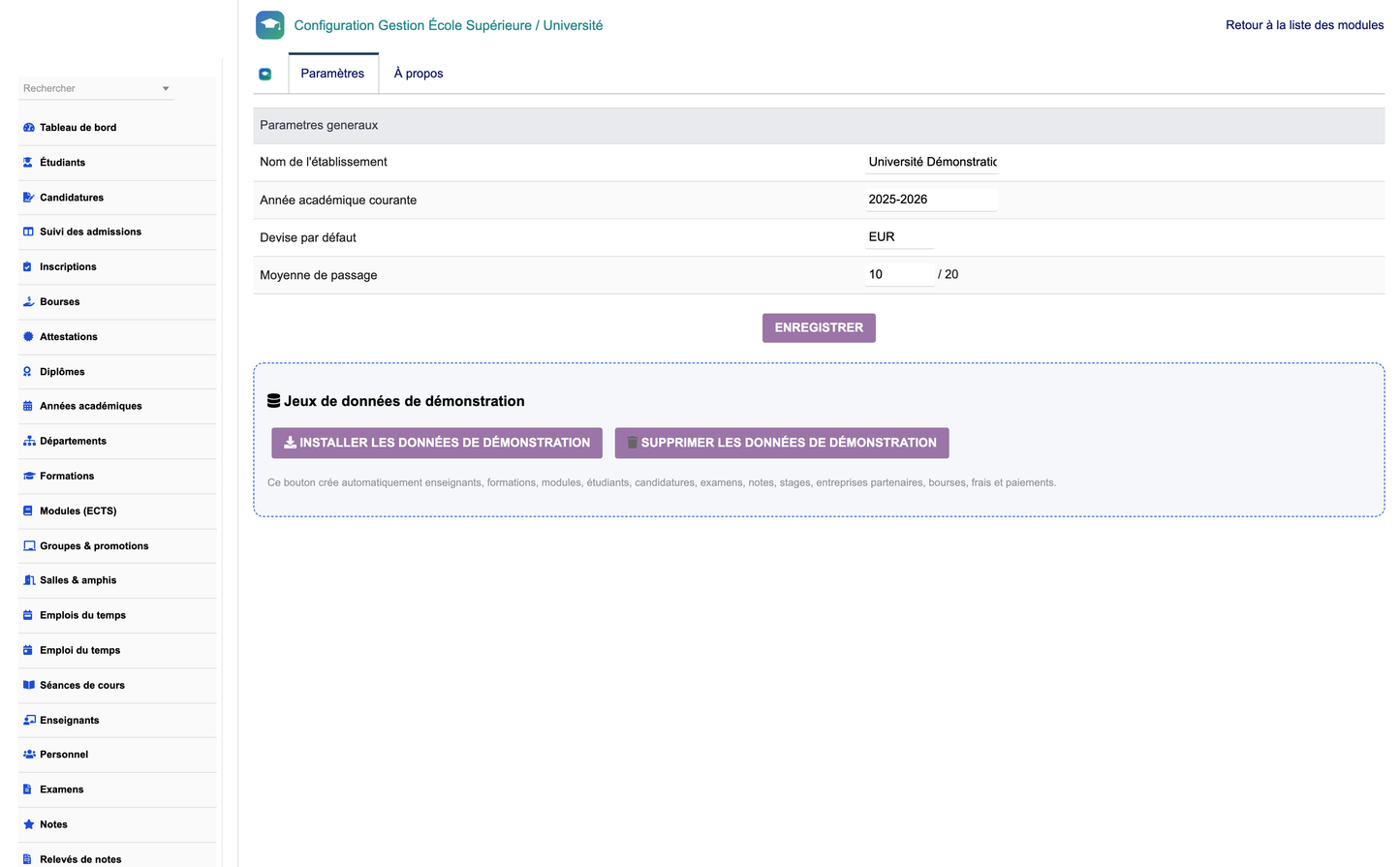
· Open Setup > Higher Education to define the institution name, academic years, program types, diplomas and notifications.
· Adjust module permissions per user/group from Users & Groups.
· Use the “Create DEMO data” button to generate a full realistic dataset (students, teachers, programs, courses, exams, grades, invoices and payments).
· Use the “Delete DEMO data” button to remove only the automatically generated records.
· The seeder is versioned, so upgrading the module re-seeds improved demo content automatically.
Editor: DoliResources — www.doliresources.com — © DoliResources.


