
Discover powerful Dolibarr extensions designed to automate your business processes
1. Overview
Industrial Cleaning Management turns Dolibarr into a complete,...
Couldn't load pickup availability


1. Overview
Industrial Cleaning Management turns Dolibarr into a complete, specialized ERP for industrial cleaning companies. It covers the full operational, commercial, financial, logistics and quality cycle of a cleaning business, from prospecting to profitability analysis, without needing any external software.
Covered activities: industrial, tertiary and office cleaning, factories, warehouses, food-processing, pharmaceutical and hospital cleaning, after-works cleaning, high-pressure washing, disinfection, decontamination, window cleaning and floor care.
Business cycle
Prospecting → Quote → Cleaning contract → Client site → Scheduling → Team assignment → Intervention → Quality control → Customer validation → Invoicing → Profitability analysis.
2. Architecture
The module follows Dolibarr standards: CommonObject-based classes, dedicated SQL tables (llx_icm_*), hooks, triggers, a cron automation engine, native multi-entity support and a self-healing schema. It integrates natively with third parties, contacts, products, quotes, orders, invoices, payments, bank, accounting, agenda, projects, ECM and stock.
It manages 17 dedicated business objects:
|
Object |
Purpose |
|
Requests / Quotes |
Prospect requests and quote entry point. |
|
Interventions |
Central cleaning-operation hub with a 7-state workflow. |
|
Intervention lines |
Labour, product, travel and service lines. |
|
Client sites |
Multi-site management with surface, access and safety data. |
|
Contracts |
Recurring/one-off contracts with frequency, amount and SLA. |
|
Services |
Configurable cleaning-service catalogue. |
|
Equipment / Materials |
Vacuums, scrubber-dryers, pressure washers, robots… |
|
Consumable products |
Detergents, disinfectants, PPE with stock alerts. |
|
Agents / Employees |
HR records: skills, contract type, hourly rate. |
|
Teams |
Fixed and mobile teams with a team leader. |
|
Timesheets |
Clock-in/out, hours, breaks and lateness. |
|
Quality controls |
Checklists, /100 score, before/after photos. |
|
Complaints (Réclamations) |
Client complaint workflow (6 states). |
|
Incidents |
Accidents, damage, missing product, delay, injury. |
|
Vehicles / Fleet |
Assignment, mileage, insurance, technical inspection. |
|
Activity log |
Operational journal. |
|
Automation rules |
Alert and automation engine. |
3. Features
3.1 Dashboard — Operations control center
A modern dashboard, distinct from the standard Dolibarr one, with a petrol-blue / turquoise / emerald charter. It shows alert tiles (today, planned, late, to control, active clients, open incidents, open complaints, vehicle deadlines, low stock, contracts to renew), KPI zones and trend charts (revenue, by clean type, by status, by team).
3.2 Contracts
Monthly, annual, one-off, periodic or emergency contracts with a defined frequency, monthly/yearly amount, SLA and renewal type, fully linked to native Dolibarr quotes, orders and invoices.
3.3 Planning
Daily, weekly and monthly scheduling of interventions with agent/team assignment, conflict detection and absence/replacement management.
3.4 Interventions
Work orders with checklists, time tracking, products and equipment used, before/after photos, electronic customer signature, quality score and satisfaction.
3.5 Quality control
Quality audits with evaluation grids (floors, windows, sanitary, waste), a /100 score, non-conformities, corrective actions and an automatic quality score per site and client.
3.6 Complaints
A full complaint workflow (received, analysis, assigned, processing, validation, closed) with type, channel, severity and post-handling satisfaction, linked to the client, site, contract and intervention.
3.7 Vehicle fleet
Fleet management: registration, type, fuel, status, driver and team assignment, mileage, average consumption, maintenance log, insurance and technical-inspection due dates.
3.8 Reporting
16 decision-support reports (interventions, services, statuses, agents, teams, clients, contracts, quality, complaints, incidents, fleet, consumables, revenue, profitability, timesheets, to invoice) with PDF, Excel, CSV and print export.
3.9 Configuration
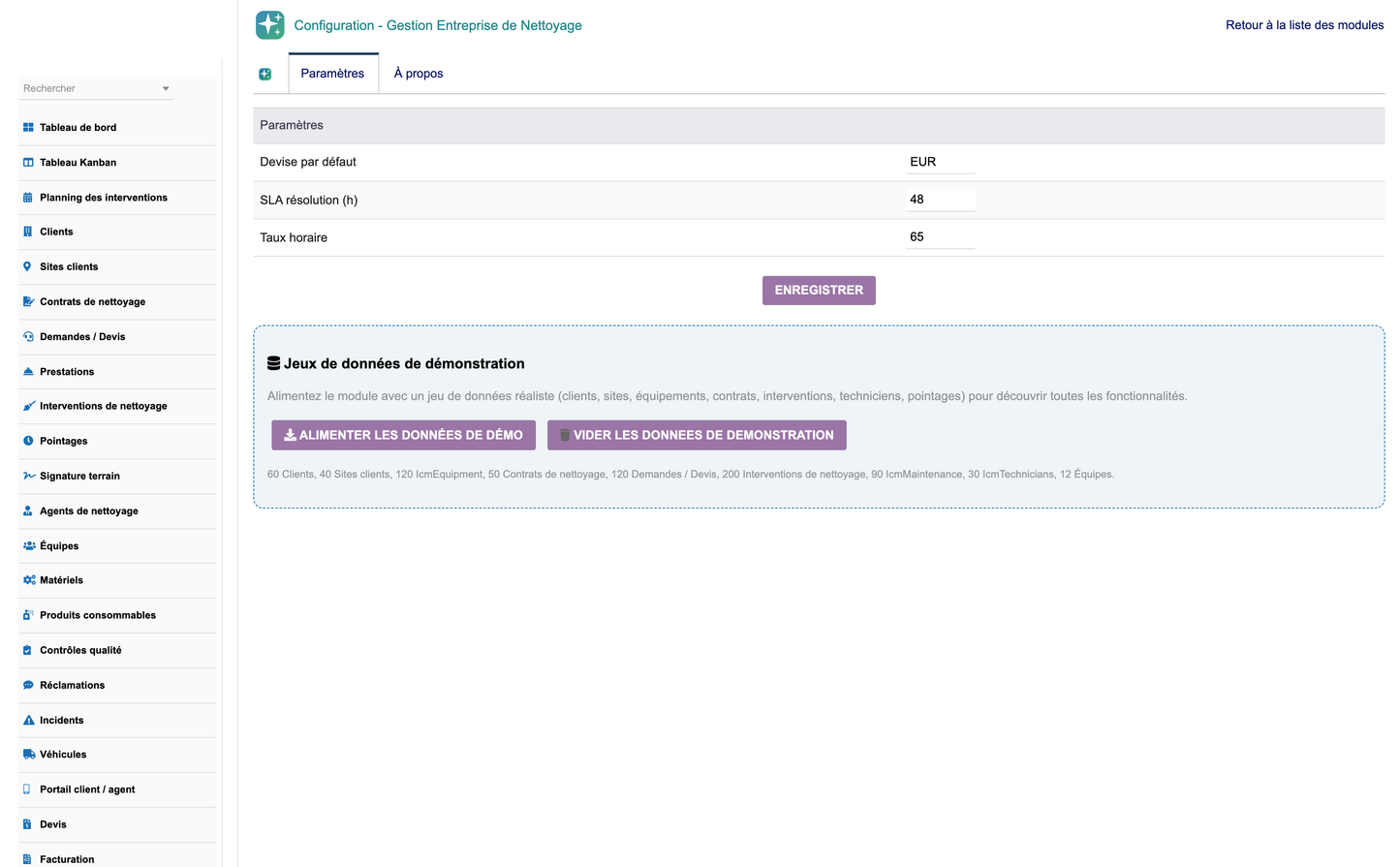
A complete configuration page (numbering, workflows, notifications, frequencies, quality parameters, colours, electronic signature) with one-click demo-data creation and removal.
4. Menus
A dedicated top menu « Gestion Nettoyage Industriel » exposes the full left menu:
· Dashboard
· Kanban board
· Intervention planning
· Clients
· Client sites
· Contracts
· Requests / Quotes
· Services
· Interventions
· Timesheets
· On-site signature
· Agents
· Teams
· Equipment
· Consumable products
· Quality controls
· Complaints
· Incidents
· Vehicles
· Customer / agent portal
· Quotes
· Invoicing
· Documents (ECM)
· Activity log
· Automations
· Reporting
· Configuration
5. Permissions
Rights are organized into 9 groups (requests, interventions, sites, contracts, resources, teams, quality, automation, reporting), each with read / write / delete levels plus a module-admin right — 26 rights total. They map to typical profiles: Administrator, Director, Operations Manager, Team Leader, Agent, Quality Manager, Sales, Accountant and Reader.
6. Native Dolibarr integrations
· Third parties & contacts
· Products & services
· Quotes, orders, invoices & payments
· Bank & accounting
· Agenda & projects
· Stock (consumables, products, equipment)
· ECM (document management)
· Users & permissions
· Cron scheduler (automation engine)
7. Administrator guide
· Install: Home → Setup → Modules → Deploy/install an external module, upload module_industrialcleaningmanagement-1.0.zip, then activate the module.
· On first activation a realistic demonstration dataset is generated automatically.
· Configure numbering, workflows, quality parameters and notifications on the setup page.
· Use « Create demo data » / « Remove demo data » to reset the demonstration environment.
· Assign the relevant permission groups to each user profile.
· Enable the daily cron job to run the automation and alert engine.


