
Discover powerful Dolibarr extensions designed to automate your business processes
The Medical Laboratory Management module transforms Dolibarr into a genuine professional solution for managing a modern medical analysis laboratory....
Couldn't load pickup availability


The Medical Laboratory Management module transforms Dolibarr into a genuine professional solution for managing a modern medical analysis laboratory. It covers the entire analysis lifecycle, from the reception of a prescription to the delivery of the validated report, including sampling, biological sample traceability, result entry and biological validation.
Functional scope covered by the module:
· Laboratory administration and configuration
· Patient management
· Referring doctor (prescriber) management
· Analysis requests workflow
· Samplings
· Biological sample traceability
· Analysis catalogue
· Result entry
· Biological validation
· Quality management
· Equipment and maintenance
· Reagents and consumables
· Medical stock
· Billing
· Health insurance relations
· Medical and financial reporting
The module follows the native Dolibarr architecture and standards:
· Native Dolibarr MVC architecture built on the CommonObject class.
· Registry-driven generic engine: a single object registry declares every business object; shared list and card engines render them, so the module is consistent and easily extensible.
· Granular user permissions per functional group.
· CSRF protection, multi-entity and multi-language support (FR, EN, ES, IT, DE).
· Dolibarr hooks, triggers and cron jobs (daily alert scan).
· Native integration with Third parties, Products, Invoices, Payments, Stock, Documents and Agenda.
Main business objects: patient, prescriber, analysis (catalogue), request (+ request lines), sampling, sample, result, quality, equipment (+ maintenance), reagent, insurance and alert. Data is stored in dedicated llx_labm_* tables, all multi-entity aware.
A modern medical dashboard with KPI cards, interactive charts and smart alert tiles.
A fast reception desk creates an analysis request, adds analyses from the catalogue and automatically generates the biological sample. Requests carry a priority (normal, urgent, very urgent).
Complete patient records (blood group, allergies, medical history, treating doctor, insurance) and a directory of referring doctors with activity statistics.
Each sample has a unique code and barcode/QR, with a full status lifecycle. Results are entered with normal ranges and automatic abnormal flags (low, high, critical).
A mandatory step: only a biologist may validate results with an electronic signature. Only validated results can be printed and transmitted.
Internal quality controls, non-conformities and procedures; equipment maintenance and calibration; reagents and consumables with lots, expiry dates and stock-alert thresholds integrated with native stock.
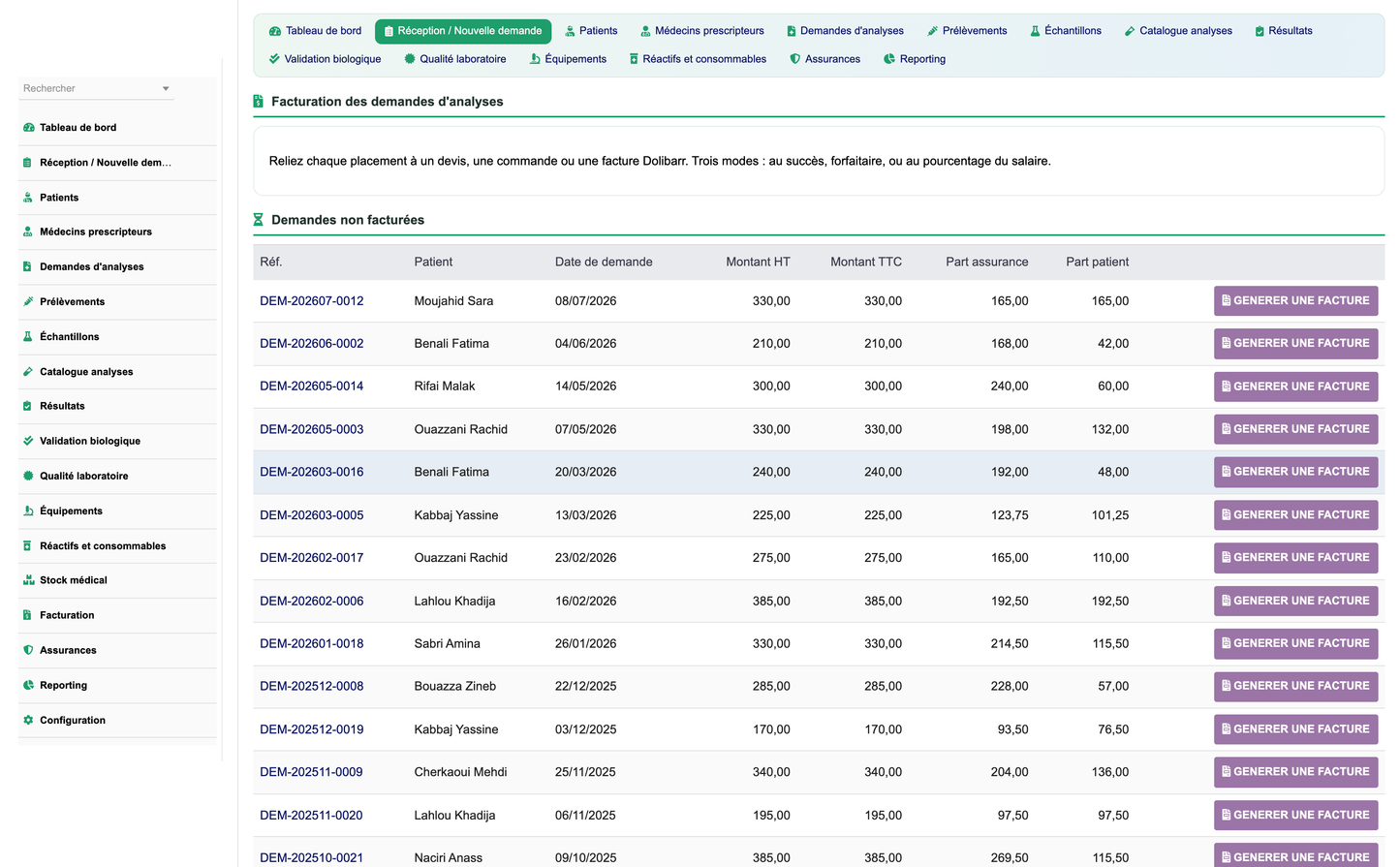
Native Dolibarr invoices are generated from analysis requests, distinguishing the patient share from the insurance share. A reporting hub provides medical, financial and quality reports with CSV, Excel and PDF export.
Installation
· Copy the laboratorymanagement/ folder into htdocs/custom/.
· Open Home → Setup → Modules/Applications.
· Find 'Medical Laboratory Management' and click Activate.
First activation automatically seeds a full demonstration dataset. It can be reinstalled or removed from the module configuration page.
User profiles & permissions
· Laboratory administrator — full access.
· Biologist — results and biological validation.
· Technician — samplings, samples and analyses.
· Receptionist — patients, requests and billing.
· Accountant — invoices and payments.
· Management — reporting and dashboards.
Typical workflow
Prescription received → Create request (Reception) → Sampling → Sample (traceability) → Laboratory processing → Result entry → Biological validation → Result available → Transmission to patient/doctor → Billing.
Daily use
· Register patients and referring doctors as they arrive.
· Use the Reception desk to create requests and auto-generate samples.
· Enter results and let the biologist validate them from the Validation screen.
· Monitor reagent expiry and stock alerts from the dashboard.
· Generate invoices and analyse activity from the Reporting hub.
© 2026 DoliResources — www.doliresources.com. All rights reserved.


