
Discover powerful Dolibarr extensions designed to automate your business processes
Paramedical Management transforms Dolibarr ERP/CRM into a complete, specialised platform for running a paramedical...
Couldn't load pickup availability


Paramedical Management transforms Dolibarr ERP/CRM into a complete, specialised platform for running a paramedical practice or care centre. It covers every administrative, medical, commercial, financial and organisational operation of a paramedical cabinet in a single module, so that the whole activity can be managed without any other software.
Target establishments:
· Physiotherapy practice
· Speech-therapy practice
· Occupational-therapy practice
· Nursing-care practice
· Physiotherapy practice
· Rehabilitation centre
· Care & support centre
· Multidisciplinary paramedical practice
The module follows native Dolibarr development standards: object-oriented PHP, DolibarrModules descriptor, CommonObject-based classes, native permissions, hooks and triggers, multi-entity support, responsive interface and reinforced security.
|
Technical name |
paramedicalmanagement |
|
Module number |
509100 |
|
Editor / Copyright |
DoliResources — www.doliresources.com |
|
Licence |
GPL v3+ |
|
Business objects |
14 (patient, patient file, professional, appointment, consultation, session, treatment, room, equipment, prescription, subscription, insurance, document, alert) |
|
Database tables |
llx_para_* (multi-entity, timestamps, author, status, import_key) |
|
Permission groups |
15 (read / write / delete each) |
|
Languages |
French, English, Italian, German, Spanish |
A domain-agnostic engine drives every object: a central object registry declares the fields, foreign keys, hubs and pictos; generic list and card pages render searchable, filterable tables with a column selector, create/edit forms with typed inputs and enumerated dropdowns, hub cockpits with KPIs, and a “Related interfaces” panel enabling one-click, context-aware data entry across the whole object graph.
Patients
Full identity, contact, patient file number, insurance type, complementary fund, emergency contact and referring doctor, plus paramedical information: consultation reason, medical history, restrictions and general observations. From a patient card, practitioners create appointments, sessions, consultations, treatments, prescriptions, packages and documents in one click, patient already linked.
Patient files
Digital administrative & care record: care history, therapeutic objectives, patient evolution, allergies, restrictions and clinical summary. Automatic creation, fast search, complete history and archiving.
Professionals
Team management with speciality (physiotherapist, speech therapist, occupational therapist, nurse, psychomotor therapist, physiotherapist, osteopath, dietician), ADELI/RPPS number, session rate, weekly hours, agenda colour and availability. Tracking of patients followed and revenue generated per practitioner.
Appointments & agenda
Advanced paramedical agenda: booking, modification, cancellation, confirmation and patient reminder. Weekly colour-coded agenda. Status: planned, confirmed, pending, done, cancelled, patient absent.
Consultations
Reason, clinical examination, diagnosis/assessment, observations, recommendations, evolution and fee — the basis of act invoicing.
Care sessions (séances)
Complete session record: care type, session number, techniques, session notes, evolution, room, professional and fee, with planned / done / remaining tracking against a treatment programme.
Treatment programmes
Therapeutic programme: pathology, objectives, duration, session count, frequency and responsible professional, with progress %, results and observations.
Rooms & equipment
Resource management: consultation rooms, cabinets, rehabilitation rooms, care boxes, machines and medical equipment, with availability, assignment and maintenance tracking (last / next maintenance).
Prescriptions & recommendations
Prescriptions, recommendations, prescribed assessments and care protocols with content, duration and renewals.
Care subscriptions & packages
Commercial management: session packs, monthly subscriptions and rehabilitation programmes; package sale, session-balance consumption and payment status tracking.
Insurance & funds
Administrative follow-up of insurers and complementary funds: organisation, contract, reimbursement rate, third-party payment, covered amount and patient share.
Patient documents
Prescriptions, assessments, reports, insurance and administrative documents, integrated with the Dolibarr document base (ECM).
Payments
Cash, partial, deferred and insurance payments, with revenue, patient debt and payment history, based on the native Invoices & Payments modules.
Automatic alerts
Upcoming appointment, patient absence, overdue payment, treatment ending and low session balance — via Dolibarr notification and email, refreshed by a daily cron job.
A dedicated Healthcare Premium dashboard (medical blue, white, health green, light grey) presents the key indicators, clearly distinct from the standard Dolibarr dashboard.
Main KPIs:
· Active patients, new patients
· Today's appointments and sessions
· Monthly and annual revenue, payments received, patient unpaid amounts
· Cabinet occupancy rate, active treatments
· Attendance rate
Charts:
· Patients evolution, consultations per month
· Services distribution
· Revenue evolution
· Sessions per professional, revenue per practitioner
Reporting hub — 14 reports (patients, activity, financial), each exportable to PDF, Excel and CSV:
· Patients list, new patients, active/inactive patients, care history
· Consultations, sessions, schedule occupancy, professionals performance
· Revenue by service / period / practitioner, unpaid, insurance payments, subscriptions
1. The patient is registered (identity, insurance, referring doctor) — a digital patient file is created.
2. An appointment is booked with a professional, a service, a room and a duration.
3. The appointment gives rise to a consultation (diagnosis, recommendations) and/or care sessions.
4. Sessions are attached to a treatment programme that tracks planned, done and remaining sessions.
5. A care package/subscription may be sold; sessions are consumed against its balance.
6. Prescriptions, assessments and documents are produced and stored on the patient file.
7. Quotes and invoices are generated through the native Dolibarr modules; payments are tracked.
8. Automatic alerts flag reminders, absences, ending treatments, low balances and overdue payments.
9. The dashboard and reporting consolidate clinical, organisational and financial performance.
Third parties (Societe)
Patients and insurers are linked to native third parties for a unified customer base.
Products / Services
Paramedical services (consultation, physiotherapy session, rehabilitation, assessment, therapeutic massage, personalised follow-up) are native service products with price and duration.
Proposals & Invoices / Payments
Quotes, invoicing (consultations, sessions, packages, subscriptions, extra services) and payment tracking rely on the native modules.
Agenda
Appointments and professional planning integrate with the Dolibarr calendar.
Documents (ECM)
Patient files, prescriptions, assessments, reports and insurance documents use the Dolibarr GED.
Permissions & multi-entity
Fine-grained per-object permissions, role management and multi-entity isolation.
Hooks & triggers
Business triggers keep module rows coherent with native events (product, company, user deletion).
· Fine-grained user permissions (read / write / delete) on each of the 15 functional areas.
· Role management through native Dolibarr groups and permissions.
· Activity journal and modification history via Dolibarr logging.
· Multi-entity isolation to protect sensitive patient data.
· Architecture designed to safeguard confidential paramedical information.
· Copy the paramedicalmanagement folder into htdocs/custom.
· Enable Paramedical Management in Home → Setup → Modules.
· Activation creates tables, permissions and menus and seeds a realistic demonstration dataset.
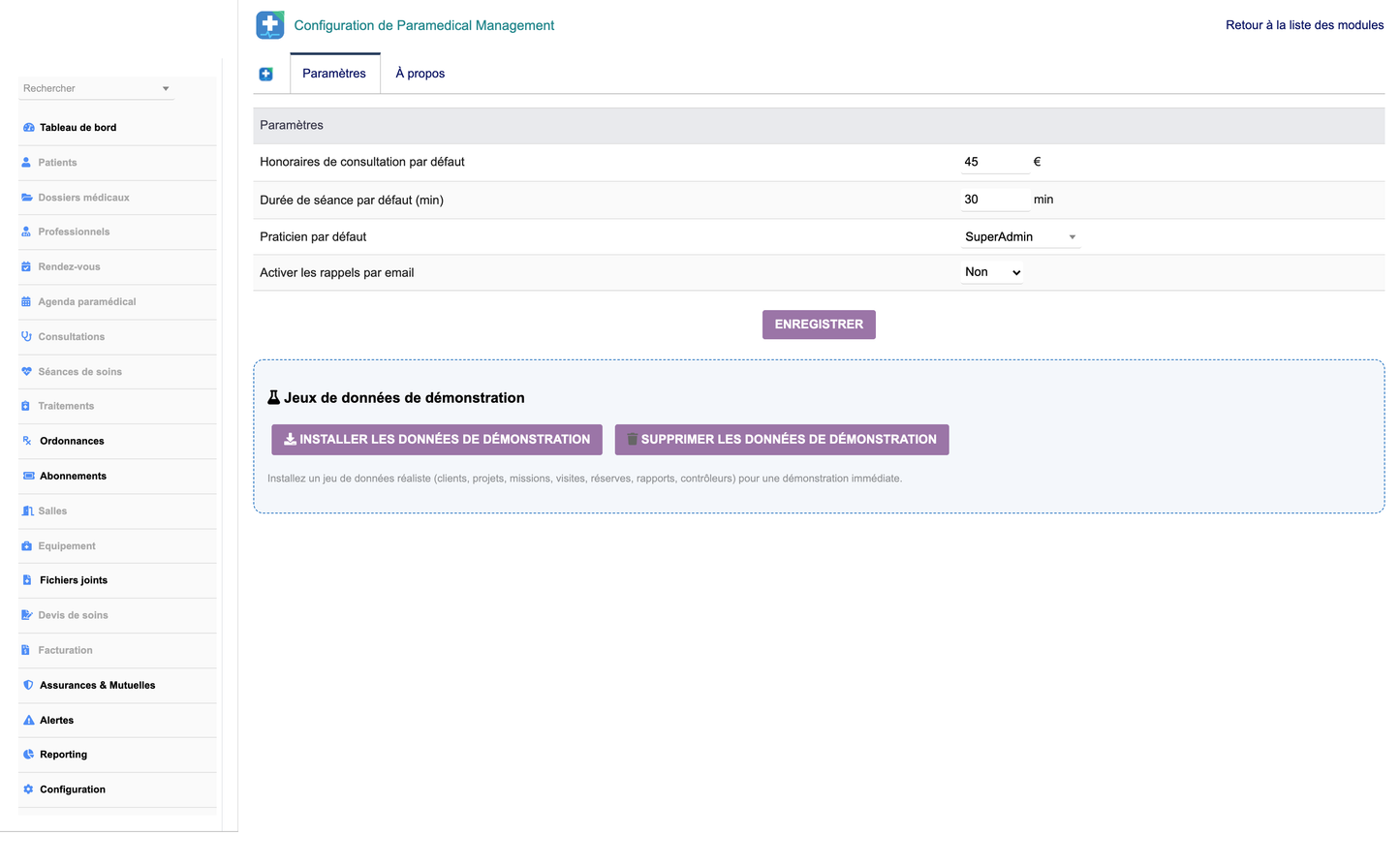
· Configure default fee, session duration, default professional and email reminders in the Setup page.
· Use the demo buttons to install or remove the demonstration dataset (real data is never affected).
· Module ZIP: paramedicalmanagement-1.0.zip (PHP, SQL, languages, CSS, JS, install documentation).
· Screenshots of every area (dashboard, patients, agenda, sessions, treatments, invoicing, reporting).
· User manual (PDF).
· This features documentation (DOCX).
© 2026 DoliResources — www.doliresources.com — GPL v3+


