
Discover powerful Dolibarr extensions designed to automate your business processes
Parcel Management turns Dolibarr into a genuine parcel-operations platform. It covers the entire life cycle...
Couldn't load pickup availability


Parcel Management turns Dolibarr into a genuine parcel-operations platform. It covers the entire life cycle of a parcel — from its creation out of a customer order, through preparation, packing, palletising, labelling and scanning, to shipping, delivery, proof of delivery, returns and archiving — without modifying the Dolibarr core.
The module is designed for logistics providers, e-commerce operators, distributors and warehouse teams who need parcel-level traceability, carrier performance measurement and full cost visibility inside the ERP they already use.
|
Dimension |
Value |
|
Business objects |
24 fully-featured objects with list, card, search and column selector |
|
Database tables |
24 dedicated tables, multi-entity aware |
|
Permissions |
35 granular rights across 15 functional groups |
|
Menu entries |
30 left-menu entries plus a top-level menu |
|
Dashboard KPIs |
35 indicators across 4 zones, plus a 6-step flow band |
|
Charts |
8 interactive charts on the dashboard, 18 in the reporting catalogue |
|
Analytical reports |
18 reports, each exportable to PDF, CSV, Excel and JSON |
|
REST API routes |
11 authenticated routes |
|
Languages |
French, English, Spanish, Italian, German (805 keys each) |
|
Demonstration dataset |
About 55,000 rows covering 13 months of activity |
Every parcel carries its own reference, barcode, tracking number, theoretical and actual weight, dimensions, volume, declared value, shipping cost, origin, destination and full set of life-cycle timestamps. Twelve statuses describe where it stands:
|
Status |
Meaning |
|
Pending |
Created, not yet taken in hand by the packing station |
|
Being prepared |
Picking and preparation under way |
|
Packed |
Physically packed, weight and dimensions captured |
|
Ready to ship |
Labelled and waiting for its shipment |
|
Shipped |
Handed over to the carrier |
|
Out for delivery |
On a delivery round |
|
Delivered |
Delivered with proof of delivery |
|
Returned |
Returned by the customer or the carrier |
|
Cancelled |
Cancelled before dispatch |
|
Blocked |
Held for a quality, customs or address issue |
|
Lost |
Declared lost, an anomaly is opened automatically |
|
Damaged |
Damaged in transit, an anomaly is opened automatically |
Parcels can be created seven different ways, and the origin is stored on the parcel so that volumes can be analysed by channel:
· Manual entry through a dedicated creation screen
· Automatically on customer-order validation
· From a preparation or picking operation
· From a Dolibarr shipment
· From an invoice
· Through the REST API
· By a configurable workflow rule
A parcel can be single-product or multi-product, single-order or multi-order, grouped from several parcels or split out of one. Parcel lines carry the product reference and label, quantity, batch number, serial number, unit and line weight, unit price and line amount.
The packaging catalogue holds cartons, envelopes, tubes, crates, bags, wooden pallets, roll cages and plastic bins, each with its dimensions, tare weight, maximum load, unit cost and stock. The packing engine selects the container from the actual content weight — including the tare and a safety margin — so a parcel can never exceed the rated load of its own container.
Consumables (stretch film, adhesive tape, void fill, bubble wrap, corner protectors, strapping, blank labels, document pouches) are tracked with their own stock, reorder level and monthly consumption, and can decrement Dolibarr stock when the option is enabled.
Parcels are consolidated into pallets, bins, roll cages and containers. Each unit tracks its capacity, actual load, gross weight, volume and fill rate, and moves through its own status chain (open, being built, wrapped, ready, loaded, shipped, returned). Consolidation operations support grouping by customer, by carrier or by delivery round, as well as splitting and merging.
Labels are produced for parcels, pallets, bins, shipments and carriers in six symbologies — Code 128, Code 39, EAN-13, QR Code, DataMatrix and GS1-128 — across six formats from A4 down to 62 × 100 mm, printed individually or in batches.
Scanning is supported from USB scanners, handheld terminals, smartphones, fixed stations and tablets, on eight events of the life cycle (creation, packing, control, consolidation, loading, departure, delivery, return). Every scan is stored with its device, timestamp and validation status, giving a complete, auditable trail per parcel.
Carriers are described by type (express, parcel network, charter, pickup point, courier, own fleet), contact details, tracking URL template, lead time, price per parcel and OTIF target. Shipments group parcels and pallets by mode — road, express, parcel network, air, sea or pickup point — and carry the planned, loading and departure dates, total weight, volume and transport cost.
Delivery rounds record the driver, vehicle, area, number of stops, parcels, distance and cost. Each delivery stores the recipient, address, delivery mode (home, pickup point, locker, office, site), planned and actual dates, number of attempts, proof type (signature, photo, SMS code, scan) and the signatory. Latitude and longitude fields are populated so that geolocation and mapping can be layered on without a schema change.
Returns are managed end to end: request, acceptance, transit, reception, inspection and treatment. Seven reasons and six treatments are supported, including putting stock back, exchange, refund, repair and destruction, with the refunded amount tracked per return.
Controls compare a measured value against an expected value and an explicit tolerance band, and store the resulting deviation. Seven control types are available — weight, volume, packaging, contents, photo, compliance and random sampling — with three outcomes: compliant, compliant with reservation, non-compliant.
Ten anomaly types are covered: lost parcel, broken parcel, opened parcel, label error, wrong weight, wrong volume, wrong recipient, wrong carrier, wrong contents and customer return. Each anomaly carries a severity, a financial impact, a resolution text and a four-step workflow (reported, in progress, resolved, closed).
Costs are captured per parcel and per shipment across eight categories — packaging, consumables, labour, transport, fuel surcharge, insurance, storage and disputes — with quantity, unit amount, total, invoicing flag and status. This feeds the average-cost-per-parcel KPI and the cost report.
The dashboard is purpose-built for parcel operations and deliberately different from the standard Dolibarr home page. It opens on a six-step flow band — pending, being prepared, packed, ready, shipped, delivered — then presents 35 indicators grouped into four zones.
|
Zone |
Indicators |
|
Parcel flow |
Parcels created today, this month and in total; pending, blocked and cancelled parcels |
|
Volumes and logistic units |
Total and average weight, total volume, items packed, pallets and open pallets, bins and containers |
|
Transport and performance |
OTIF, SLA compliance against the configured target, open shipments, average packing time, average delivery time, average cost per parcel |
|
Quality and anomalies |
Conformity rate, open and total anomalies, returns to process and return rate, loss rate, damage rate, labels printed and queued, scans total and today, active packagers, productivity, pallet fill rate, total logistics cost |
Eight charts complete the picture: daily trend over 30 days, monthly trend over 13 months, breakdown by status, parcels by carrier, by warehouse and by destination, logistics costs by type, and anomalies by type. A table of the most recent parcels closes the page.
The reporting catalogue offers 18 analytical reports, each rendered as an interactive chart plus a totalled table, and exportable to PDF, CSV, Excel and JSON.
|
Report |
What it answers |
|
Parcels per month |
Volume, weight and cubic metres handled month by month |
|
Parcels by status |
Where the stock of parcels currently stands |
|
Parcels by carrier |
Volume, weight and transport spend per carrier |
|
Parcels by customer |
Top customers by volume and declared value |
|
Parcels by warehouse |
Site workload and average parcel weight |
|
Parcels by destination |
Volume and cost per destination city |
|
Packaging used |
Which containers are actually consumed, and at what cost |
|
Consumable usage |
Stock, monthly consumption and unit cost |
|
Pallets |
Status distribution, average fill rate, total weight |
|
Bins and containers |
Fleet of logistic units and their fill rate |
|
Shipments |
Volume and cost per shipment mode |
|
Deliveries |
Status distribution and delivery attempts |
|
OTIF by carrier |
On-time-in-full performance, carrier by carrier |
|
Packager productivity |
Parcels handled, average packing time, quality rate |
|
Logistics costs |
Spend by cost category |
|
Returns |
Return reasons and refunded amounts |
|
Anomalies |
Anomaly types and their financial impact |
|
Quality control |
Conformity rate per control type |
Workflow rules connect seven triggers to seven actions, with an optional delay and an execution counter:
|
Trigger |
Typical action |
|
Order validation |
Create the parcel |
|
Preparation completed |
Create the parcel |
|
Packing completed |
Print the label, build the pallet |
|
Pallet closed |
Create the shipment |
|
Shipment validation |
Notify the customer |
|
Delivery confirmed |
Archive the parcel |
|
Delay detected |
Report an anomaly |
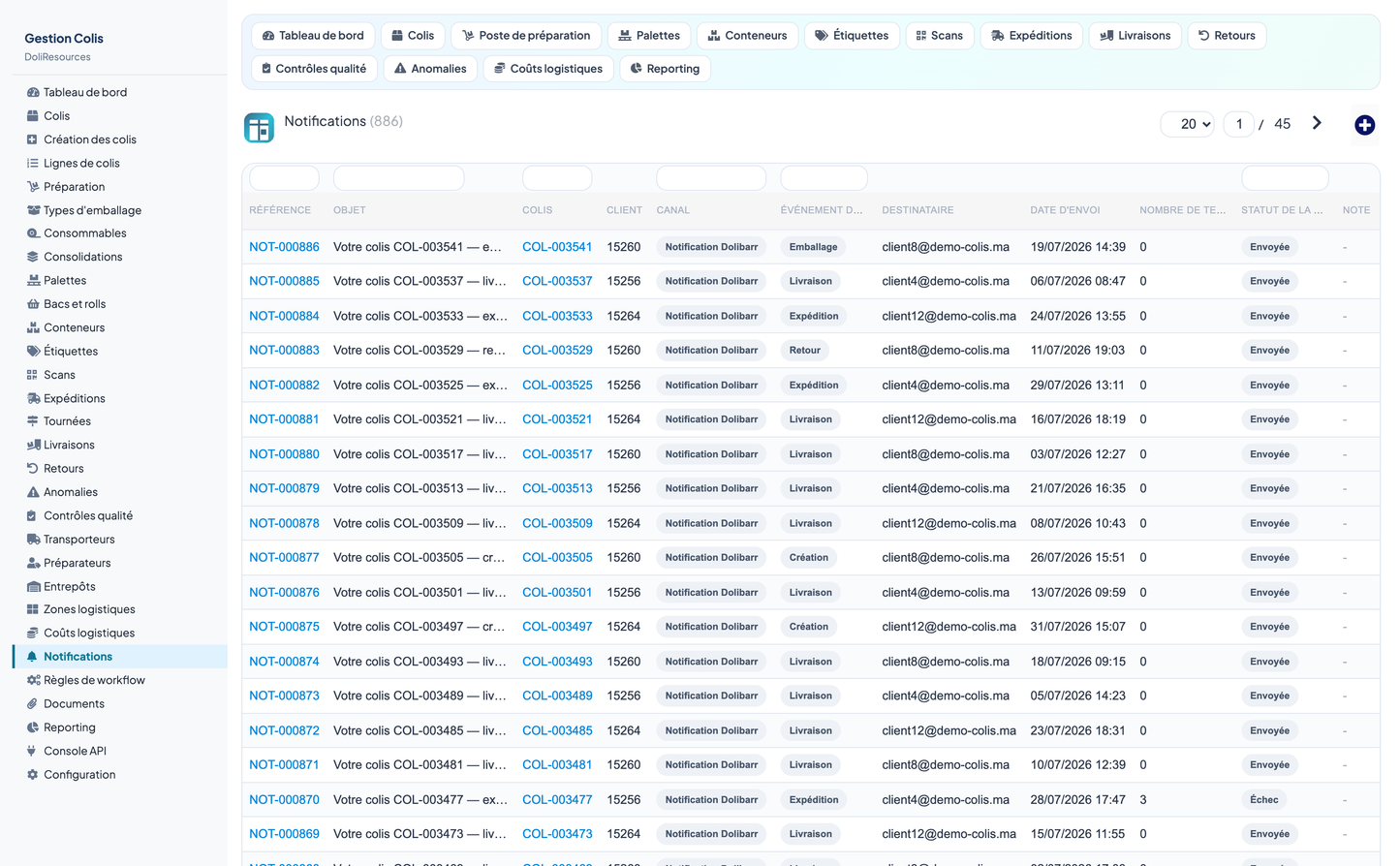
Notifications are delivered through four channels — Dolibarr messages, e-mail, outbound webhooks and SMS — on eight events: creation, preparation, packing, shipping, delivery, return, anomaly and loss. Delivery status and retry count are stored per notification.
Eleven authenticated routes expose the module to external systems — carrier platforms, e-commerce front ends, mobile scanning applications and customer tracking pages. Authentication uses the standard Dolibarr DOLAPIKEY header, and every route enforces the module permission of the authenticated user.
|
Method |
Route |
Purpose |
|
GET |
/parcels |
List and search parcels |
|
GET |
/parcels/{id} |
Get one parcel with its lines |
|
GET |
/tracking/{code} |
Track a parcel and its scan history |
|
POST |
/parcels |
Create a parcel |
|
PUT |
/parcels/{id} |
Update status, weight or carrier |
|
DELETE |
/parcels/{id} |
Delete a parcel and its lines |
|
POST |
/scans |
Register a scan |
|
POST |
/labels |
Generate and print a label |
|
POST |
/pallets |
Create a pallet |
|
POST |
/shipments |
Create a shipment |
|
GET |
/kpi |
Retrieve the operational indicators |
The module reuses Dolibarr objects rather than duplicating them, and never patches the core:
· Third parties — parcels, returns, notifications and carriers link to customer records
· Products, batches and serial numbers — carried on every parcel line
· Customer orders and shipments — a parcel keeps the link to its source document
· Warehouses and stock — consumables can decrement Dolibarr stock on packing
· Users — packagers map to Dolibarr users; every row records its author
· Multi-entity — every table carries an entity column and every query is entity-scoped
· Documents and agenda — parcel documents and proofs of delivery
· REST API — served through the standard Dolibarr API module
Thirty-five permissions across fifteen groups let you give a packer, a dispatcher, a quality inspector, a controller and an integration account exactly the access each needs. Read and write are granted on activation so the module is usable immediately; delete and administration are not.
|
Group |
Read |
Write |
Delete |
|
Referential (warehouses, zones, carriers, packaging, consumables) |
Yes |
Yes |
Yes |
|
Parcels and parcel lines |
Yes |
Yes |
Yes |
|
Preparation and packing |
Yes |
Yes |
— |
|
Logistic units (pallets, bins, containers, consolidations) |
Yes |
Yes |
Yes |
|
Labels and printing |
Yes |
Yes |
— |
|
Scans |
Yes |
Yes |
— |
|
Shipments, rounds and loading |
Yes |
Yes |
Yes |
|
Deliveries and proof of delivery |
Yes |
Yes |
— |
|
Returns |
Yes |
Yes |
Yes |
|
Quality controls |
Yes |
Yes |
— |
|
Anomalies |
Yes |
Yes |
Yes |
|
Logistics costs |
Yes |
— |
— |
|
Documents and PDF generation |
Yes |
Yes |
Yes |
|
Reporting and KPIs |
Yes |
— |
— |
|
REST API access |
Yes |
— |
— |
Two buttons in the configuration screen install and remove a complete, internally consistent demonstration dataset of about 55,000 rows spanning thirteen months: customers, warehouses, zones, carriers, packagers, packaging, consumables, parcels and their lines, pallets, bins, containers, consolidations, labels, scans, shipments, rounds, deliveries, returns, quality controls, anomalies, costs, documents, notifications and workflow rules.
Every generated row is tagged, so removing the demonstration data never touches real records. The removal button asks for confirmation and reports how many rows were deleted, table by table.
The dataset is built to be realistic rather than merely populated: delivery lead times are weighted so that OTIF lands at a credible 93.6 %, loss and damage rates sit at 0.31 % and 0.66 %, the conformity rate reaches 95.9 %, and no parcel ever exceeds the rated load of its own container.
The interface ships in French, English, Spanish, Italian and German, with 805 translation keys per language and no untranslated key rendered anywhere in the product. All wording goes through Dolibarr translation files, so a further language only requires one additional file.
The package includes this feature description, a French training manual in PDF, technical and API documentation, a functional test report, a technical test report and around sixty screenshots.
|
Requirement |
Value |
|
Dolibarr |
16.0 minimum, validated on 17.0.3, compatible with 19 to 22+ |
|
PHP |
7.1 minimum, tested on PHP 8 |
|
Database |
MySQL or MariaDB |
|
Dependencies |
Third parties (Societe) and Products modules |
|
Installation |
Standard ZIP deployment into htdocs/custom |
Developed by DoliResources — Copyright © 2026 DoliResources
www.doliresources.com


