
Discover powerful Dolibarr extensions designed to automate your business processes
Picking Management transforms Dolibarr into a complete Warehouse Management System (WMS) focused on order preparation and picking. Designed...
Couldn't load pickup availability


Picking Management transforms Dolibarr into a complete Warehouse Management System (WMS) focused on order preparation and picking. Designed for organisations that ship physical goods, it bridges the gap between the sales order and the shipment by orchestrating every step of the fulfilment process: stock availability analysis, reservation, wave and mission planning, guided picking on mobile devices, quality control, consolidation and hand-off to shipping.
Rather than a simple pick-list add-on, Picking Management is a full operational layer that gives warehouse managers and operators the tools of a professional WMS while remaining natively integrated with the Dolibarr data model. Sales orders, products, stock movements, warehouses and shipments already managed in Dolibarr become the foundation on which advanced picking strategies, route optimisation, barcode scanning and productivity tracking are built.
The result is a single, unified platform where the commercial, logistics and warehouse teams share the same real-time information — reducing errors, accelerating order preparation and delivering measurable gains in throughput and service quality.
Picking Management is built around clear operational goals designed to improve the speed, accuracy and visibility of warehouse fulfilment:
· Faster order preparation — optimised routes, wave and batch grouping, and guided screens dramatically cut the walking distance and handling time per order line.
· Fewer errors — systematic barcode/QR scanning of locations, products, lots and serial numbers guarantees the right item, in the right quantity, from the right bin.
· Real-time visibility — the control-tower dashboard and live KPIs give supervisors an instant view of the picking flow, workload and bottlenecks.
· Mobile scanning — a dedicated picker mode turns any PDA, industrial scanner or smartphone into a guided, hands-friendly picking terminal.
· Productivity tracking — time and performance are measured per picker, team, mission and zone, enabling fair workload balancing and continuous improvement.
· Quality assurance — configurable control levels (simple, double, random, mandatory) verify prepared orders before they leave the warehouse.
· Lower operating cost — higher lines-per-hour, reduced re-picks and fewer customer returns translate directly into lower fulfilment cost per order.
Picking Management suits any organisation that stores and ships physical goods, across a broad range of sectors and fulfilment models:
· Wholesale and distribution
· Retail and multi-store networks
· E-commerce and marketplace fulfilment
· Industry and manufacturing
· Spare parts and after-sales logistics
· Food and beverage (with FEFO expiry management)
· Pharmacy and healthcare (lot and serial traceability)
· Textile, apparel and footwear
· Electronics and high-tech
· Cosmetics and personal care
· Automotive and mobility
· Third-party logistics (3PL) and general logistics
· Dark stores and micro-fulfilment centres
· Click & Collect operations
· B2B, B2C and omnichannel supply chains
Picking Management is delivered as a standard external Dolibarr module. It installs like any other module and requires no modification of the Dolibarr core, which guarantees smooth upgrades and full compatibility with other modules.
· External module — packaged, versioned and installable/removable from the module setup page, with no patching of core files.
· 20 business objects — the domain is modelled as twenty dedicated business objects (orders, waves, missions, reservations, zones, locations, lots, bins, carts, pickers, teams, terminals, controls, anomalies, substitutions, consolidations, and more).
· CommonObject-based — every object extends Dolibarr’s CommonObject, inheriting the standard CRUD, permissions, hooks, extrafields and logging behaviour.
· Generic list/card engine — a shared list and card engine renders consistent, filterable, sortable and exportable views for all objects, matching Dolibarr’s native look and feel.
· Standard integration points — triggers, hooks, the agenda, the DMS (ECM) and the REST API are used the Dolibarr way, so the module behaves like a first-class citizen of the platform.
The module opens on a dedicated command dashboard, the Picking Operations Control Tower, giving supervisors a single-screen overview of the day’s activity and warehouse health.
· Today’s picking flow band — a highlighted band summarising the current day: orders to prepare, missions in progress, lines picked, orders controlled and orders ready to ship.
· Operational KPIs — key indicators for orders (received, in progress, completed), missions, productivity (lines/hour, orders/hour) and quality (control pass rate, anomaly rate).
· Interactive charts — trend and distribution charts for workload, throughput, picking strategies, zone activity and team performance over rolling periods.
· Alerts & priorities — real-time alerts for late orders, stock shortages, pending controls, open anomalies and overdue missions, so supervisors can act immediately.
Preparation starts from the sales orders already registered in Dolibarr. Picking Management provides a selection workbench where operators filter eligible orders by customer, delivery date, carrier, priority, warehouse or destination zone, then build the day’s preparation plan.
For each selected order, an availability analysis engine checks stock in real time across warehouses and locations, distinguishing physical stock, already-reserved quantities and truly available quantities. Orders are classified as fully preparable, partially preparable or blocked, allowing planners to release only what can actually be picked and to trigger replenishment or substitution where needed.
Once orders are validated for preparation, stock can be reserved down to the location, lot and serial-number level. Reservations lock the exact quantities that will be picked, preventing double allocation between concurrent orders and giving an accurate picture of committed versus free stock.
Reservations are managed as first-class objects with their own lifecycle (created, confirmed, partially fulfilled, released or cancelled) and remain fully synchronised with Dolibarr stock, so availability figures stay consistent everywhere in the ERP.
Picking Management structures the work into three complementary levels that scale from a single parcel to high-volume, multi-operator operations:
· Picking orders — the preparation instruction derived from one or more sales orders, listing the lines, quantities, locations and lots to be picked.
· Picking waves — a planned group of picking orders released together (for example by carrier cut-off, delivery round or time slot) to synchronise the warehouse workload.
· Picking missions — the concrete unit of work assigned to a picker or a cart: an ordered, optimised sequence of picks that the operator executes on the shop floor.
Waves aggregate demand for efficient planning, while missions break that demand back down into executable, route-optimised tasks assigned to the right operator, zone and equipment.
The module supports the full range of professional picking strategies, so each warehouse can match its method to its order profile and layout:
· Discrete / single order picking — one operator prepares one complete order at a time.
· Batch picking — multiple orders picked together by product to reduce travel.
· Cluster picking — several orders prepared simultaneously into separate compartments of one cart.
· Wave picking — orders released and picked in coordinated time-based waves.
· Zone picking — each operator picks only within an assigned zone; orders flow between zones.
· Pick-and-pass — the tote moves from zone to zone, each picker adding their lines.
· Pick-and-pack — picking and packing performed in a single combined operation.
Strategies can be combined and selected per wave or order profile, letting operations tune throughput against complexity as volumes evolve.
Every mission is sequenced by a route optimisation engine that minimises the distance walked and the time spent on the floor. Several algorithms are available to match the warehouse layout:
· Location order — picks sorted by the natural physical order of locations.
· S-shape (serpentine) — the operator traverses aisles in a continuous zig-zag pattern.
· U-shape / return — entry and exit on the same side, ideal for short pick runs.
· Shortest distance — a nearest-location heuristic that computes the shortest overall path.
Optimised routing reduces congestion, shortens preparation cycles and increases the number of lines picked per hour without adding headcount.
Picker mode is a dedicated, simplified interface designed for the warehouse floor. It presents large-button, high-contrast guided screens optimised for PDAs, industrial scanners and standard smartphones, so operators can work quickly with gloves and minimal training.
The workflow guides the picker step by step: go to the location, scan to confirm, pick the requested quantity, confirm, and move to the next optimised stop. On-screen prompts, confirmations and error feedback keep the operator on the right path and prevent mistakes, while the mission progresses in real time on the supervisor’s dashboard.
Scanning is central to accuracy. Picking Management reads the full range of industrial 1D and 2D symbologies:
· 1D barcodes: EAN, UPC, Code 39, Code 128, GS1-128
· 2D codes: DataMatrix and QR
Scanning is used to verify every critical element of a pick — locations, products, lots, serial numbers and bins — turning each confirmation into a checkpoint. This guarantees that the operator has physically reached the right place and taken the right item, and it captures full traceability data for regulated sectors such as food, pharmacy and electronics.
The warehouse is modelled as a precise, multi-level location hierarchy, enabling accurate storage, routing and reporting:
· Site → Warehouse → Zone → Aisle → Rack → Level → Location
Each level can carry its own attributes (picking or storage type, temperature constraints, capacity, priority), and locations map directly to Dolibarr warehouses. This granular structure feeds the route optimiser, drives zone-based strategies and provides the coordinate system used throughout scanning and reporting.
Picking Management provides complete batch and unit traceability aligned with regulated-industry requirements:
· Lots & serial numbers — full tracking with FIFO, LIFO and FEFO consumption rules, so the correct batch (for example the earliest expiry) is always picked first.
· Bins — fine-grained bin locations within a location for high-density storage and precise put-away/pick.
· Carts & logistic units — carts, totes, pallets and other logistic units are tracked as containers, supporting cluster and pick-and-pass strategies and end-to-end unit traceability.
When an order has been picked across several zones, waves or carts, the consolidation step regroups all its parts into a single, complete order before packing and shipping. Consolidation stations reconcile the picked lines against the original order, flag any missing or excess items, and confirm that the order is whole and ready for quality control or dispatch.
Configurable quality control ensures that only correct orders leave the warehouse. Several control levels can be applied by customer, product family, order value or risk profile:
· Simple control — a single verification pass of the prepared order.
· Double control — a second independent check for high-value or sensitive orders.
· Random control — sample-based checks applied to a configurable percentage of orders.
· Mandatory control — compulsory verification for defined categories before shipment.
Control results are recorded, feeding the quality KPIs and enabling anomalies to be raised, tracked and resolved.
The module manages exceptions cleanly. When a picker encounters a shortage, a damaged item, a mismatched barcode or a wrong quantity, an anomaly is raised directly from the picking screen, categorised and routed for resolution. Each anomaly keeps its own history and status until it is closed.
Where policy allows, controlled substitutions let an equivalent product replace an unavailable one — with full traceability of what was substituted, by whom and why — so orders can still be completed on time without compromising accuracy or auditability.
Picking Management gives supervisors full control over people and equipment, and measures their performance objectively:
· Preparers (pickers) & teams — operators are managed individually and grouped into teams, with assignment of zones, missions and equipment.
· Terminals & scanners — PDAs, industrial scanners and smartphones are registered and linked to sessions for accountability.
· Time & productivity tracking — picking time, lines and orders per hour are captured per picker, team, mission and zone, powering workload balancing, fair performance evaluation and continuous improvement.
A comprehensive reporting suite turns operational data into management insight. Reports are filterable by period, warehouse, zone, team and strategy, and can be exported for further analysis:
· Operational reports — orders prepared, lines picked, cycle times and backlog.
· Missions reports — mission volumes, durations and completion rates.
· Productivity reports — lines/hour and orders/hour by picker, team and zone.
· Quality reports — control pass rates, anomaly and substitution rates.
· Team reports — comparative team performance and workload distribution.
· Cost reports — labour and preparation cost per order and per line.
· Performance reports — trends, targets and continuous-improvement indicators.
Because it is built on Dolibarr’s data model, Picking Management works hand-in-hand with the platform’s native modules, avoiding any duplication of data:
· Third parties — customers and destinations drive order selection and routing.
· Products — product catalogue, barcodes, weights and dimensions feed picking and scanning.
· Sales orders — the source demand for all preparation activity.
· Shipments — prepared orders hand off cleanly to Dolibarr deliveries/expeditions.
· Stocks — reservations and picks stay synchronised with stock movements.
· Warehouses — the location hierarchy maps onto Dolibarr warehouses.
· Users — pickers and supervisors are standard Dolibarr users with permissions.
· Agenda — missions, controls and events can be logged in the agenda.
· DMS / ECM — documents and attachments are stored in the Dolibarr document system.
Picking Management exposes a REST API so external systems — e-commerce front-ends, TMS, marketplaces, mobile apps or middleware — can drive and monitor the picking process programmatically. Representative endpoints include:
· Orders — create, read and update picking orders and their status.
· Waves — build, release and query picking waves.
· Missions — assign, progress and close missions.
· Scan — submit and validate location, product, lot and serial scans.
· Anomaly — raise and update anomalies and substitutions.
· KPIs — retrieve dashboard indicators and productivity metrics.
The API is secured by Dolibarr API keys and the standard permission system, so every call is authenticated and authorised exactly like the web interface. Webhooks and Dolibarr triggers propagate events (order prepared, mission completed, anomaly raised, control passed) to external systems in real time, enabling fully connected, event-driven logistics.
Security follows Dolibarr best practices at every layer of the module:
· Permission checks — every action is gated by granular module permissions per object and operation.
· CSRF protection — forms and state-changing requests are protected against cross-site request forgery.
· Output escaping — all displayed data is escaped to prevent cross-site scripting (XSS).
· SQL safety — queries use Dolibarr’s database abstraction with proper escaping to prevent injection.
· Multi-entity isolation — on multi-company installations, data is strictly isolated per entity.
Picking Management ships fully translated and ready for international teams. The interface and business vocabulary are available in five languages:
· French (Français)
· English
· Italian (Italiano)
· German (Deutsch)
· Spanish (Español)
All labels are managed through Dolibarr language files, so additional languages can be added without touching the code.
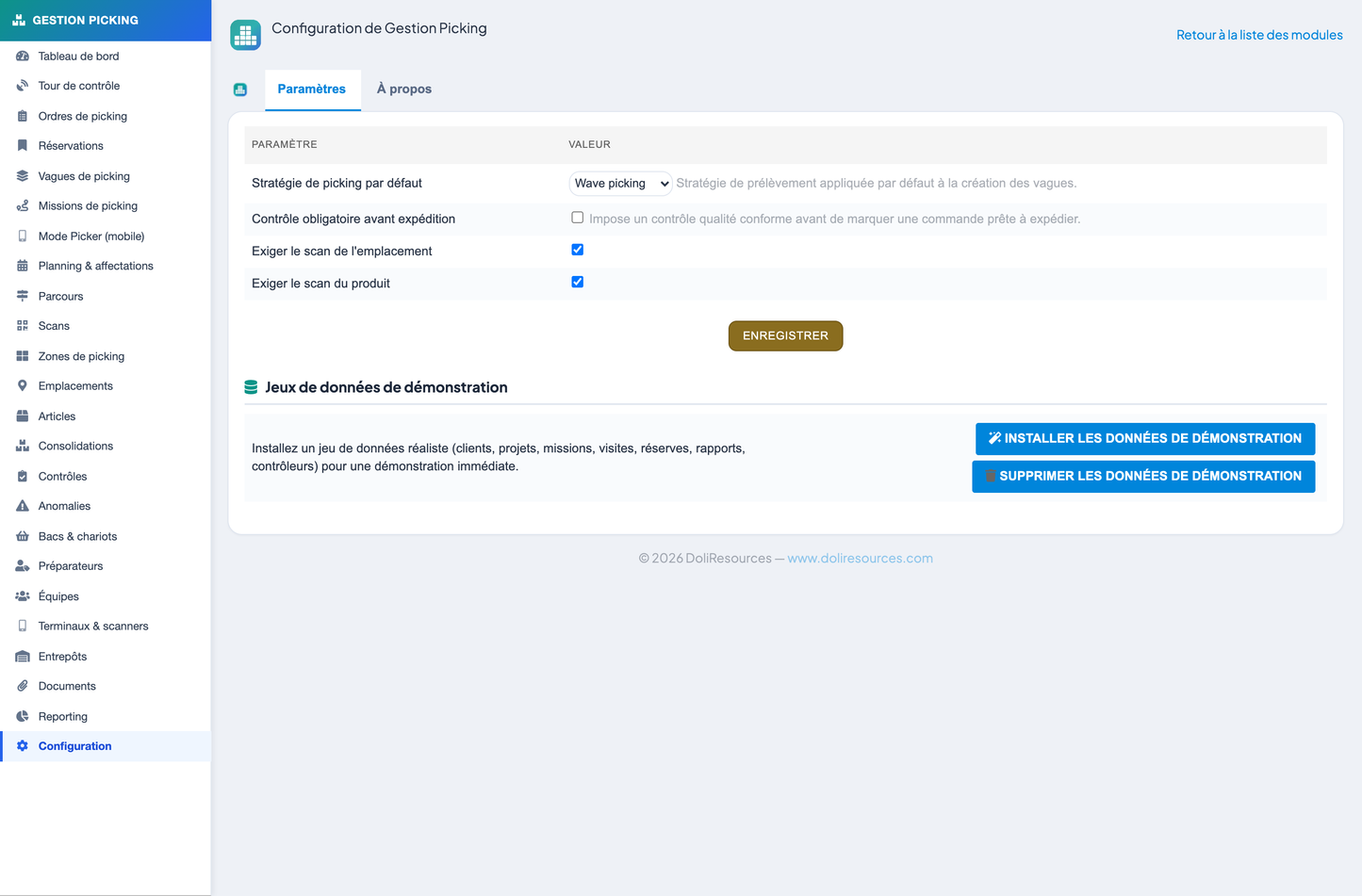
To help you evaluate the module quickly, Picking Management includes a one-click demo dataset. A single action installs realistic sample data — warehouses, zones and locations, products, orders, waves, missions, pickers, controls and anomalies — so every screen, dashboard and report is populated and ready to explore. A matching one-click action removes all demo data cleanly, leaving your database in its original state.
· Dolibarr — version 19.x to 22.x.
· PHP — version 8.1 or higher.
· Database — MySQL or MariaDB.
· Installation — standard external module; no core modification required.
The following recap summarises the complete feature set of Picking Management:
· Full WMS order-preparation and picking layer for Dolibarr, with no core modification
· 20 CommonObject-based business objects and a generic list/card engine
· “Picking Operations Control Tower” dashboard with today’s flow band, KPIs, charts and alerts
· Order selection workbench with real-time stock availability analysis
· Stock reservations down to location, lot and serial-number level
· Picking orders, waves and missions for scalable work organisation
· Full range of strategies: discrete, single order, batch, cluster, wave, zone, pick-and-pass, pick-and-pack
· Route optimisation: location order, S-shape, U-shape and shortest distance
· Mobile “picker mode” with large-button guided screens for PDA, scanners and smartphones
· Barcode & QR scanning: EAN, UPC, Code39, Code128, GS1-128, DataMatrix, QR
· Scanning of locations, products, lots, serial numbers and bins
· Multi-level zones and locations: site → warehouse → zone → aisle → rack → level → location
· Lot & serial tracking with FIFO/LIFO/FEFO, bins, carts and logistic units
· Consolidation of multi-zone / multi-wave orders
· Quality control: simple, double, random and mandatory
· Anomaly management and controlled substitutions with full traceability
· Pickers and teams, terminals and scanners, time and productivity tracking
· Reporting: operational, missions, productivity, quality, teams, cost and performance
· Native integration with Third parties, Products, Sales orders, Shipments, Stocks, Warehouses, Users, Agenda and DMS
· REST API (orders, waves, missions, scan, anomaly, KPIs) secured by API keys and permissions, plus webhooks/triggers
· Security by design: permission checks, CSRF, escaping, SQL safety, multi-entity isolation
· Multilingual: French, English, Italian, German, Spanish
· One-click demo data install and removal
· Compatible with Dolibarr 19.x–22.x, PHP 8.1+, MySQL/MariaDB
Developed by DoliResources — Copyright © DoliResources — Website: www.doliresources.com


