
Discover powerful Dolibarr extensions designed to automate your business processes
Security Guard Management is a complete Dolibarr module that turns Dolibarr into a full operational-management system for a private or public security company....
Couldn't load pickup availability


Security Guard Management is a complete Dolibarr module that turns Dolibarr into a full operational-management system for a private or public security company. It centralizes every aspect of a security operation — security agents and teams, protected client sites, surveillance contracts, missions and shifts, planned and emergency interventions, security patrols with checkpoint rounds, incidents, access control, security equipment, attendance and timesheets — around a real-time security control-room dashboard, an incident map and an advanced reporting hub.
The module is built natively on top of Dolibarr and does NOT duplicate existing Dolibarr functionality. It reuses and enriches the native modules: Third Parties (customers, secured sites, suppliers), Products & Services (security equipment), Projects, Contracts, Agenda, Users/HR, Quotes/Orders/Invoices, Stock, Document Management (ECM/GED), Bank/Accounting, the REST API and Notifications.
· Module identity: technical name securitycompany, database table prefix llx_security_company_.
· Compatibility: Dolibarr 16 to 23+, PHP 7.1 to 8.x.
· Languages: French, English, Italian, German and Spanish.
· Scope: 17 business objects, 10 permission groups, a cron automation engine, and a first-activation demonstration dataset generator.
· Design: a "security control room" identity — deep night, electric blue, alert red, metal grey and validation green.
Every feature is wired into the standard Dolibarr data model so the security business layer stays consistent with the rest of the ERP:
|
Native module |
How the module uses it |
|
Third Parties (Societe) |
Customers, secured client sites and equipment suppliers. |
|
Products & Services |
Security equipment and billable service items (guarding hour, alarm response...). |
|
Quotes / Orders / Invoices |
Native billing of surveillance contracts and interventions. |
|
Projects |
Optional project linkage on missions and interventions. |
|
Users & HR |
Security agents can be linked to Dolibarr users; supervisors validate interventions. |
|
Agenda |
Planning of missions, shifts and patrol rounds. |
|
Stock |
Tracking of the security-equipment fleet. |
|
Document Management (ECM) |
Storage of reports, evidence and contract documents. |
|
Bank / Accounting |
Downstream of native invoicing. |
|
REST API & Notifications |
All objects are standard CommonObject records, exposed to the API; alerts feed notifications. |
The module manages seventeen fully-featured business objects. Each provides a filterable list with a column selector, a detail card with a contextual KPI cockpit and linked-record panels, plus create, edit and delete actions gated by permissions.
|
Object |
Role |
|
Security agent |
Agent file: staff number, role, team, qualifications, CNAPS professional card & expiry, availability, hourly rate. |
|
Team / brigade |
Static, mobile, intervention, event or control-room teams with a leader, shift and zone. |
|
Protected site |
Client site with security level, sensitive points, GPS, access information. |
|
Surveillance contract |
Guarding / patrol / remote / event / protection / reception contract with service level and monthly amount. |
|
Mission (central hub) |
Assignment/shift with a Kanban workflow (planned, in progress, done, closed, cancelled). |
|
Intervention |
Planned or emergency action with response time, on-site report and customer signature. |
|
Intervention line |
Labor / equipment / travel lines that value an intervention. |
|
Patrol round |
Interior / exterior / perimeter / mixed round with checkpoint completion tracking. |
|
Checkpoint |
QR/NFC scan point of a round, with planned vs scan time and status. |
|
Incident |
Intrusion, theft, fire, assault, vandalism, technical, medical, suspicious with severity & damage. |
|
Access badge |
RFID badge/ID with holder type, allowed zones, validity and status. |
|
Access event |
Entry/exit log entry with zone, direction, timestamp and grant/deny result. |
|
Security equipment |
Uniform, radio, camera, vehicle, protection, detector, K9 assigned to an agent. |
|
Timesheet |
Attendance: planned/worked/overtime hours, present/late/absent/leave, check-in/out. |
|
Alert |
Operational alert with type and severity. |
|
Activity log (day book) |
Main courante: calls, reports, rounds, incidents, access, notes. |
|
Automation rule |
IF/THEN rule executed by the automation engine. |
· Complete agent files: staff number (matricule), role (security agent, patrol officer, monitoring operator, supervisor, site chief, K9 handler), qualifications (CQP APS, SSIAP, A3P...) and certifications.
· Tracking of the CNAPS professional card number and its expiry date, with automatic alerting before expiry.
· Availability status (available, on mission, rest, on leave, unavailable), sector/zone and hourly rate.
· Assignment to a team/brigade and optional link to a Dolibarr user account.
· History of missions, rounds and incidents surfaced on the agent card KPI cockpit.
· Teams/brigades: static guarding, mobile, intervention, event or control-room, each with a leader, shift (day, night, 24/7, weekend), zone and headcount.
· Protected sites (offices, industrial, warehouse, retail, residential, event, construction, public building) tied to the native customer, with required security level (low, standard, high, critical), sensitive points, GPS coordinates and access instructions.
· Clients are standard Dolibarr third parties — no duplication.
· Contract types: guarding, patrols, remote monitoring, event security, close protection, reception/screening.
· Service levels (Bronze, Silver, Gold, Premium), number of assigned agents, hours per week, hourly rate and computed monthly amount, renewal type and salesperson.
· Native billing: quotes, orders and invoices are created directly on the customer from the invoicing hub.
· Missions are the central hub: guarding, patrol, intervention, event, escort or remote monitoring.
· Assignment of an agent and a team, shift management (day, night, 24/7, weekend), planned vs actual times.
· A drag-and-drop Kanban board organizes missions by workflow status (planned, in progress, done, closed) — dragging a card updates the status instantly.
· A weekly planning grid distributes missions across the seven days, with an unplanned backlog.
· Planned or emergency interventions (alarm response / lift of doubt, assistance, patrol).
· Response-time tracking (call, arrival, end), actions taken, outcome and supervisor validation.
· On-site signature capture on a touch/mouse canvas; saving the signature validates the intervention and moves it to the "Done" status.
· Interventions are valued through labor / equipment / travel lines for billing.
· Interior, exterior, perimeter or mixed rounds along a named route, assigned to an agent and team.
· Each round declares its checkpoints; the number of validated checkpoints, duration and anomalies are tracked.
· Checkpoints are scanned by QR/NFC (badge code) with a timestamped passage history and per-point status (pending, OK, missed, incident).
· Missed checkpoints raise automatic alerts.
· Full typology: intrusion, theft, fire, assault, vandalism, technical, medical, suspicious activity, other.
· Severity (low, medium, high, critical), detection channel, location, description and actions taken.
· Damage estimate, police-report flag, evidence/photos and a processing status (open, investigating, resolved, closed).
· Open critical/high incidents feed the control-room dashboard and the automatic alert engine in real time.
· Badge/ID management: code, holder type (employee, visitor, contractor, VIP, agent), allowed zones, validity window and status (active, suspended, lost/stolen, expired).
· Entry/exit event log: badge, site, zone, direction (in/out), timestamp and result (granted/denied) with the reason for denials and the recording agent.
· Badges nearing expiry are flagged automatically.
· Equipment categories: uniforms, radios, cameras, vehicles, protective gear, detectors, K9, other.
· Brand, model, serial number, optional link to a native product, purchase date and warranty.
· Assignment to an agent and site, with a status (available, assigned, in maintenance, retired).
· Agent time tracking per shift: planned hours, worked hours and overtime.
· Attendance status (present, late, absent, on leave) with check-in and check-out times.
· Aggregated into the "hours & attendance" report and the dashboard worked-hours KPI.
A brand-new real-time dashboard (not the standard Dolibarr home) presented as a security control room, with a dark theme and electric-blue / alert-red accents. It is organized into four zones:
· Active agents, agents on mission, sites under guard, open incidents, critical alerts, today’s missions, ongoing missions, overdue missions, rounds today, access events today. Each tile links to the filtered list.
· Average response time, missions done this month, coverage rate, patrol hours, checkpoint-scan rate.
· Incidents per month, incidents by type, missions by status, incidents by site.
· Active contracts, sites, tracked equipment, worked hours this month, monthly revenue.
An in-page tab bar gives one-click access to every module screen from any page.
An incident map plots guarded sites and their incidents on a GPS-scaled control-room canvas, with no external map dependency. Sites with open incidents appear in red with the number of open incidents; a click opens the site file, and a companion table recaps incidents per site and security level.
A dedicated reporting hub provides fourteen ready-made reports, each with KPI cards and CSV, Excel and PDF exports plus direct printing:
|
Report |
Content |
|
Incidents by period |
Monthly incident volume and resolved count. |
|
Incidents by type |
Breakdown across the nine incident types. |
|
Incidents by severity |
Low / medium / high / critical distribution. |
|
Incidents by site |
Ranking of sites by incident count. |
|
Missions by status |
Workflow distribution of missions. |
|
Interventions & response time |
Monthly interventions with average response time. |
|
Patrol rounds & checkpoints |
Rounds per month and checkpoint-scan rate. |
|
Agent activity |
Missions, rounds and incidents per agent. |
|
Hours & attendance |
Worked hours, overtime and absences per agent. |
|
Access log |
Granted vs denied access per site. |
|
Contract portfolio |
Contracts and monthly amount by type. |
|
Equipment fleet |
Equipment count by category. |
|
Revenue |
Monthly intervention revenue. |
|
Activity by customer |
Missions and incidents per client. |
A cron-driven automation engine runs daily (and on demand) and regenerates the operational alert centre from the current state of the operation. It raises alerts for:
· open critical / high incidents;
· overdue missions (planned end passed, not done);
· patrol rounds with missed checkpoints;
· surveillance contracts to renew within 30 days;
· agent professional cards expiring within 30 days;
· access badges expiring within 30 days.
Configurable IF/THEN automation rules (create alert, send notification, send email...) are shipped and can be extended by the administrator.
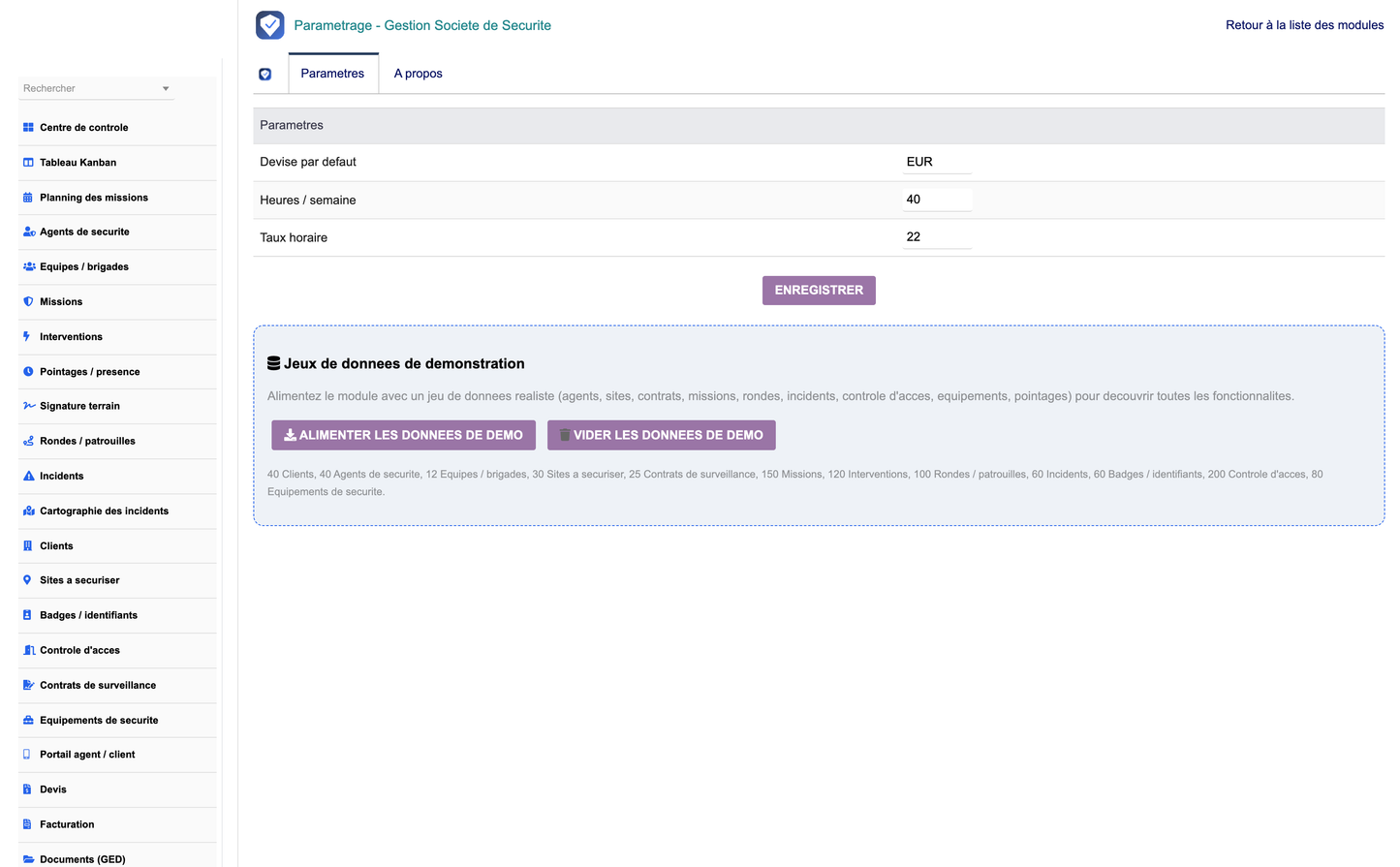
· An administration page sets default currency, default weekly hours and default hourly rate.
· Two one-click buttons generate or purge a realistic first-activation demonstration dataset covering every object (agents, sites, contracts, missions, interventions, rounds & checkpoints, incidents, badges, access events, equipment, timesheets, alerts, day-book entries and automation rules).
· The demo generator also creates and cleanly removes native Dolibarr customers, suppliers, products and — when those modules are enabled — quotes and invoices, all tagged for safe purging.
The module follows the standard Dolibarr architecture (core/modules, class, sql, admin, lib, css, js, img, langs, core/triggers) and applies strict security:
· Granular Dolibarr permissions on every page and action.
· CSRF token protection and systematic XSS escaping of output.
· Parameterized / escaped SQL and filtered request parameters.
· Multi-company (multi-entity) support on every object.
· Action logging and an integrated activity day book.
|
Group |
Scope |
Rights |
|
agents |
Agents & teams |
read / write / delete |
|
sites |
Sites, badges & access control |
read / write / delete |
|
missions |
Missions, interventions & timesheets |
read / write / delete |
|
rounds |
Patrol rounds & checkpoints |
read / write / delete |
|
incidents |
Incidents |
read / write / delete |
|
contracts |
Surveillance contracts |
read / write / delete |
|
equipment |
Security equipment |
read / write / delete |
|
automation |
Alerts, day book & automations |
read / write / delete |
|
reporting |
Reporting |
read |
|
admin |
Module administration |
administer |
· Module: Delivered as module_security_company-1.0.zip, ready to install from the Dolibarr module manager or by unzipping into htdocs/custom/.
· Documentation: Illustrated French training manual, French installation & technical guide, and this English feature description.
· Publisher: DoliResources — www.doliresources.com — © 2026 DoliResources, all rights reserved, GNU GPL v3+.


